Connectivity 315
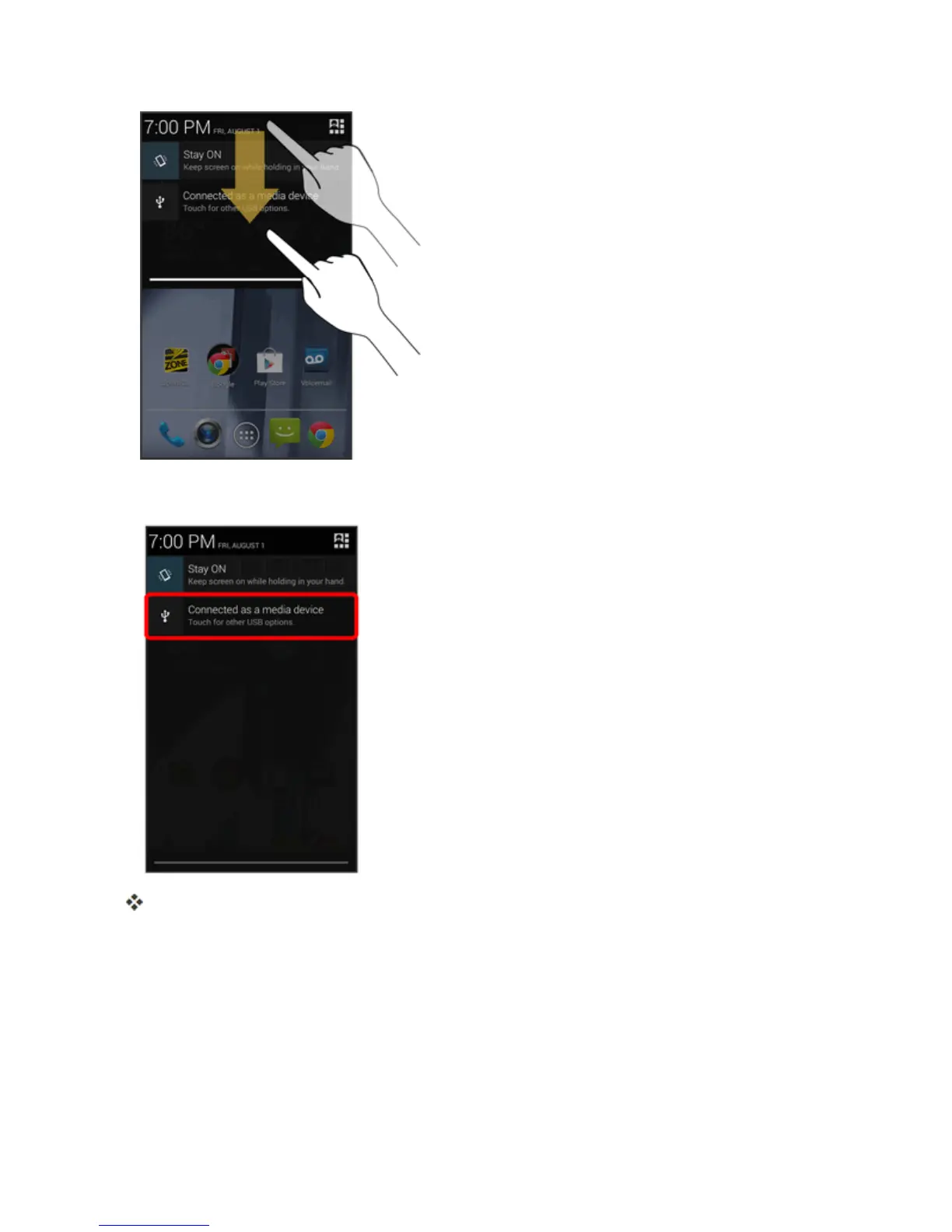
3. YouwillseeeitherConnected as a media deviceorConnected as a camera.
Thefilesonyourphonecannowbeaccessedviayourcomputer.
l Formosttransfers,you’llwanttouseConnected as a media device.
l Tochangetheoption,touchitinthenotificationswindowtoopentheSettings>USB
connectionwindow,andthentouchthedesiredoption.
l IfyouseeConnected as an installerinthenotificationswindow,touchConnected as an
installer,andthenConnected as a media deviceorConnected as a camera.



 To Next Page