7-9
CHAPTER7
5
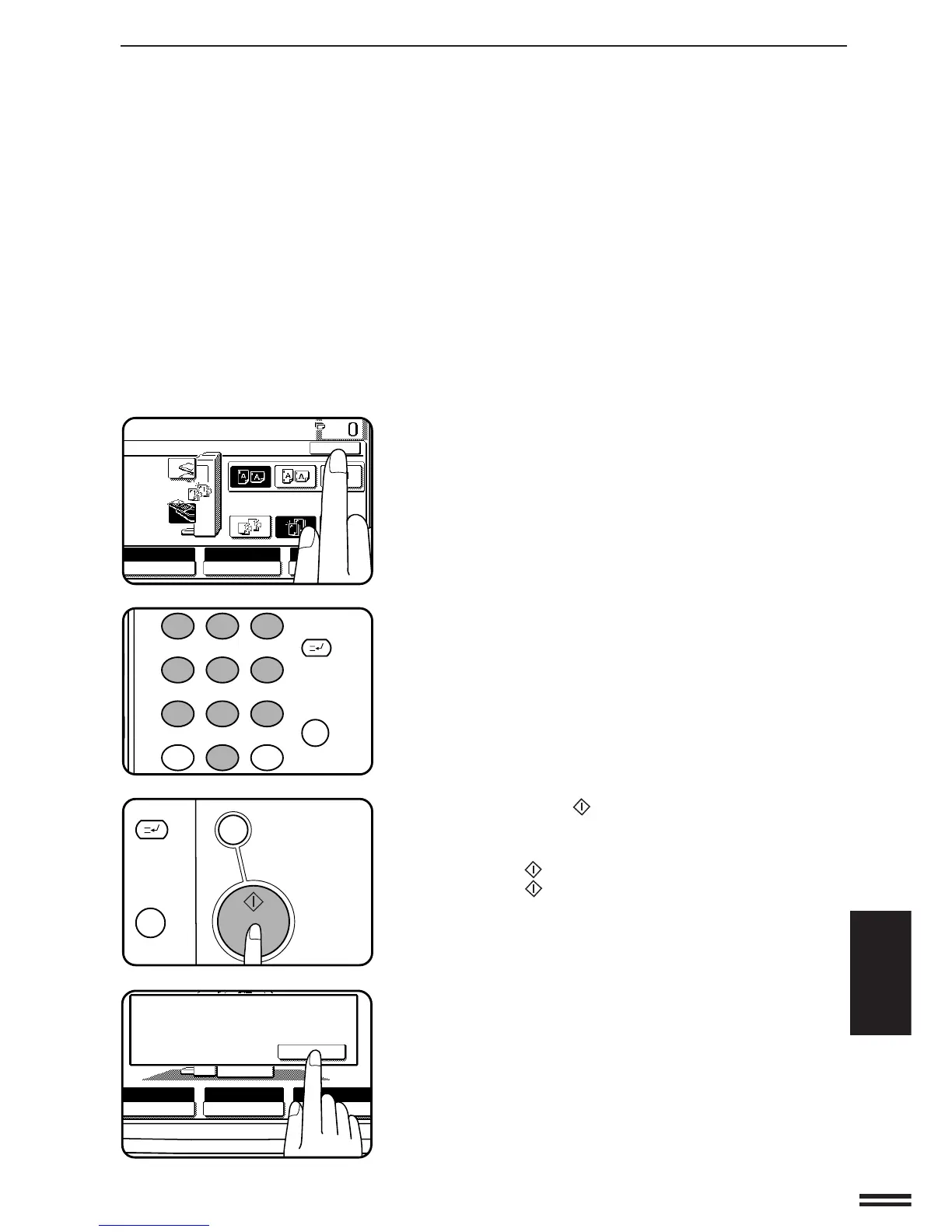
Press the “OK” key.
6
Set the number of copies.
7
Press the START ( ) key.
8
Replace the finished original with the next original after
the START (
) key indicator lights up, and then press
the START (
) key. Repeat this step until all originals
have been scanned.
9
After all originals are scanned, press the “READ-END”
key on the touch panel.
●
Copying will start and each set of copies will be automatically
stapled and delivered to the offset tray.
AUTO
EXPOSURE PAPER SELECT
100%
COPY RATIO
READ-END
PLACE NEXT ORIGINAL. PRESS [START].
WHEN FINISHED, PRESS [READ-END].
AUTO
A4



 To Next Page