7-12
CHAPTER7
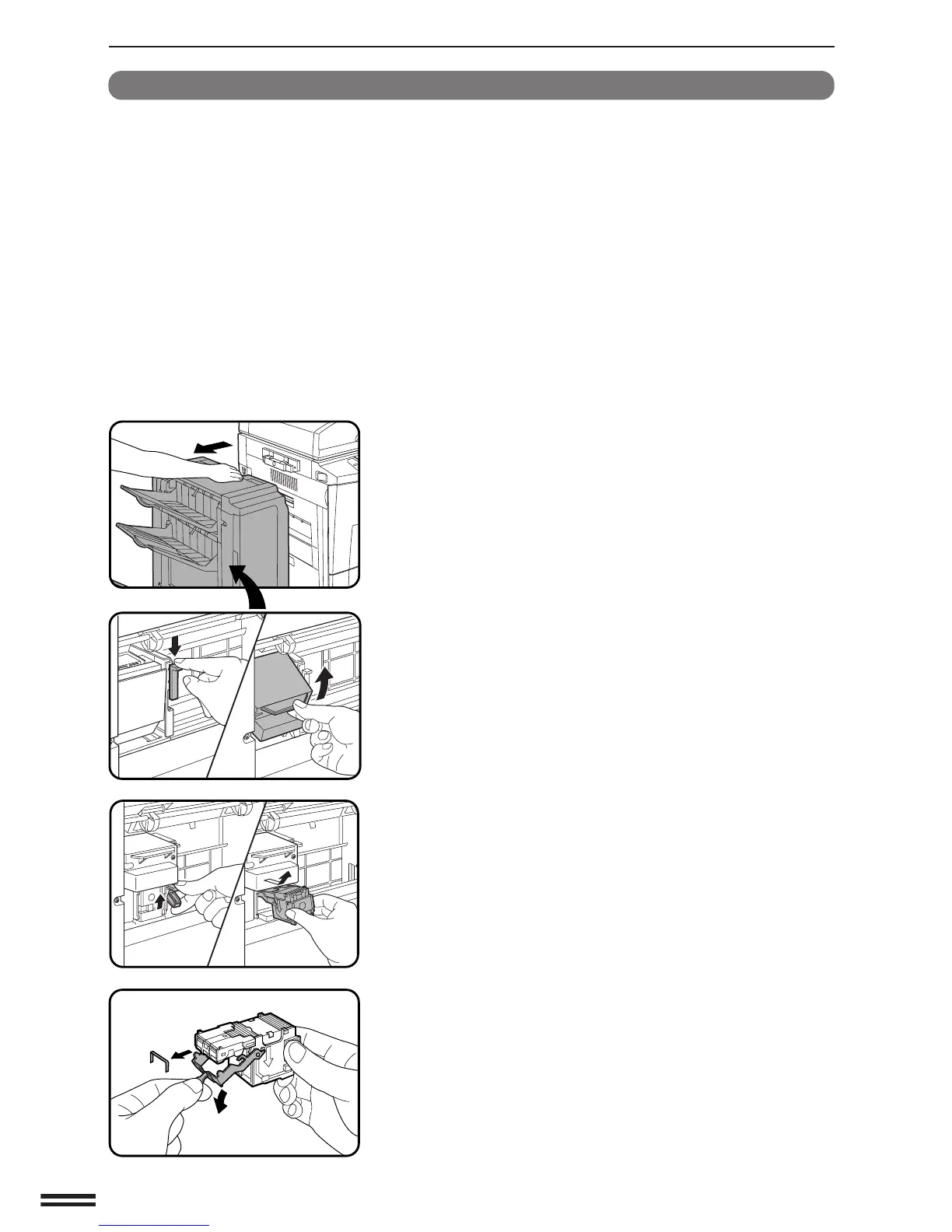
Staple jam removal
If staples become jammed in the stapler, “CHECK STAPLER POSITION
OR STAPLE JAM.” will be displayed. Remove the jammed staples in the
manner described below.
1
While holding the finisher release lever, slide the finisher
away from the copier.
2
Lower the lock lever to unlock the stapler unit.
3
Turn the stapler unit to face up.
4
Hold the staple box release lever to unlatch the staple
box.
5
Remove the staple box.
6
Lower the lever at the end of the staple box and remove
the jammed staples.
OPTIONAL EQUIPMENT
Finisher (AR-FN3)
FINISHER (AR-FN3)



 To Next Page