8-2
CHAPTER8
KEY OPERATOR CODE NUMBER
Registering the key operator code number
1
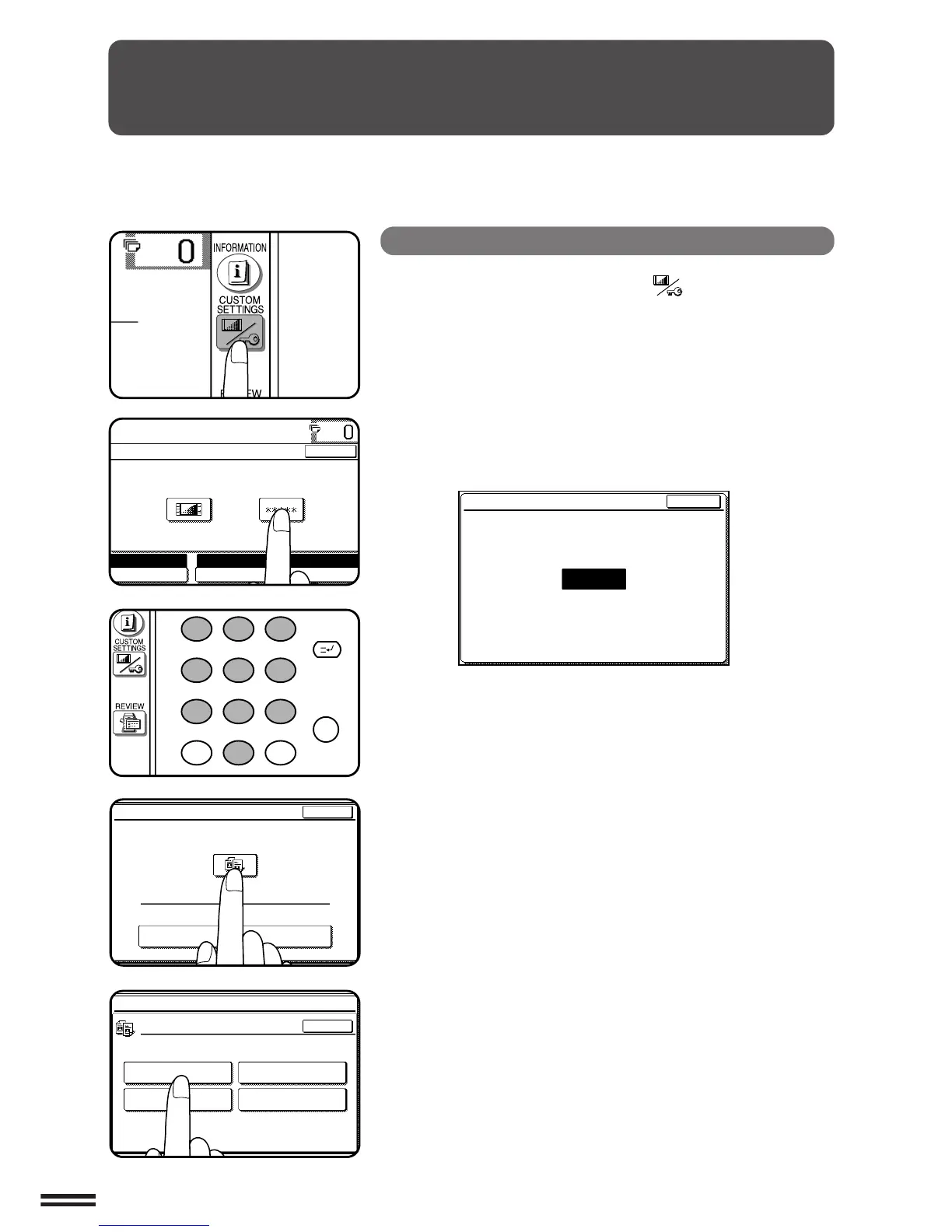
Press the CUSTOM SETTINGS ( ) key.
2
Press the “KEY OPERATOR PROGRAMS” key on the
touch panel.
●
The following display will appear.
3
Enter your key operator code number using the 10-key
pad.
●
When registering the key operator code number for the first time,
enter the number that was set at the factory. (See page 8-33.)
●
As the code number is entered, the dashes in the display will
change to asterisks.
4
Press the “COPIER” key on the touch panel.
5
Press the “OTHER FUNCTION SETTINGS” key.
KEY OPERATOR PROGRAMS
ENTER KEY OPERATOR CODE.
EXIT
KEY OPERATOR CODE
-----
A key operator code number must be registered before a key operator
program can be used. The key operator must remember this number. Only
this registered number will allow access to the key operator programs.



 To Next Page