EasyManua.ls Logo

Sharp AR-505 - Function Setting Icons

Sharp AR-505
174 pages
Print Icon
To Next Page IconTo Next Page
To Previous Page IconTo Previous Page
Loading...
1-9
CHAPTER1
READY TO COPY.
1.
2.
A4
A3
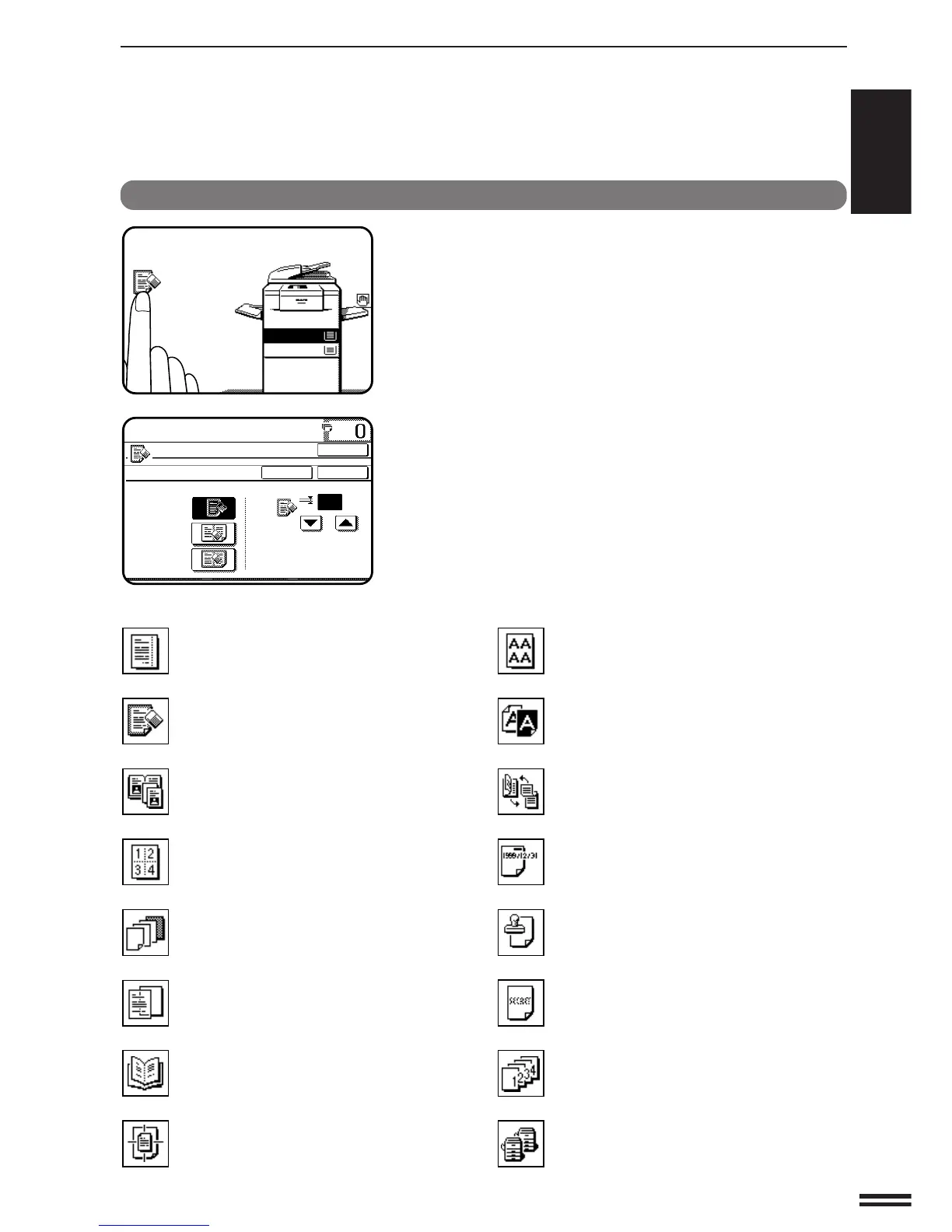
Function setting icons
Selected special functions are indicated with their icons on
the basic screen. The setting screen for a selected function
can be easily called by pressing its icon. (The functions
indicated below with *1 have no setting screen and, therefore,
no setting screen can be called.)
If multiple special functions are selected, up to six icons
will be displayed.
The function setting icons are listed below. The content of
the icons indicated by *2 will change depending upon the
particular settings for these functions.
USING THE TOUCH PANEL
GETTING STARTED Using the touch panel

READY TO COPY.
ERASE
EDGE ERASE
CENTRE ERASE
EDGE+CENTRE
ERASE
CANCEL
10
OK
OK
(0~20)
mm
*
2
Margin shift (p.3-4)
*
2
Erase (p.3-6)
*
1
Dual page copying (p.3-8)
*
2
Multi shot (p.3-10)
*
2
Covers (p.3-13)
*
2
Transparency film with insert sheets
(p.3-15)
Pamphlet copy (p.3-17)
*
1
Centring (p.3-20)
*
2
Repeat copy (p.3-22)
*
1
B/W reverse (p.3-25)
*
1
Binding change (p.3-27)
Date (p.3-30)
Select stamp (p.3-33)
Watermark (p.3-36)
Page number (p.3-39)
*
1
Tandem copy (p.3-43)

Table of Contents

Related product manuals