3-19
CHAPTER3
7
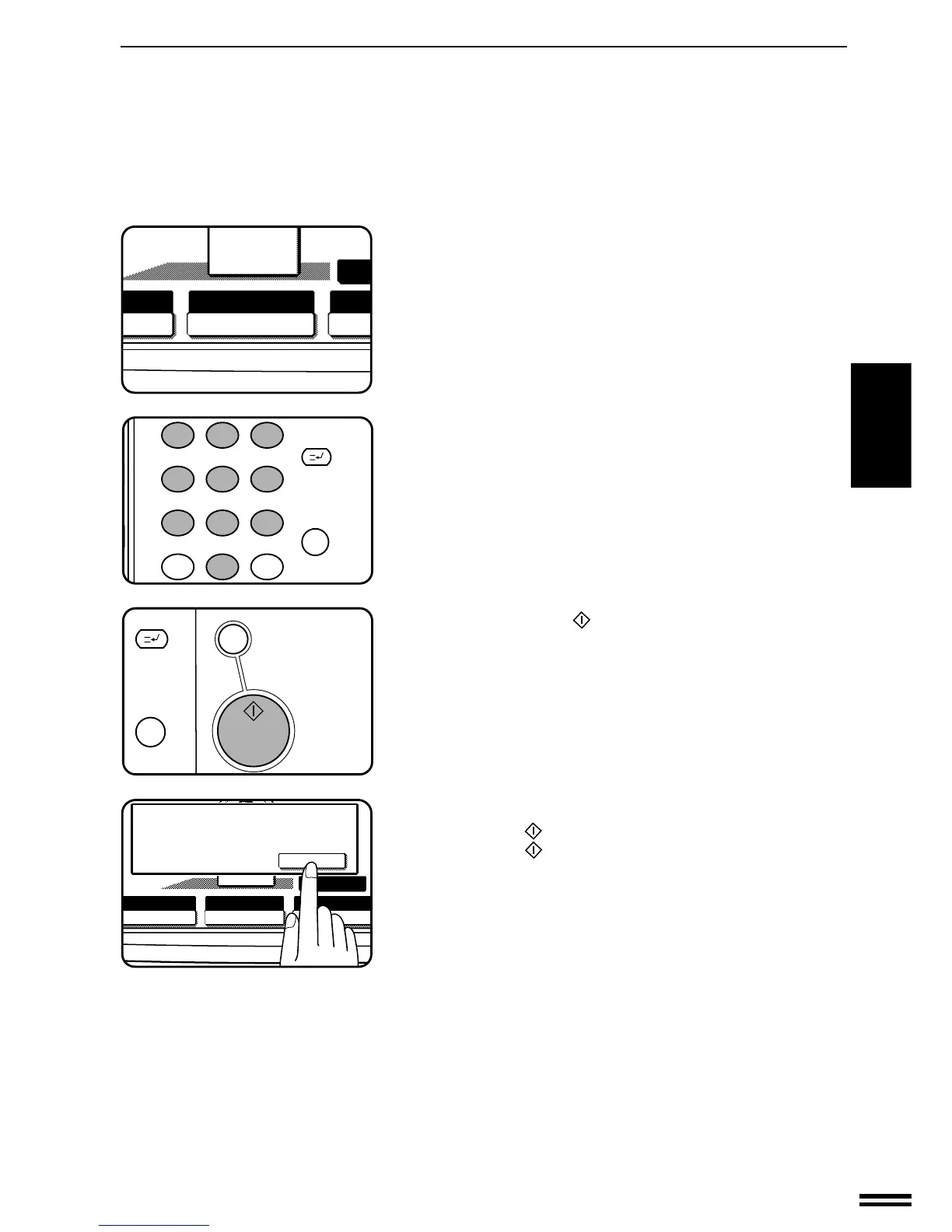
Check the copy paper selection.
●
If the AUTO IMAGE function is selected, reduction or enlargement
and image rotation will be automatically performed as required.
●
The AUTO IMAGE function is automatically selected when the
PAMPHLET COPY function is selected.
●
In some regions, the AUTO PAPER SELECT function is
automatically selected in place of the AUTO IMAGE function.
8
Enter the desired number of copies.
9
Press the START ( ) key.
●
If the document feeder is used, copying will start after all originals
are scanned.
●
If the document glass is used, proceed to the next step.
10
Replace the finished original with the next original after
the START (
) key indicator lights up, and then press
the START (
) key. Repeat this step until all originals
have been scanned. Then, press the “READ-END” key
on the touch panel.
●
Copying will start at this time.
●
Up to 120 sheets of A4 (8-1/2" x 11") originals or up to 60 sheets
of originals larger than A4 (8-1/2" x 11") can be scanned.
●
If originals of different sizes are used, the copy paper size will be
determined based on the original that is scanned first. If originals
larger than the first original are used, a portion of the images may
not be copied.
●
You can make a pamphlet by folding the copies in two and
stapling them.
●
To cancel the PAMPHLET COPY function, select the PAMPHLET
COPY function again and press the “CANCEL” key.
PAMPHLET COPY
SPECIAL FUNCTIONS Pamphlet copy



 To Next Page