3-23
CHAPTER3
4
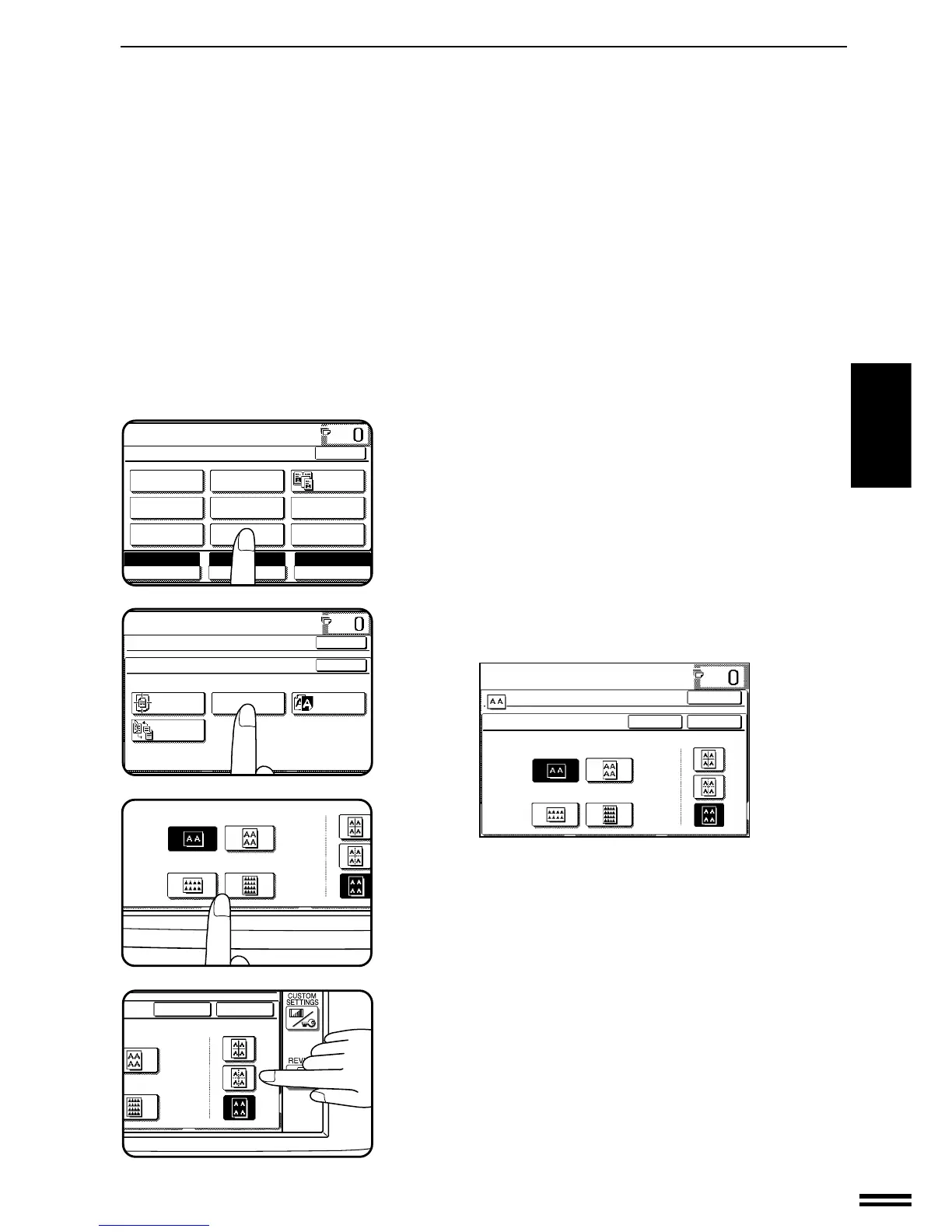
Press the “IMAGE EDIT” key on the touch panel.
●
The IMAGE EDIT menu will appear.
5
Press the “REPEAT COPY” key on the touch panel.
●
The setting screen for REPEAT COPY will appear.
6
Select the number of images to be repeated on a single
sheet of copy paper.
●
Select “2”, “4”, “8” or “16” on the touch panel.
7
Select a type of border line.
●
Select the solid line, broken line or no border line.
SPECIAL FUNCTIONS Image editing functions



 To Next Page