5-12
CHAPTER5
Paper feed area open/close lever
COPIER TROUBLE? Misfeed removal
MISFEED REMOVAL
2
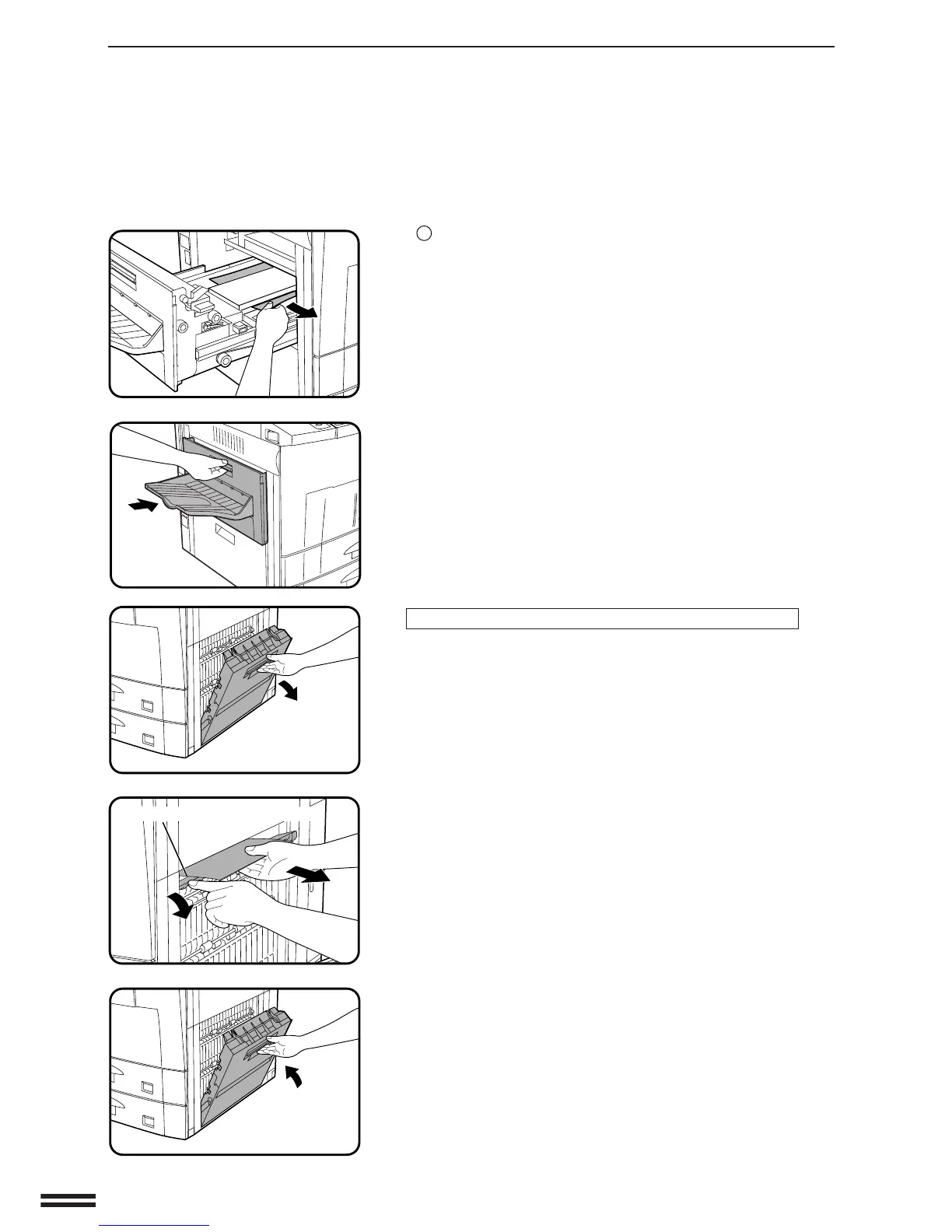
Remove any misfed paper from the duplex module.
●
Be careful not to tear the misfed paper during removal.
3
Close the exit area cover.
If the misfed paper is in the right side of the duplex module:
1
Open the right side cover.
●
Hold the handle and gently open the cover.
●
If any paper is set in the bypass tray, remove the paper and close
the bypass tray before opening the right side cover.
2
Remove the misfed paper.
●
Move the paper feed area open/close lever in the direction of the
arrow and remove the misfed paper.
3
Close the right side cover.
●
Confirm that the misfeed display is cleared.



 To Next Page