110
KEY OPERATOR PROGRAMS
Key operator programs
Using the key operator programs
1
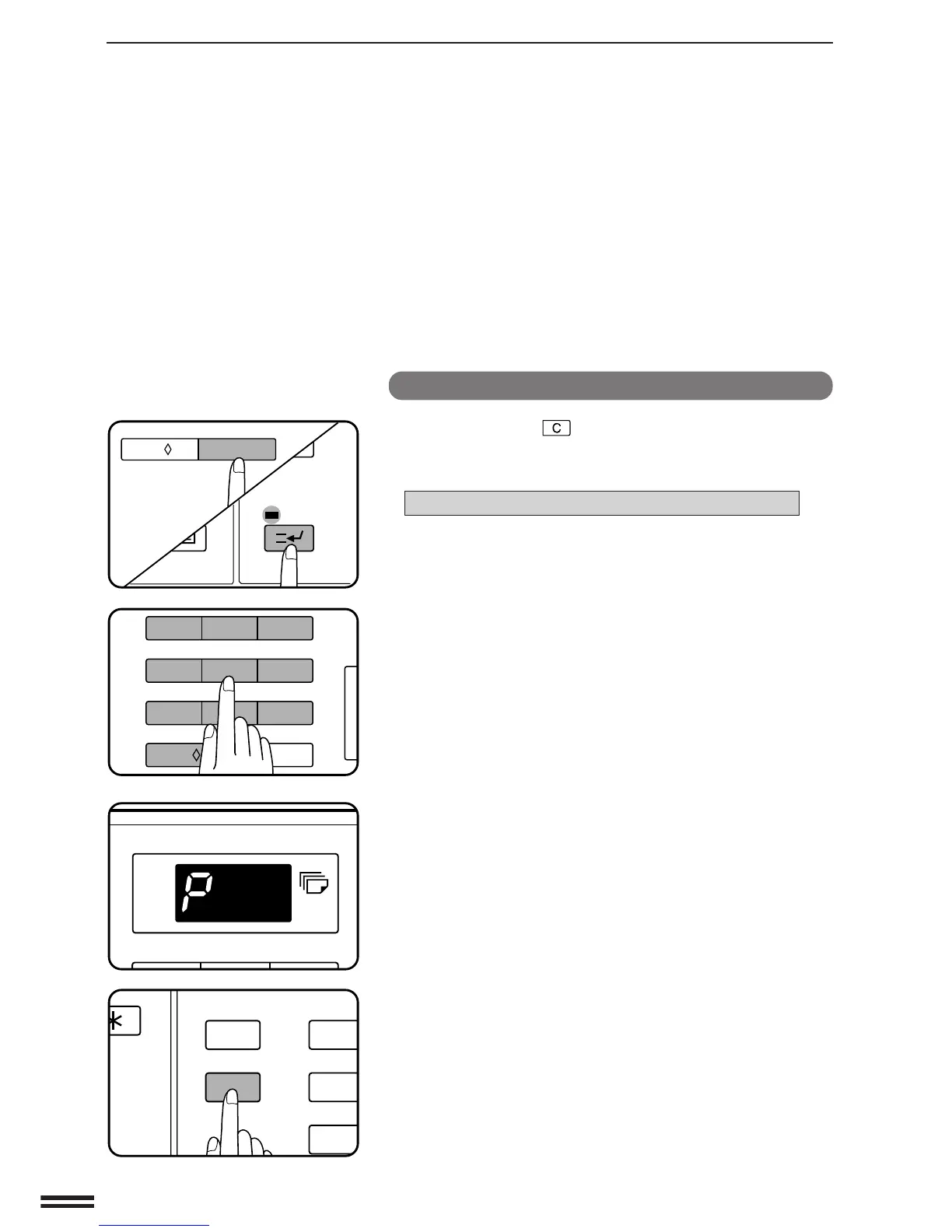
Press the clear ( ) key, the INTERRUPT key, and the
clear key again.
●
The following message will appear.
ENTER KEY OPERATOR CODE. –––––
2
Enter the key operator code number.
●
The dashes in the message will change to asterisks. If the
entered code number is correct, a “P” will appear in the copy
quantity display.
3
Enter the desired 2-digit program code number and
press the START key.
●
If a mistake is made during entry, press the clear key to clear
the entry.
●
The message display will show the number and name of the
program.
●
In some programs, the current setting will be displayed or
highlighted in the message display.
4
Follow instructions for the program.
●
When all steps for the program have been completed or when
the PROGRAM key is pressed to exit the program, a “P” will
appear in the copy quantity display so that another program
can be selected.
5
To exit the key operator program mode, press the
CLEAR ALL key.
1
4
7
P
CA
PROGRAM
CLEAR ALL
INTERRUPT
123
456
7
8
9
C
0/
AUDIT CLEAR
C
0/
AUDIT CLEAR
INTERRUPT



 To Next Page