68
GENERAL
INFORMATION
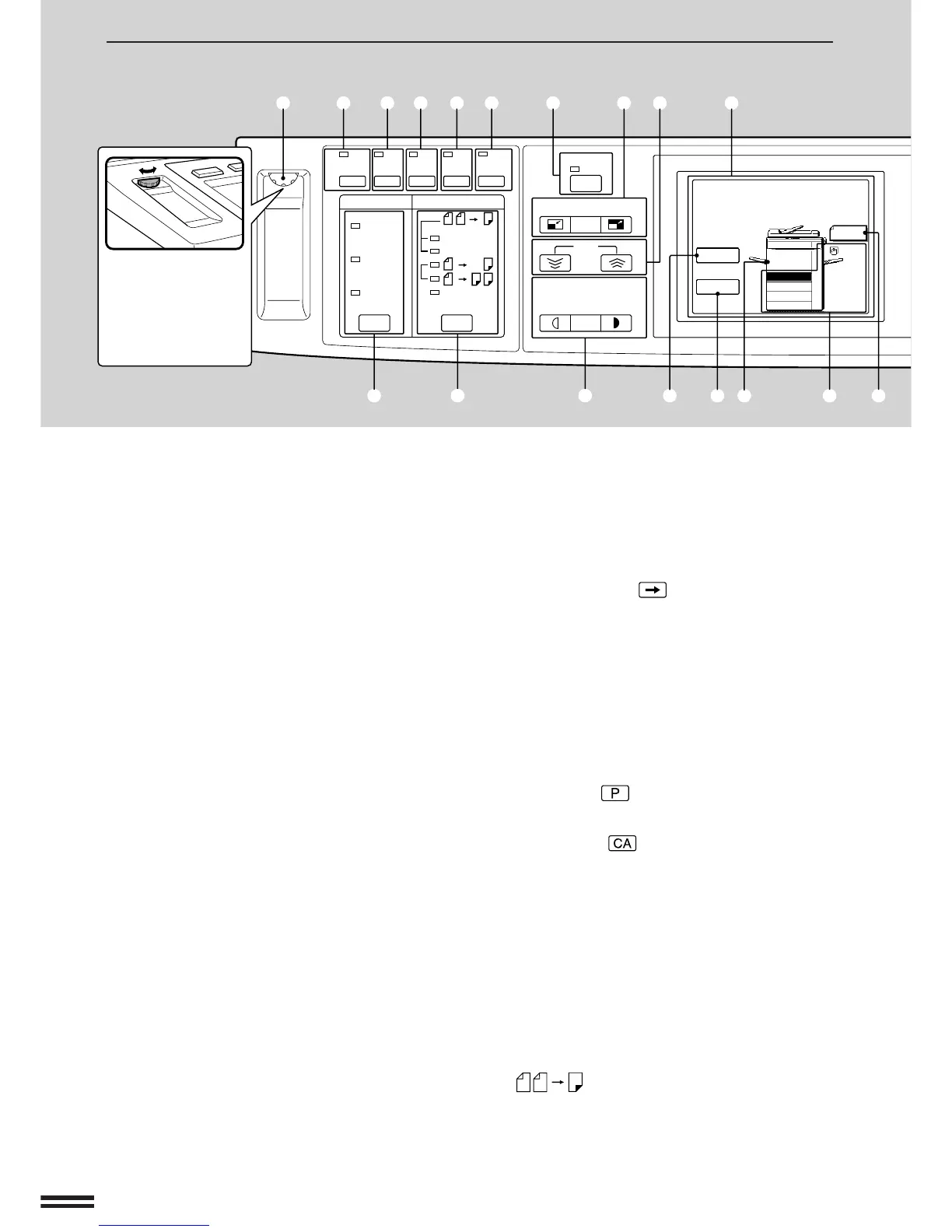
q LCD contrast control
Used to control the contrast of the message
display.
w TRANSPARENCY INSERTS key and indicator
(p.43)
Press to select the transparency inserts mode.
e COVERS/INSERTS key and indicator (p.24, 26)
Press to select the covers and/or inserts modes.
r MARGIN SHIFT key and indicator (p.21)
Press to select the margin shift mode.
t ERASE key and indicator (p.19)
Press to select the centre erase and/or edge
erase modes.
y DUAL PAGE COPY key and indicator (p.18)
Press to make individual copies of two originals
placed side by side on the document glass.
u AUTO IMAGE key and indicator (p.14)
Press for automatic copy ratio selection.
i REDUCTION, 100%, and ENLARGEMENT keys
(p.15)
REDUCTION key: Selects one of four preset
reduction copy ratios: 50%, 70%, 81%, or 86%
(50%, 64%, 77%, or 95%).
100% key: Press to reset the copy ratio to 100%
for same-size copies.
ENLARGEMENT key: Selects one of four preset
enlargement copy ratios: 115%, 122%, 141%,
or 200% (121%, 129%, 141%, or 200%).
(One reduction or enlargement preset ratio can
be added using a key operator program.)
o ZOOM keys (p.15)
Used to select any enlargement or reduction copy
ratio from 50% to 200% in 1% increments.
!0 Message display
Displays information to assist the operator in
programming the copier and in recovering a job
after a misfeed. Information about copier features
can also be displayed.
!1 SCROLL DISPLAY key
Press to scroll the display for more information
when the symbol ( ) appears at the end of a
message.
Displays the total number of copies made to date
if pressed during standby.
Press to change the parameters for the MARGIN
SHIFT, ERASE, and STAPLE SORT features.
!2 INFORMATION key and indicator (p.6)
Press for operation guidance on use of various
features of this copier. Press for guidance when a
misfeed occurs or when adding toner.
!3 PROGRAM ( ) key (p.45)
Press to select the job memory mode.
!4 CLEAR ALL ( ) key
Clears all selected settings and returns the copier
to the initial settings.
!5 Copy quantity display
Displays the specified number of copies.
!6 SORTER key and indicators (p.78, 83)
Press to select the sorter modes when a sorter or
a staple sorter is installed. (Sorters are optional.)
!7 ORIGINAL TO COPY key and indicators
Press to select one-sided and two-sided copy
modes.
: Two-sided copies from one-sided
originals. “EVEN NUMBER” or
“ODD NUMBER” must be
selected in accordance with the
number of originals.
PART LOCATIONS AND FUNCTIONS
Operation Panel



 To Next Page