17
MAKING COPIES
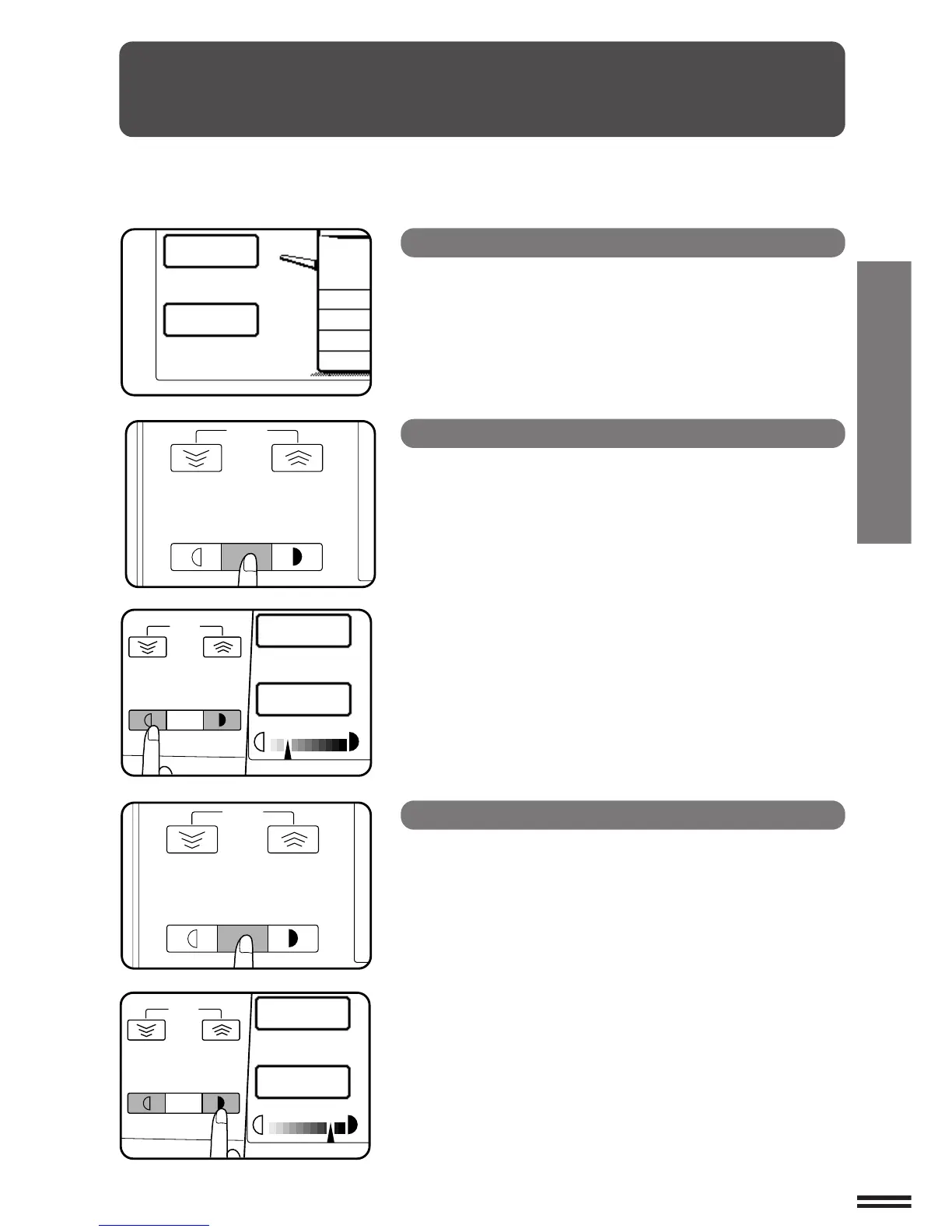
EXPOSURE ADJUSTMENTS
This copier has three exposure modes to choose from:
AUTOMATIC, MANUAL, and PHOTO.
Automatic
This is the standard initial setting for this copier. In this mode, the
characteristics of an original being copied are “read” by the exposure
system, and exposure adjustments are made automatically.
This optimizes contrast of the copied images by reducing the effect
of coloured or shaded background areas.
Manual
This mode is useful in enhancing very low density areas of an
original or in suppressing unusually high-density background areas.
1
Use the AUTO/MANUAL/PHOTO key to select
MANUAL.
2
Use the LIGHT and DARK keys to adjust the copy
density as desired.
Photo
This mode is useful for copying photographs.
1
Use the AUTO/MANUAL/PHOTO key to select PHOTO.
2
Use the LIGHT and DARK keys to adjust the copy
density as desired.
Exposure adjustments



 To Next Page