53
MISFEED REMOVAL
COPIER
TROUBLE?
Misfeed removal
MISFEED REMOVAL
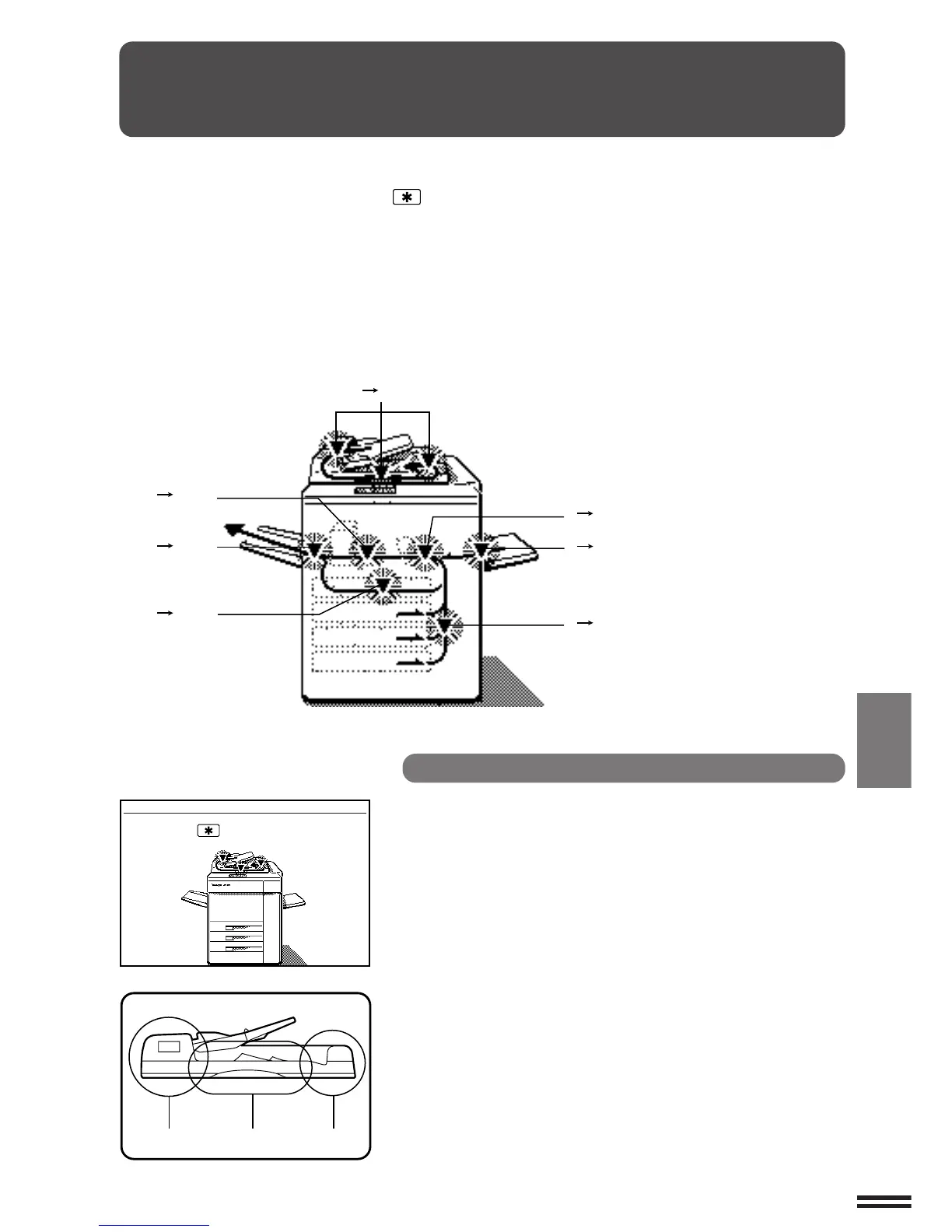
First confirm the misfeed locations.
For misfeeds in optional equipment, see the
corresponding sections of this manual.
●
Sorter: page 80
●
Staple sorters: pages 97 and 98
●
Large capacity tray: page 103
A MISFEED HAS OCCURRED.
CLEAR INDICATED AREA.
PRESS THE KEY FOR RECOVERY
INSTRUCTIONS.
When a misfeed occurs, the copier will stop.
The message “A MISFEED HAS OCCURRED.
CLEAR INDICATED AREA. PRESS THE KEY
FOR RECOVERY INSTRUCTIONS.” will appear with
a display of paper misfeed locations. Press the
INFORMATION and SCROLL DISPLAY keys for
more detailed information as necessary.
If paper becomes accidentally torn during removal,
be sure to remove all pieces.
Be careful not to damage the photoconductive drum
or the corona wires.
Misfeed in the RADF
When the RADF misfeeds an original sheet, the copier
will stop and the misfeed message will appear.
An original misfeed may occur at one of three
locations: (A) in the RADF feed section, (B) in the exit
roller, or (C) under the transport belt.
( P.53)
( P.57)
( P.56)
( P.55)
( P.61)
( P.60)
( P.58)
ABC



 To Next Page