54
MISFEED REMOVAL
COPIER
TROUBLE?
Misfeed removal
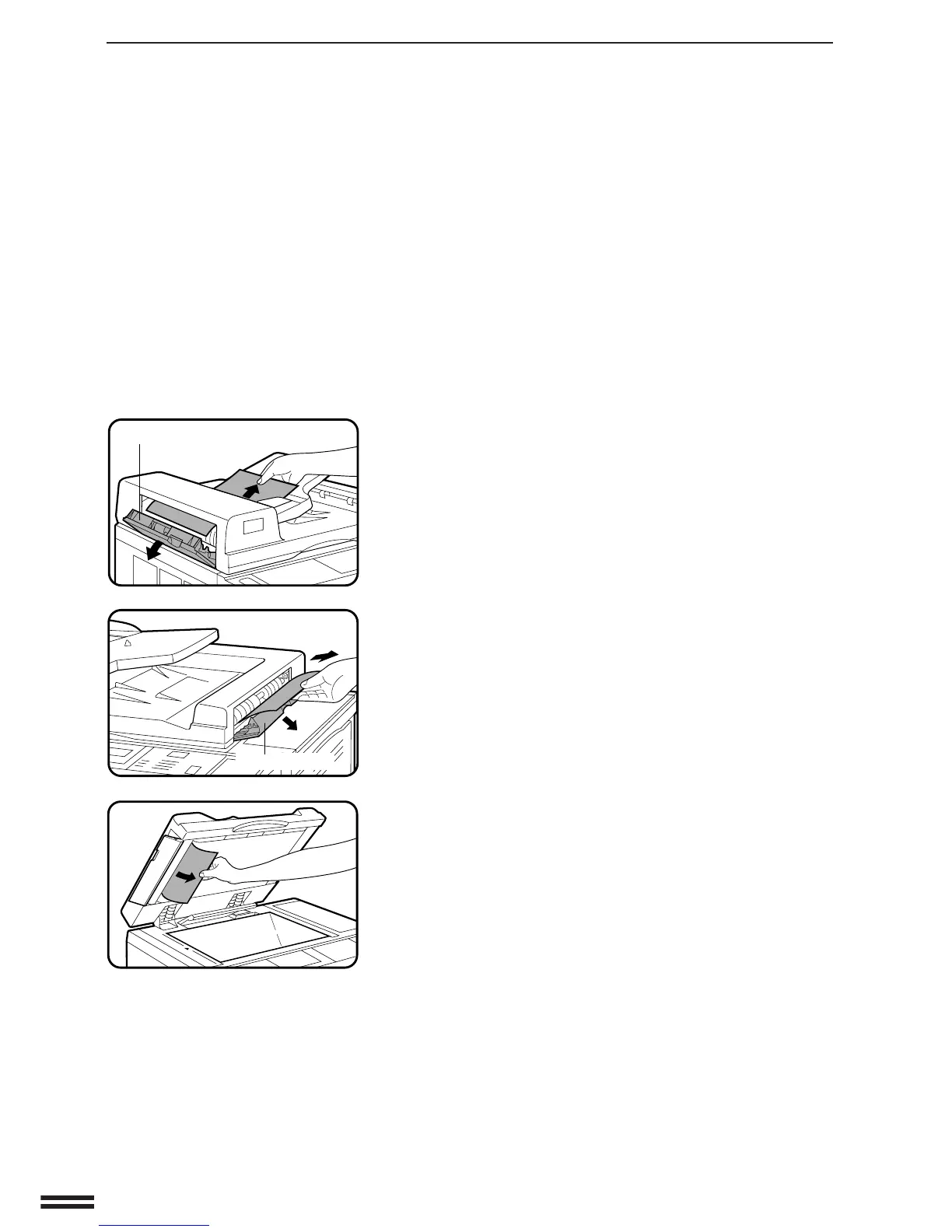
(A) Open the feeding roller cover and pull the original
gently to the right and out from the document feeder
tray.
●
Be sure to open and close the document feeder cover to
cancel the misfeed display.
(B) Open the exit roller cover and gently pull the original
out.
●
Be sure to open and close the document feeder cover to
cancel the misfeed display.
(C) Open the feeding roller cover and the document feeder
cover, and remove the original.
NOTE:
After misfed originals are removed from locations A, B and/or C,
a message will appear indicating the number of originals which
must be returned to the document feeder tray. Return the
originals and press the START key to resume copying.
Location A
Location B
Location C
Exit roller cover
Feeding roller cover



 To Next Page