21
MAKING COPIES
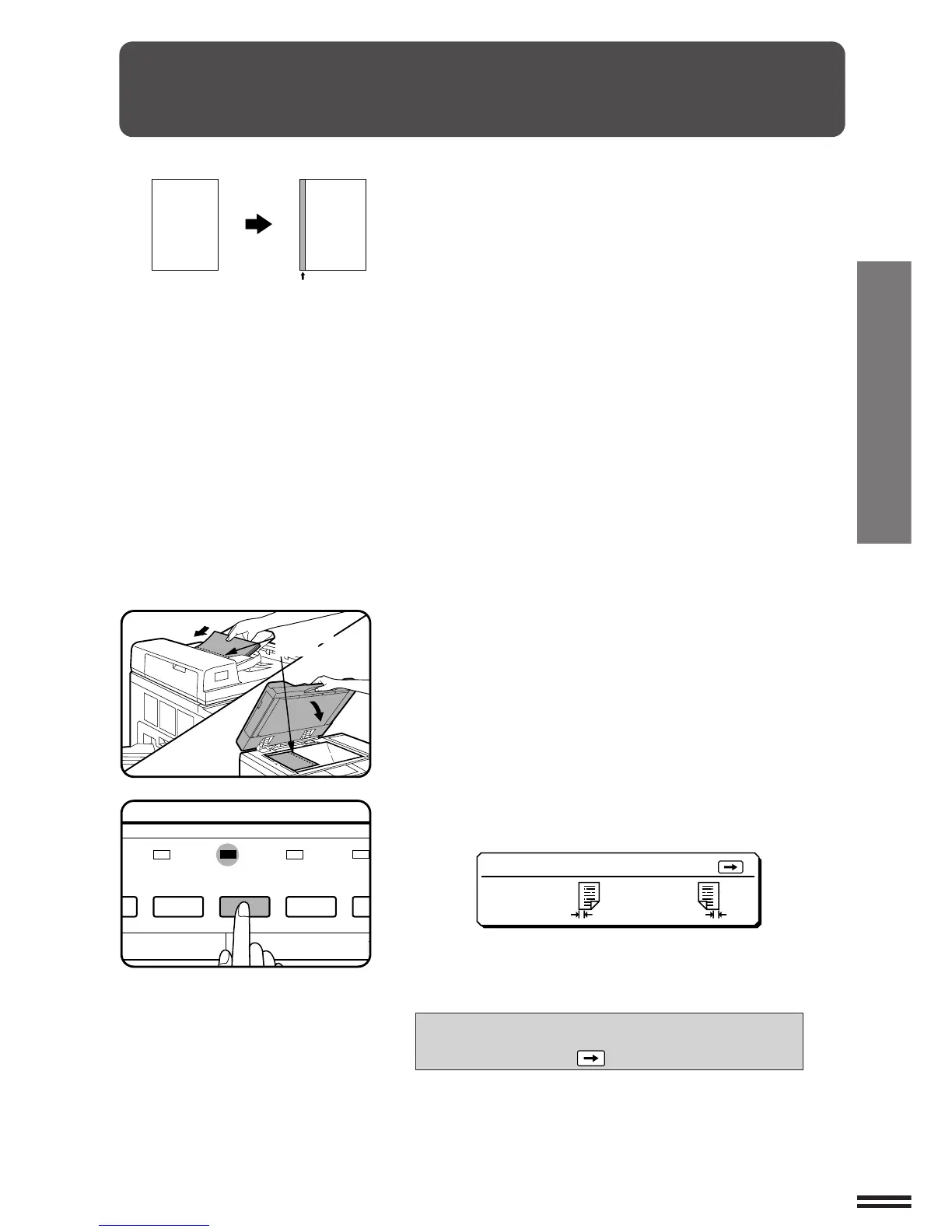
MARGIN SHIFT
1
Place the original face up in the document feeder tray
or face down on the document glass.
2
Press the MARGIN SHIFT key.
●
The following message will appear for several seconds.
●
Then the message will change to the following.
READY TO COPY.
SPECIAL MODE SELECTED.
TO CHANGE: PRESS KEY.
Margin is
expanded here.
MARGIN SHIFT
TO CHANGE :PRESS
•SIDE 1
RIGHT 9mm
•SIDE 2
LEFT
9mm
Margin shift
SORTER
ORIGINAL TO COPY
COVERS/
INSERTS
MARGIN
SHIFT
ERASE DUA
COP
NCY
The MARGIN SHIFT feature, in its initial setting, automatically
shifts the text or image to the right both on one-sided copies and on
the front side of two-sided copies. The text or image is shifted to the
left on the reverse side of two-sided copies. Shift direction can be
changed in the manner described below in steps 3 through 5.
●
The standard shift setting is 9 mm (1/4"), but can be changed to
0 mm, 3 mm, 6 mm, 12 mm, or 15 mm (0", 1/8", 3/8", 1/2", or
5/8") as desired.
★ KEY OPERATOR The initial shift setting can be changed to 0 mm,
3 mm, 6 mm, 9 mm, 12 mm, or 15 mm (0", 1/8", 1/4", 3/8", 1/2", or
5/8"). See page 118. Shift direction change can be enabled or disabled.
See page 120.
NOTE:
The front side and reverse side are referred to as “SIDE 1” and
“SIDE 2” respectively in the message display.
Original Copy
Margin
(Initial setting:
copy image shifted to the right)



 To Next Page