22
MAKING COPIES
3
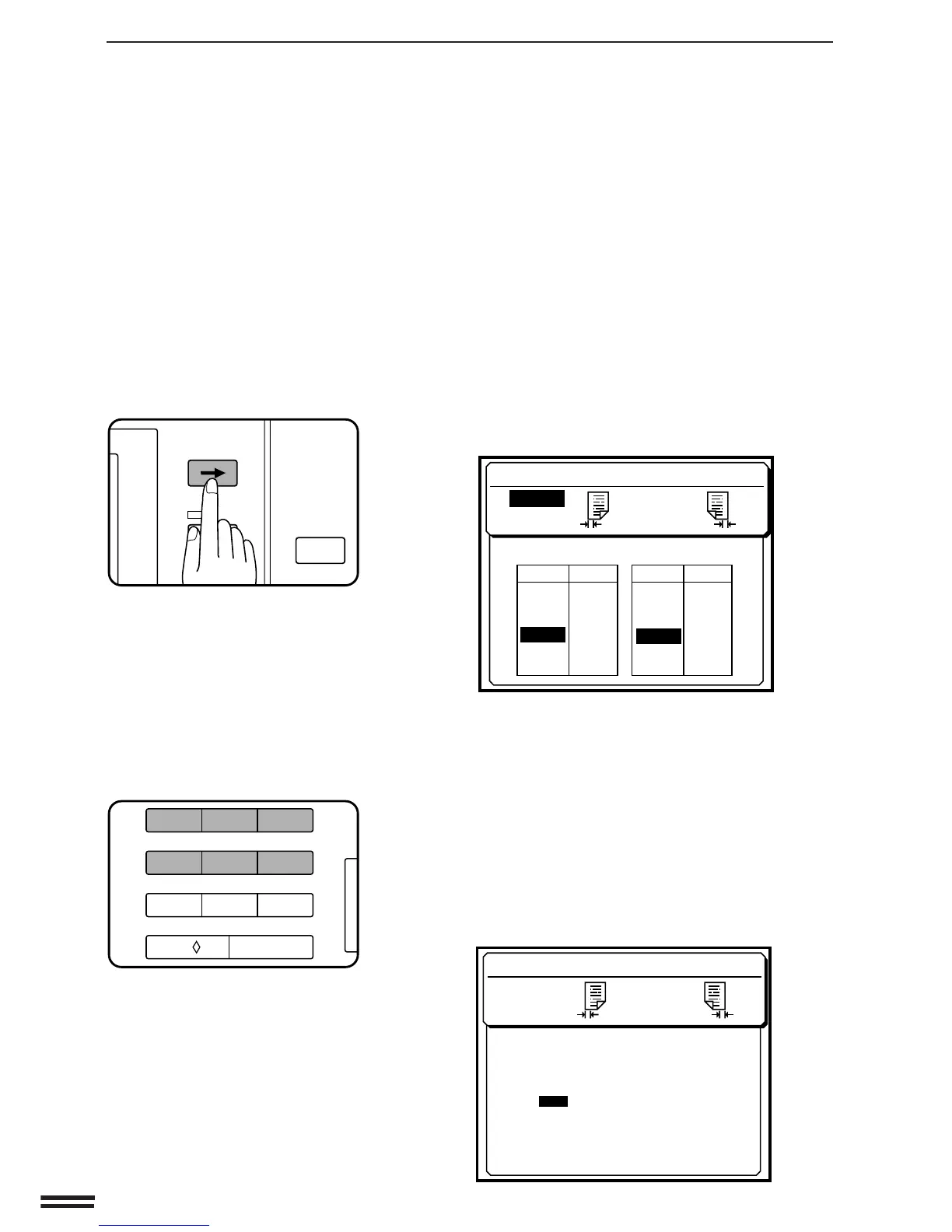
If you want to change the shift amount and/or shift
direction, press the SCROLL DISPLAY key.
●
The following message will appear.
●
If an ERASE mode is used together with a MARGIN SHIFT
mode or if the STAPLE SORT mode has been selected when
an optional staple sorter SF-S55N is installed, a selection
display for these modes will appear. Select MARGIN SHIFT
using the 10-key pad.
4
Select the desired shift amounts using the 10-key pad.
●
Select the margin shift amount for the front side. Then, select
the margin shift amount for the reverse side.
The selected shift amounts will be highlighted.
●
To correct an entry error, press the SCROLL DISPLAY key.
●
The following message will appear after the selection of a
margin shift amount if shift direction change has been enabled
with key operator program P42.
Margin shift
MARGIN SHIFT
MARGIN SHIFT
RIGHT 9mm
•SIDE 2
LEFT
9mm
SELECT SHIFT AMOUNT WITH 10-KEY PAD.
AMOUNT PRESS
AMOUNT PRESS
00
1
2
3
4
5
6
3mm
6mm
9mm
12mm
15mm
SIDE 1•
3mm
6mm
9mm
12mm
15mm
1
2
3
4
5
6
MARGIN SHIFT
RIGHT 9mm
•SIDE 2
LEFT
9mm
•SIDE 1
USE 10-KEY PAD TO SELECT.
CHANGE THE DIRECTION?
YES
: PRESS 1
: PRESS 2
NO
P
INFORMATION
PROGRAM
CLEAR ALL
SCROLL DISPLAY
123
456
7
8
9
C
0/
AUDIT CLEAR



 To Next Page