16
MAKING COPIES
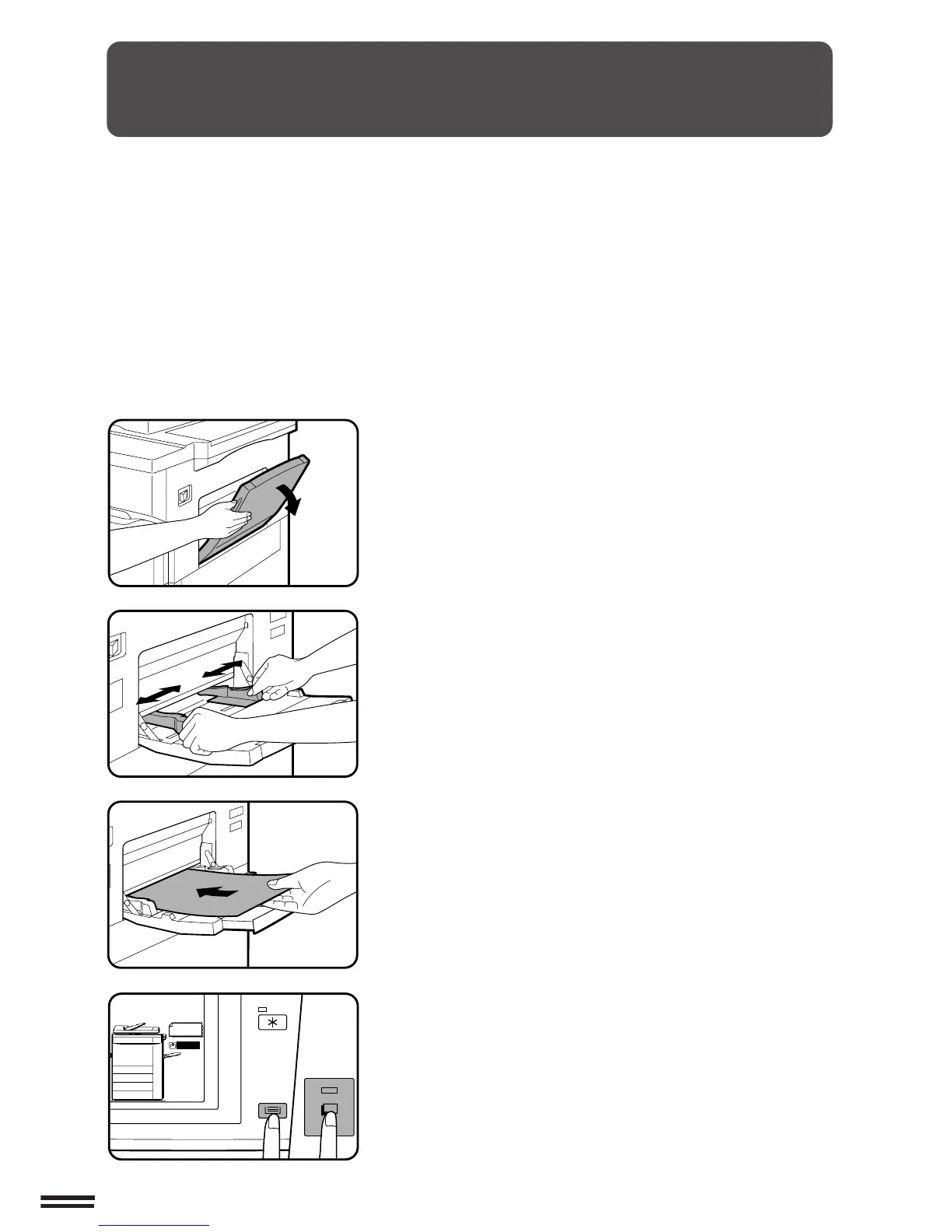
SPECIAL PAPERS (manual feed)
The manual feed tray is used to copy onto transparency film, labels,
tracing paper, and other special purpose papers. It is also used to
feed cover stock and insert stock. Up to 100 sheets of standard copy
paper can be set in the manual feed tray.
●
Automatic duplex copying will not work when a non-standard
sized paper is used. If a duplex copying mode is selected and a
non-standard sized paper is used from the manual feed tray, the
corresponding one-sided mode will be selected automatically
when the START key is pressed.
1
Set the original(s) face up in the document feeder tray
or face down on the document glass.
2
Open the manual feed tray.
3
Set the manual feed tray guides to the width of the
copy paper.
●
Be sure to extend the tray when feeding B4 or A3 (8-1/2" x 14"
or 11" x 17") sized paper.
4
Insert the copy paper all the way into the manual feed
tray.
●
Labels, tracing paper, and special purpose papers other than
SHARP standard transparency film must be fed individually.
●
Up to 100 sheets of standard copy paper measuring from A5 to
A3 (5-1/2" x 8-1/2" to 11" x 17") can be loaded into the manual
feed tray.
●
For two-sided copying of A5 (5-1/2" x 8-1/2") paper, adjust the
side guides to the copy paper’s length.
●
A6 sized paper must be fed narrow side into the feed slot and
must be fed individually.
●
When adding paper, first remove remaining paper, combine it
with the paper to be added and then reload as a single stack.
5
Use the TRAY SELECT key to select the manual feed
tray.
6
Set the number of copies.
7
Press the START key.
Special papers (manual feed)



 To Next Page