12
MAKING COPIES
COPYING FROM THE DOCUMENT GLASS
Use the document glass for copying single originals, bound
documents, and other originals that cannot be set in the RADF.
●
Duplex copying will not work when a non-standard sized paper is
used.
●
2-sided to 2-sided or 2-sided to 1-sided cannot be selected when
copying from the document glass. These operations, however,
can be performed by manually turning over the originals.
●
Image void can occur at the leading edge (max. 3 mm (1/8")) and
the trailing edge (max. 4 mm (5/32")) of the copies.
Original
size
detector
SORT
STAPLE
SORT
GROUP
SORTER
ORIGINAL TO COPY
PRE-COUNT
ORIGINALS
EVEN NUMBER
ODD NUMBER
1 1
2
2
2
2
11
(ORIGINALS)
Copying from the document glass
1-sided copies of 1-sided originals
1
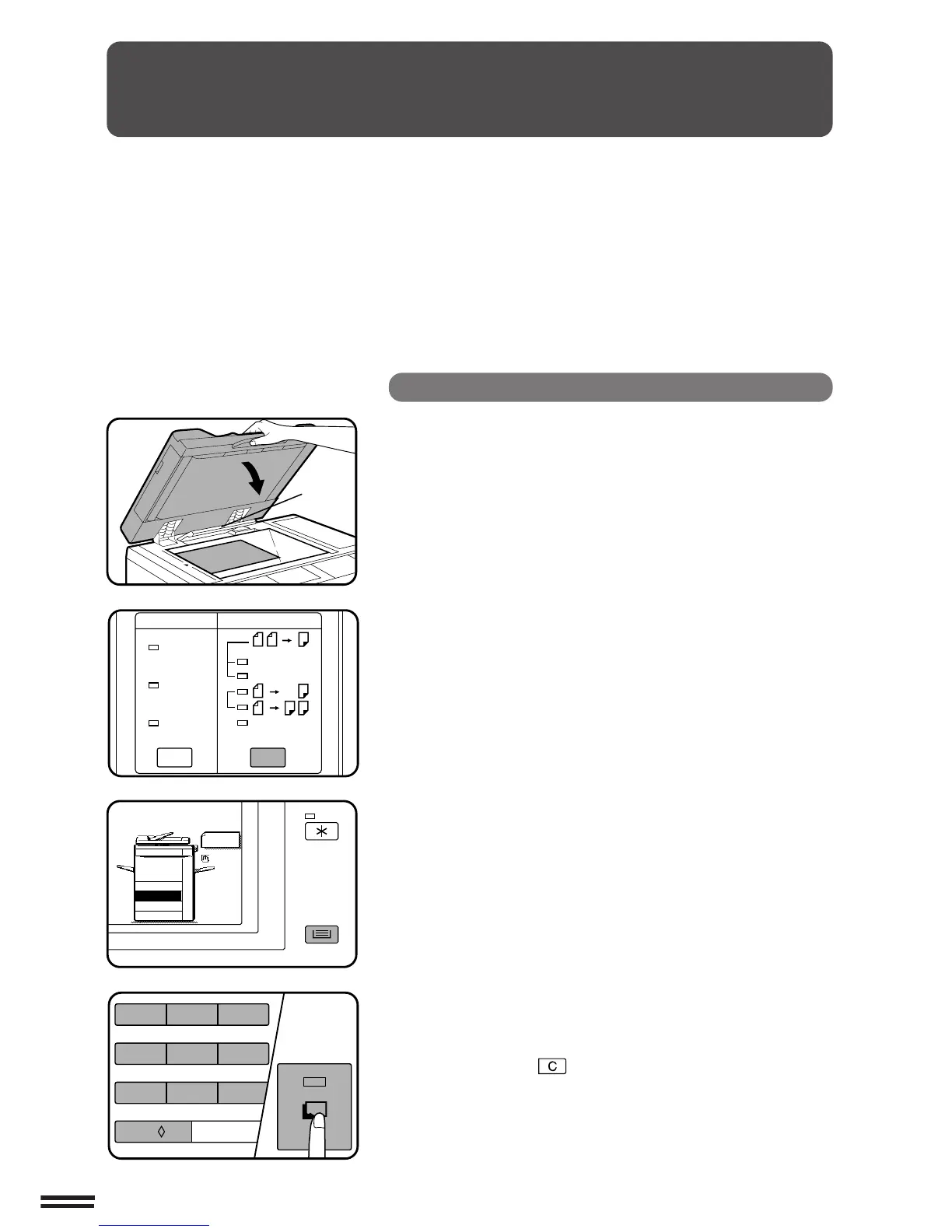
Open the document feeder cover and place an original
face down on the document glass, using the centring
scale to position it.
NOTE:
Do not place objects under the original size detector, because
they may damage it.
2
Close the document feeder cover.
●
The original size will be detected and indicated in the message
display.
3
Ensure that 1-sided to 1-sided is selected on the
ORIGINAL TO COPY section of the operation panel.
●
When no indicator in the ORIGINAL TO COPY section is lit,
the 1-sided to 1-sided copying mode is selected.
4
Ensure that the desired paper tray is selected.
●
Paper matching the size of the original will be automatically
selected when the auto paper select function is enabled. To
copy onto paper of a different size, press the TRAY SELECT
key.
●
The auto paper select function can be disabled using a key
operator program. If this function is disabled, use the TRAY
SELECT key to select the desired paper tray.
★ KEY OPERATOR See page 124 to enable or disable the auto
paper selection.
5
Use the 10-key pad to enter the desired number of
copies.
●
The number will be shown in the copy quantity display.
●
Use the clear ( ) key to cancel an entry if a mistake is
made.
6
Press the START key.
●
The number in the copy quantity display will decrease by 1
each time a copy is made.



 To Next Page