Preparation
Preparation
17
Selecting the Language for
the On-screen Display
This camcorder allows you to choose from
among English, German or French for the on-
screen display language.
Note:
• The English, German and French portions
of this operation manual are based on the
use of on-screen displays in their
respective languages. The portions of this
manual in other languages, however, are
based on the use of English on-screen
displays.
Setting the Language
When using the camcorder for the first time,
select the desired language for the on-screen
display by performing the procedure below.
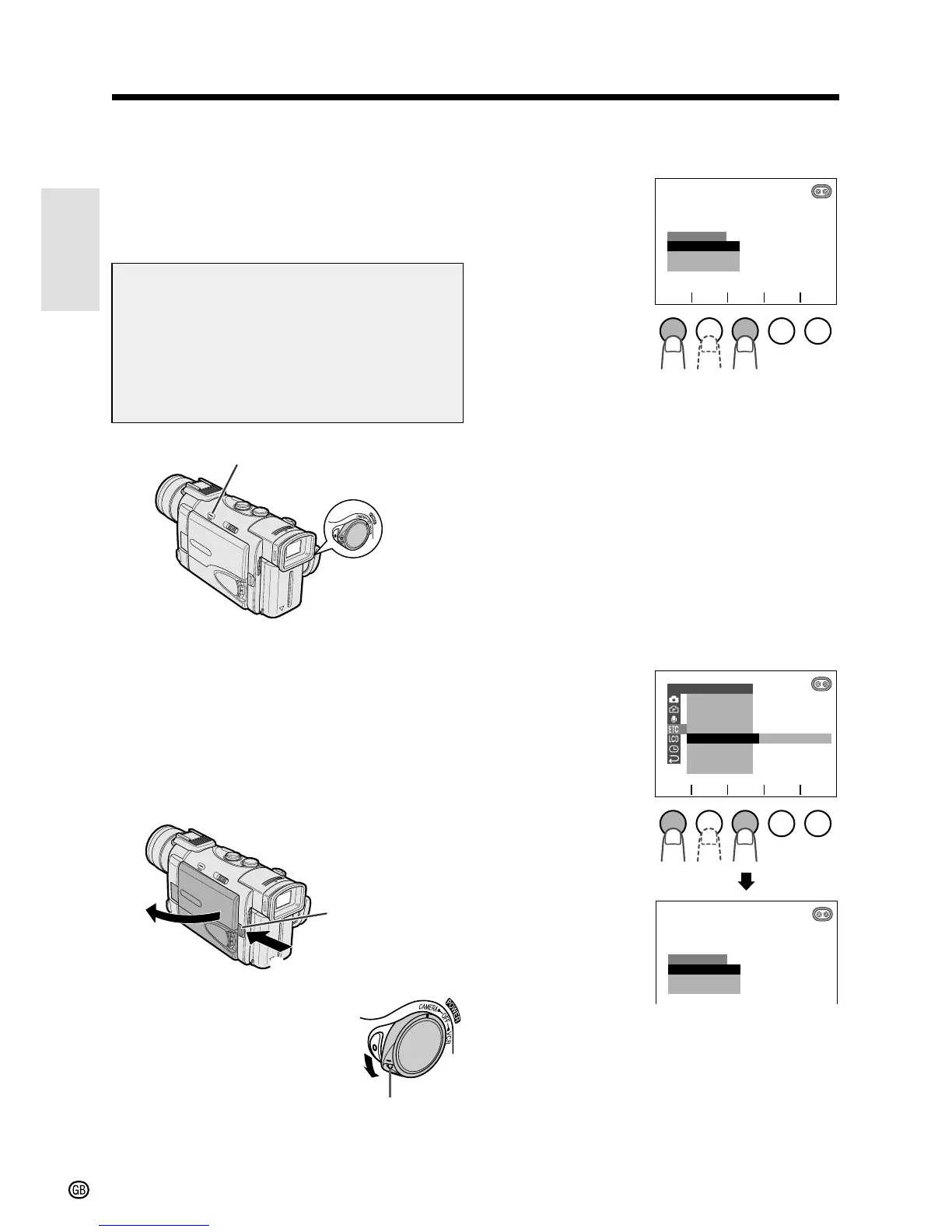
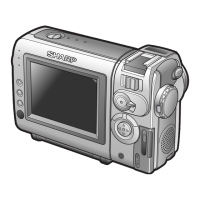
1 Press the LCD monitor OPEN release
button (1) and open the LCD monitor
(2).
2 Hold down the Lock
button and set the
POWER switch to
CAMERA.
• The language selection
screen appears on the
LCD screen.
POWER switch
MENU/DISPLAY button
LCD monitor
OPEN release
button
3 Press f or d (1) to select the desired
language, then press SET (2).
• The camcorder will be in Recording
Standby mode.
Changing the Language
1 Set the camcorder to TAPE-CAMERA or
CARD-CAMERA mode.
2 Press the MENU/DISPLAY button until
the menu screen appears.
3 Select I, then press SET. Select
“LANGUAGE” (“SPRACHE” or
“LANGUE”) (1), then press SET (2).
• The language selection screen appears.
4 Perform step 3 in “Setting the
Language”.
• The menu screen is displayed in the
language selected.
5 Press the MENU/DISPLAY button to
turn off the menu screen.
Lock botton



 To Next Page