Shure Incorporated
30/86
1.
2.
3.
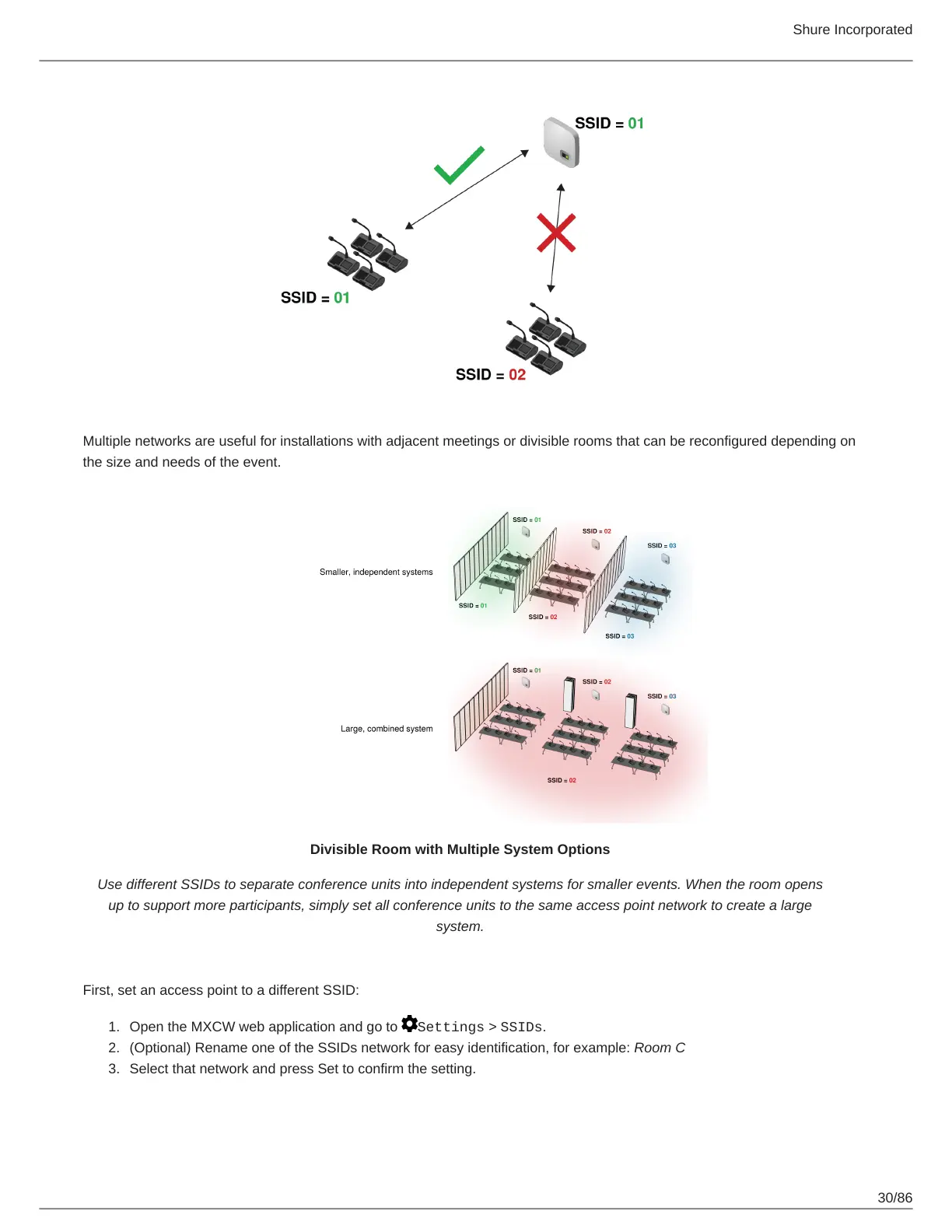
Multiple networks are useful for installations with adjacent meetings or divisible rooms that can be reconfigured depending on
the size and needs of the event.
Divisible Room with Multiple System Options
Use different SSIDs to separate conference units into independent systems for smaller events. When the room opens
up to support more participants, simply set all conference units to the same access point network to create a large
system.
First, set an access point to a different SSID:
Open the MXCW web application and go to Settings > SSIDs.
(Optional) Rename one of the SSIDs network for easy identification, for example: Room C
Select that network and press Set to confirm the setting.













 To Next Page