21
Installation
①
②
③
7
8
6
5
1
2
3
4
Class 0 PoE
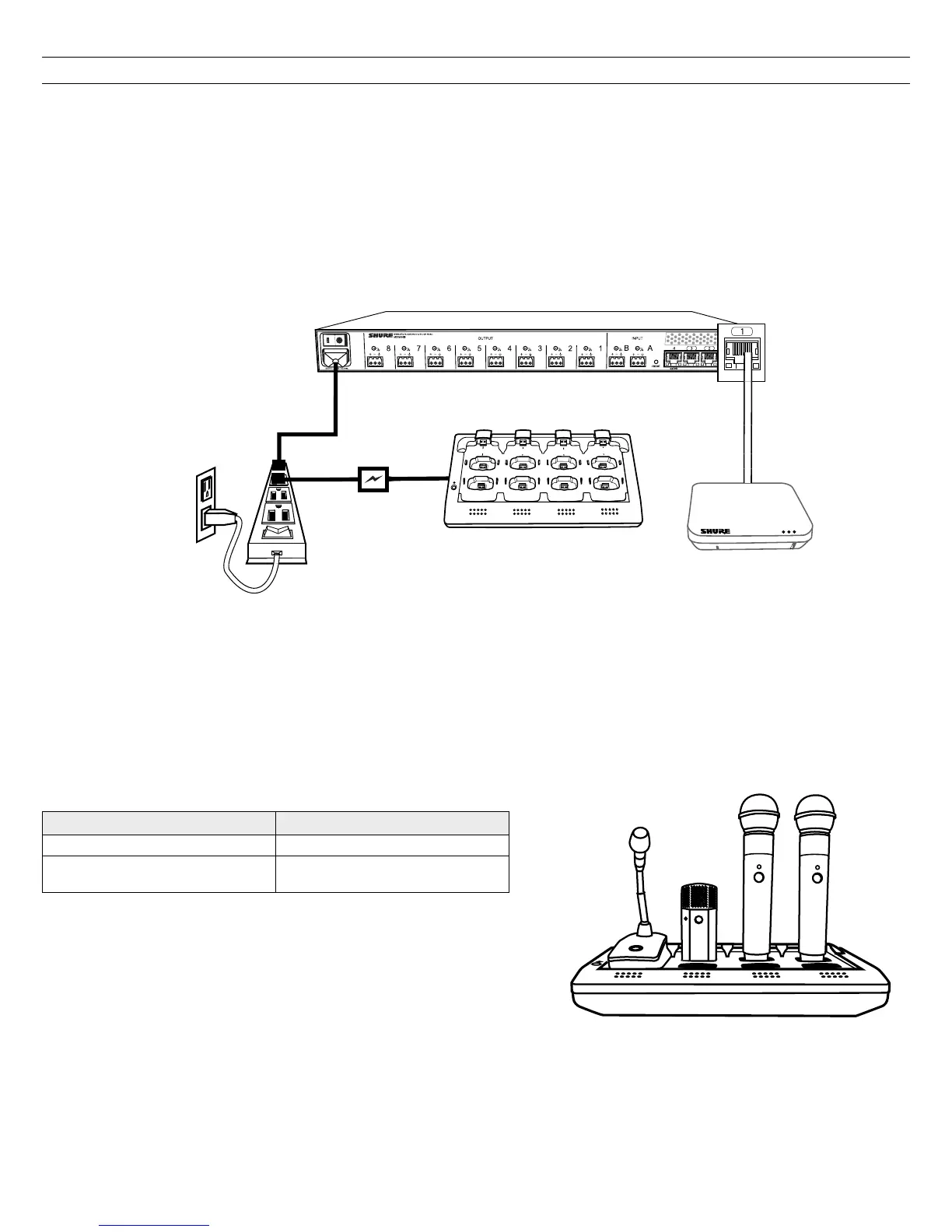
Power the Hardware
① Audio Network Interface (ANI)
Connect the IEC power cable from the back panel to an AC power source. Turn on the power switch.
② Access Point Transceiver (APT)
Connect a shielded Cat5e cable from the MXWAPT to network Port 1 of the MXWANI. If using an external gigabit switch, ensure Class 0 PoE provides at
least 6.5W of power to the APT. There is no power switch.
③ Networked Charging Station (NCS)
Connect the PS45 external power supply from the charger to an AC power source. Turn on the power switch.
Fully Charge the Transmitters
Whenever possible, charge to full the MXW transmitters before an event. Transmitters can be charged in any networked charging station, even if it is
associated to another Group or on a separate network.
Battery Charge Times
Approximate Charge Times
Charger Type Time to Full Charge* (hr:min)
Networked Charging Station (NCS) 2:00
USB Charger
• Powered On = 3:30
• Powered Off = 2:30
*Calculated with a new battery. Runtimes vary depending on battery health.














 To Next Page