656 229 2010-11-22| Sicam snc società unipersonale
Settings | SBM 855 | 41 en
10. Settings
10.1 User settings
i Settings which can be made by the user.
1. Press and hold the <MENU> key.
2. As soon as
5Et appears in the left-hand display, release the <MENU> key.
" toL appears in the left-hand display and the current value in the right-hand display.
Function Key
Change of setting/value <-> or <+>
Access to next setting, altered settings are stored <OK> or <MENU>
Exit from menu.
Attention: Altered setting is however stored
<STOP>
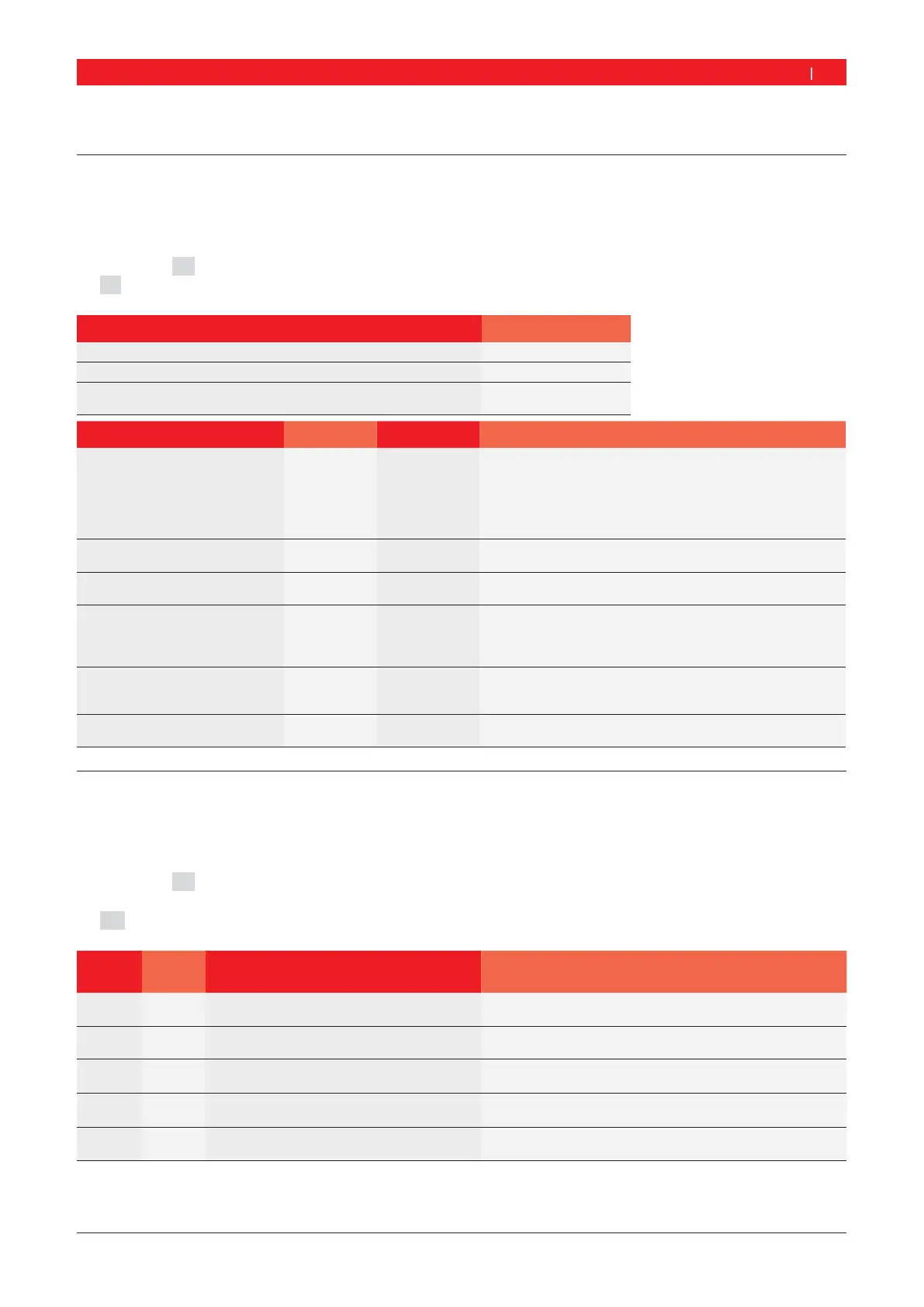
Setting Left display Right display Description
Tolerance for display value "0"
toL
Current value in
grams / ounces
Entry of balance weight value below which the value "0" is to
be displayed.
Passenger vehicle:
Standard value 4,5 g (0,25 oz), max. value 25 g (1,25 oz).
Commercial vehicle:
Standard value 45 g (1,5 oz), max. value 250 g (8 oz).
Display resolution
Balance weight
rE5
1 or 55 g / 0.25 oz - Standard resolution
1 g / 0.05 oz - Fine resolution
Unit for balance weight
unb 6rA
oun
6rA = Display in grams
oun = Display in ounces
Acoustic signal
5nd on
oFF
on = An acoustic signal sounds on storing the data
determined
oFF = No acoustic signal sounds on storing the data
determined
Automatic start
CAr on
oFF
on = Start of measurement by closing wheel guard
oFF = Start of measurement by pressing <START> key
(with wheel guard closed)
Display resolution for rim width in
0.25 inch or 0.5 inch increments
LAr 0.50
0.25
0.50 inch
0.25 inch
10.2 Basic settings
i
Basic settings which can only be made following consultation with or by customer service.
1. Press and hold the <MENU> key.
2. As soon as
5Et appears in the left-hand display, release the <MENU> key.
3. Press the <mm/inch> key within 1.5 seconds.
" P0t appears in the left-hand display and the current setting in the right-hand display.
Left
display
Right
display
Setting Description
P0t
on
oFF
Switch-on and switch-off of
electronic vernier caliper
Setting not possible, always select oFF
ALU on
oFF
Locking of electronic vernier caliper for
attachment of adhesive weights
Setting not possible, always select oFF
PEd on
oFF
Storage of balancing position in ALU and
PAX programs by way of pedal or time
Setting not possible, always select oFF
r0t on
oFF
Measurement of radial run-out Setting not possible, always select oFF
rnd on
oFF
Special rounding-off with higher display of
weights in ounces
Setting not possible, always select oFF


 To Next Page