118 S 63 E - S 63 E C Operator's Manual
- tighten the screws on the adapter making sure that it
rests on the flange correctly;
- montare l’albero da moto sull’adattatore;
- mount the wheel after selecting the centring cones
(one for each side of the wheel), tighten with the
appropriate ring nut using the spacers necessary for
coupling the securing cones to the threaded part of
the shaft.
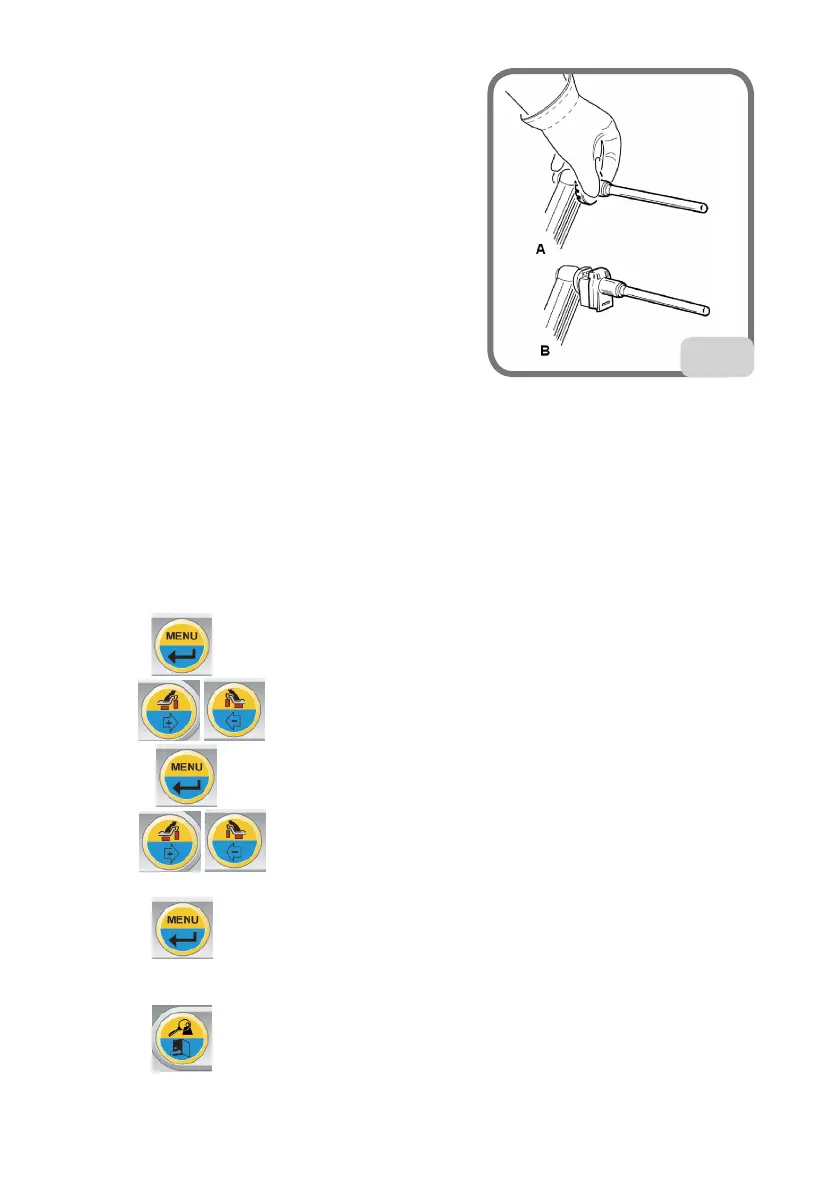
- mount the relative extension (A, Fig.21) on the internal
measuring arm.
- set the wheel data as shown in the paragraph "Enter-
ing wheel dimensions”.
Important
the wheel must be fixed to the flange so as to avoid
any movement of the two during the spin or braking phases.
Best results can be achieved if the adhesive weights are positioned with the outer edge
flush with the rim edge.
15.2. SET UP - UNBALANCE MEASUREMENT
UNIT
The machine may be set to display the unbalance values in grams or ounces. Proceed as fol-
lows to modify this configuration:
- Press the key.
- use the keys to search for SEt UP
- press the key to confirm
- use the keys to search for Unb Gr (or Unb Oun if the ounce display mode
is active)
- press the key to change the setting:
or Unb Gr to activate the unbalance display in grams
or Unb Oun to activate the unbalance display in ounces
- press the key to confirm and exit.
It is possible to quickly set the unit of measure in grams or ounces by pressing and holding
21



 To Next Page