Service and maintenance of SIMATIC PDM
6.4 Updating SIMATIC PDM
Compendium Part D - Operation and Maintenance (V9.0)
Operating Manual, 02/2018, A5E43228948-AA
59
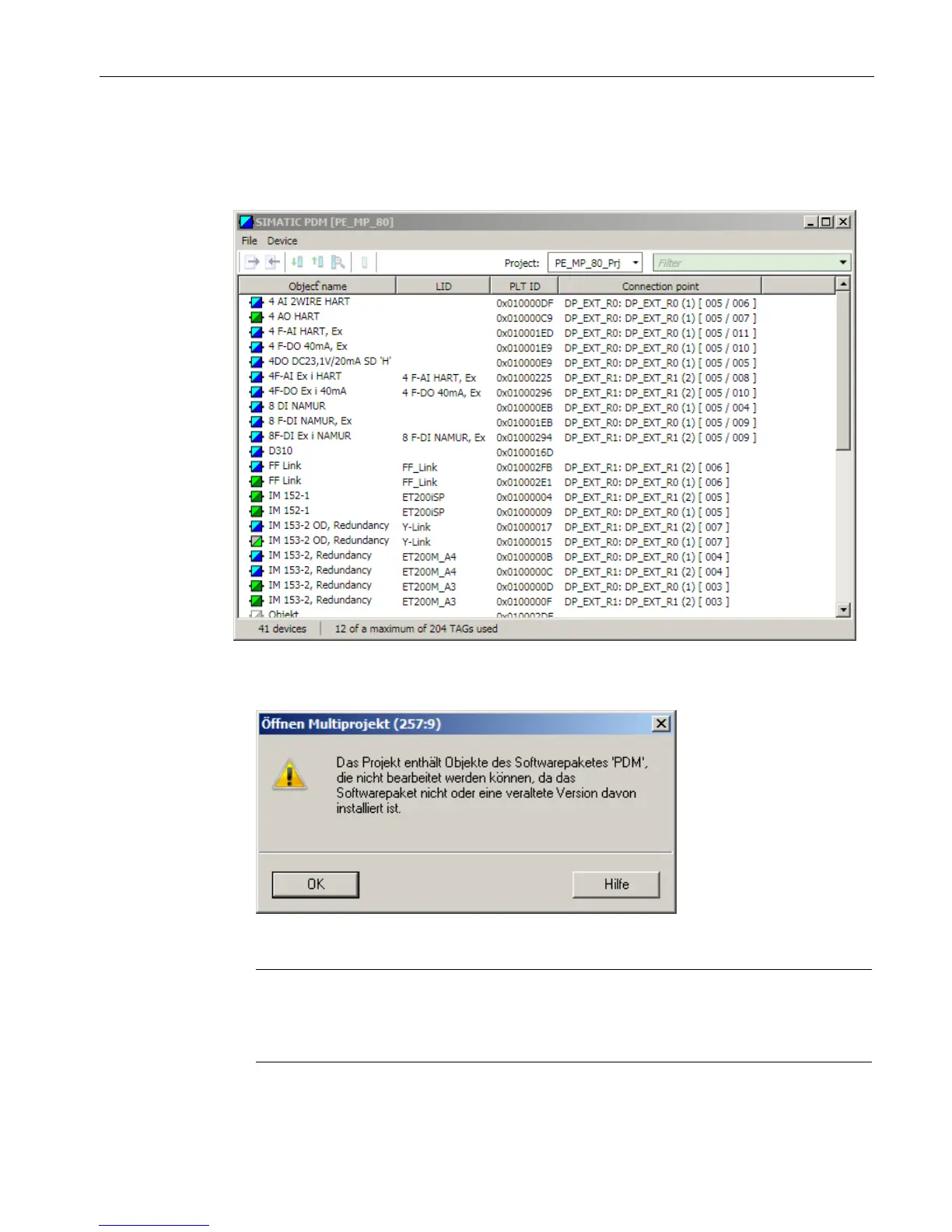
4. Open the process device plant view in SIMATIC Manager. Sort the devices to list those
with no description file. You can display the "Devices" column in SIMATIC Manager under
"Options > Settings > Columns > Process Device Plant View".
If no device description has been assigned to a configured device, its symbol will be
displayed in gray. The device description (EDD) file is not installed in this example. You
receive the following message when you double-click on this device:
You can use the Device Integration Manager to display the available and missing device
descriptions in your projects.
Note
A PCS 7 project can contain information about device descriptions which are no longer
used in the project. In this case, you need to carry out a "Save with reorganization" for the
project.







 To Next Page