5 Commissioning the Router Kit WLAN / LTE
5.3 Setting the IP address of the SCALANCE W774-1
Application example for SIMOTICS CONNECT 400 - Router KitInbetriebnahme- und Montagehandbuch 48
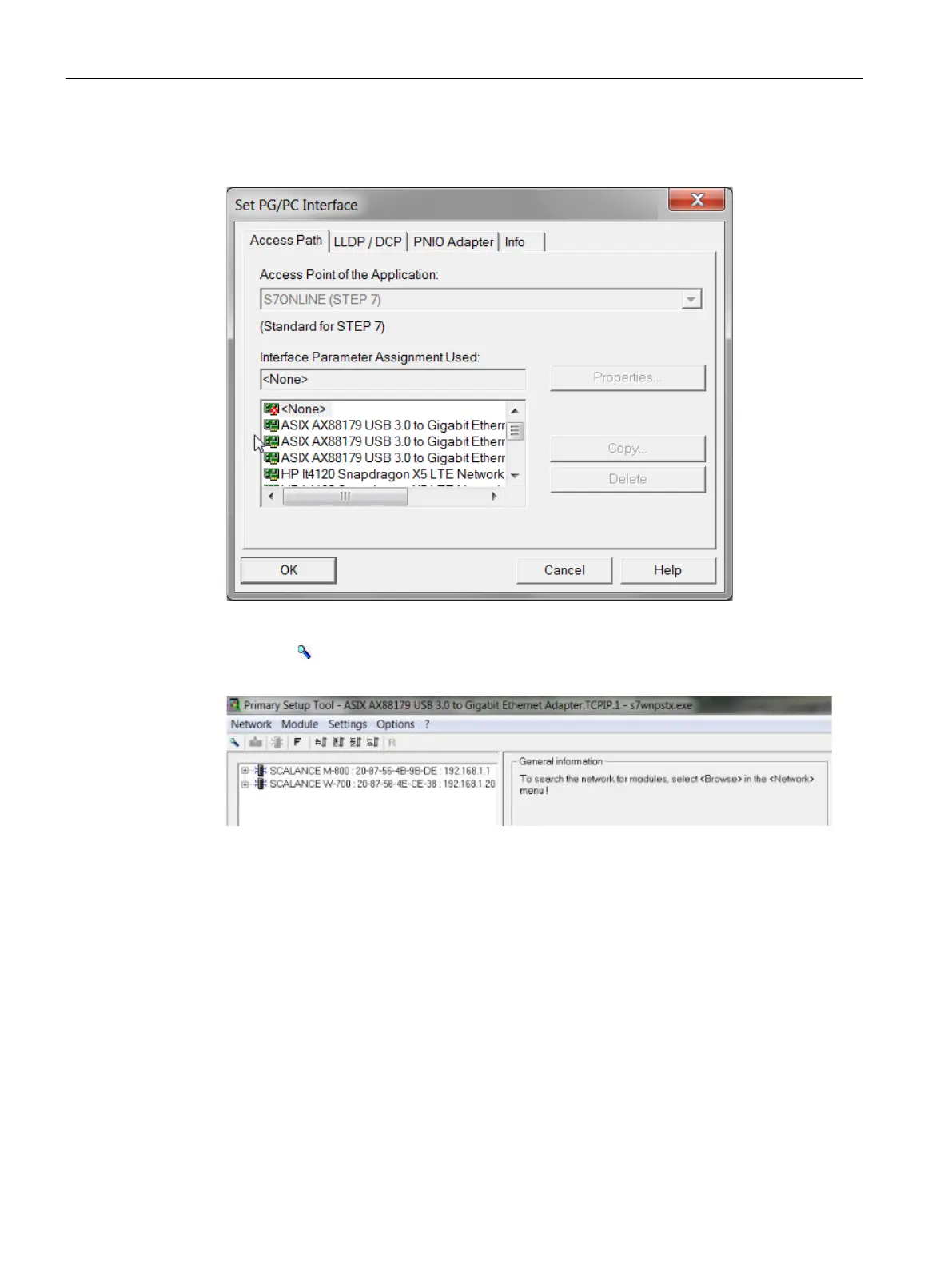
44. Under "Interface Parameter Assignment Used", select the adapter used and confirm with
"OK".
Figure 5-7 Selecting the adapter used
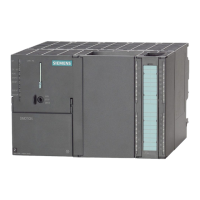
45. Click the " " button in the toolbar to search for a module.
The modules are displayed.
Figure 5-8 Listed modules
46. Open the lower-level menu by clicking the "+" symbol and select the menu entry "Ind.
Ethernet interface".






 To Next Page