6 Commissioning the Router Kit WLAN / LAN
6.5 Configuring the SCALANCE W774-1
Application example for SIMOTICS CONNECT 400 - Router KitInbetriebnahme- und Montagehandbuch 81
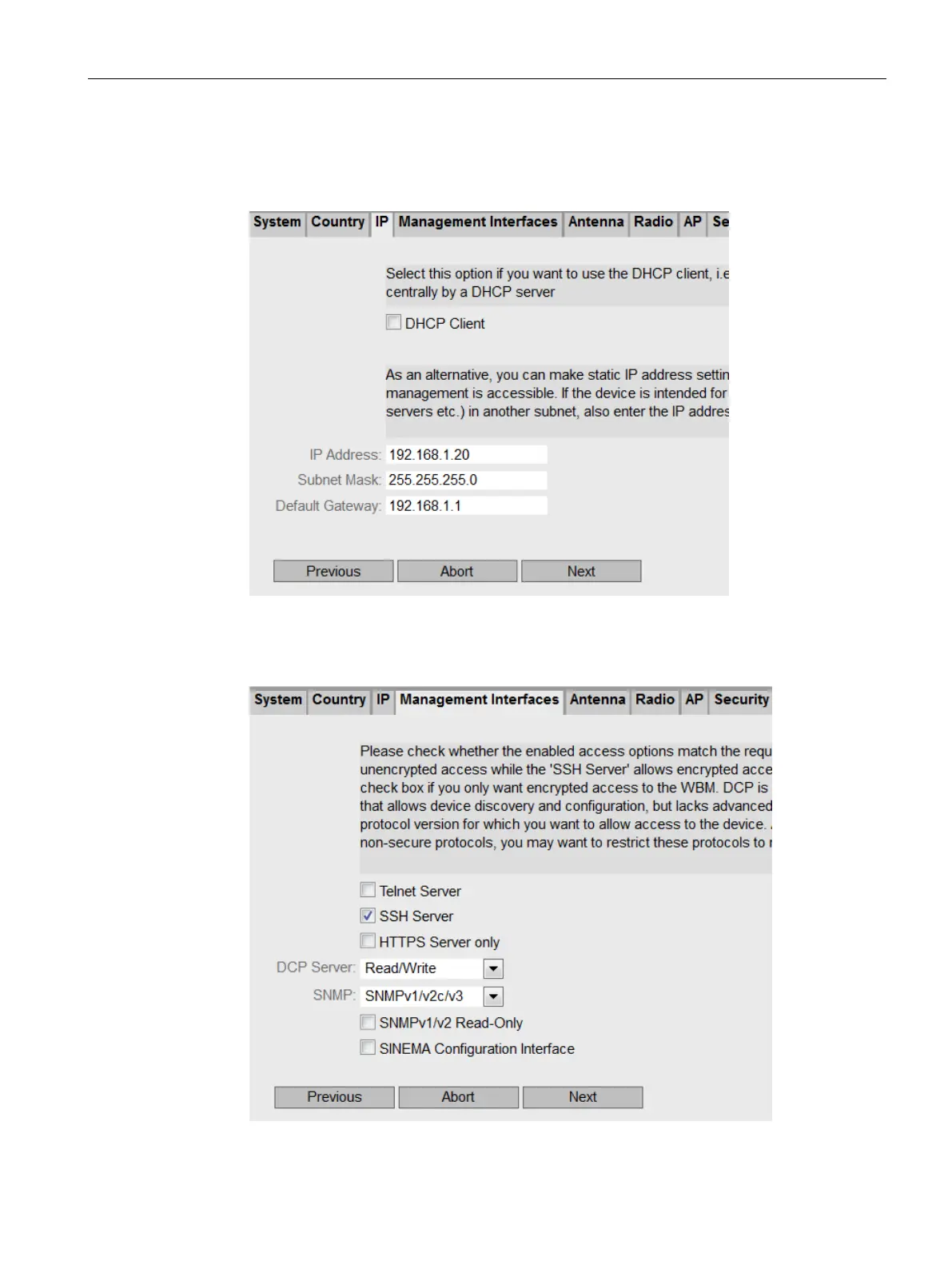
124. In the "IP" tab, check the IP address assigned by the PST and the default gateway.
The IP address of the default gateway corresponds to the IP address of the LTE module
192.168.1.1.
Figure 6-25 Checking IP addresses
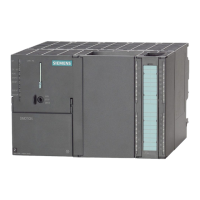
125. In the "Management Interfaces" tab, set the check mark for "SSH Server" and disable
the "Telnet Server".
Figure 6-26 Selecting the server






 To Next Page