2
Operation 10.04
2.10 Automatic mode
2
Siemens AG, 2004. All rights reserved
2-126 SINUMERIK 840D/840Di/810D Operation/Programming ShopMill (BAS) – 10.04 Edition
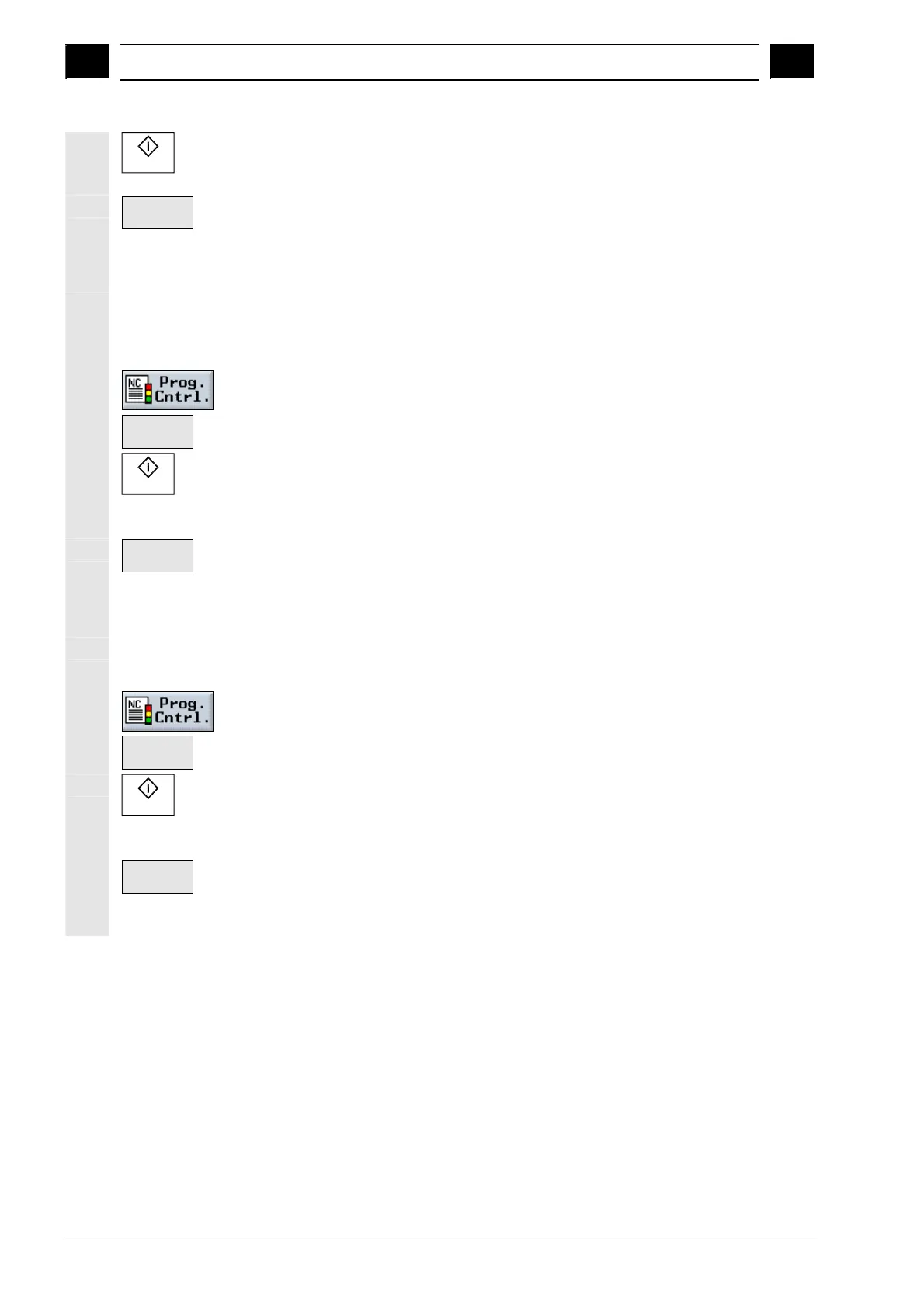
Cycle Start
Press the "Cycle Start" key again each time.
Execution of the program is continued.
Program.
stop
Press the "Program. stop" softkey again if you want the program
to be executed without a programmed stop. (The softkey is
deactivated again.)
Skipping G code blocks
Load a program in "Machine Auto" operating mode (see Sec.
"Selecting a program for execution").
Press the "Prog. Cntrl." softkey.
Skip
Press the "Skip" softkey.
Cycle Start
Press the "Cycle Start" key.
Execution of the program starts. G code blocks with the "/" character
(slash) in front of the block number are not executed.
Skip
Press the "Skip" softkey again if you want the marked G code
blocks to be executed again during the next run. (The softkey is
deactivated again.)
Allowing DRF offset
Load a program in "Machine Auto" mode (see Sec. "Starting/
stopping program execution").
Press the "Prog. Cntrl." softkey.
DRF
offset
Press the "DRF offset" softkey.
Cycle Start
Press the "Cycle Start" key.
Execution of the program starts. Offsets with the handwheel affect the
machining process directly.
DRF
offset
Press the "DRF offset" softkey again if you no longer want to
allow handwheel offsets during machining. (The softkey is
deactivated again.)


 To Next Page
 Loading...