Sierra Wireless FX30S User Guide
Rev. 7 August 2021 14 41110485
Flat Mount
To mount the FX30S on a flat surface:
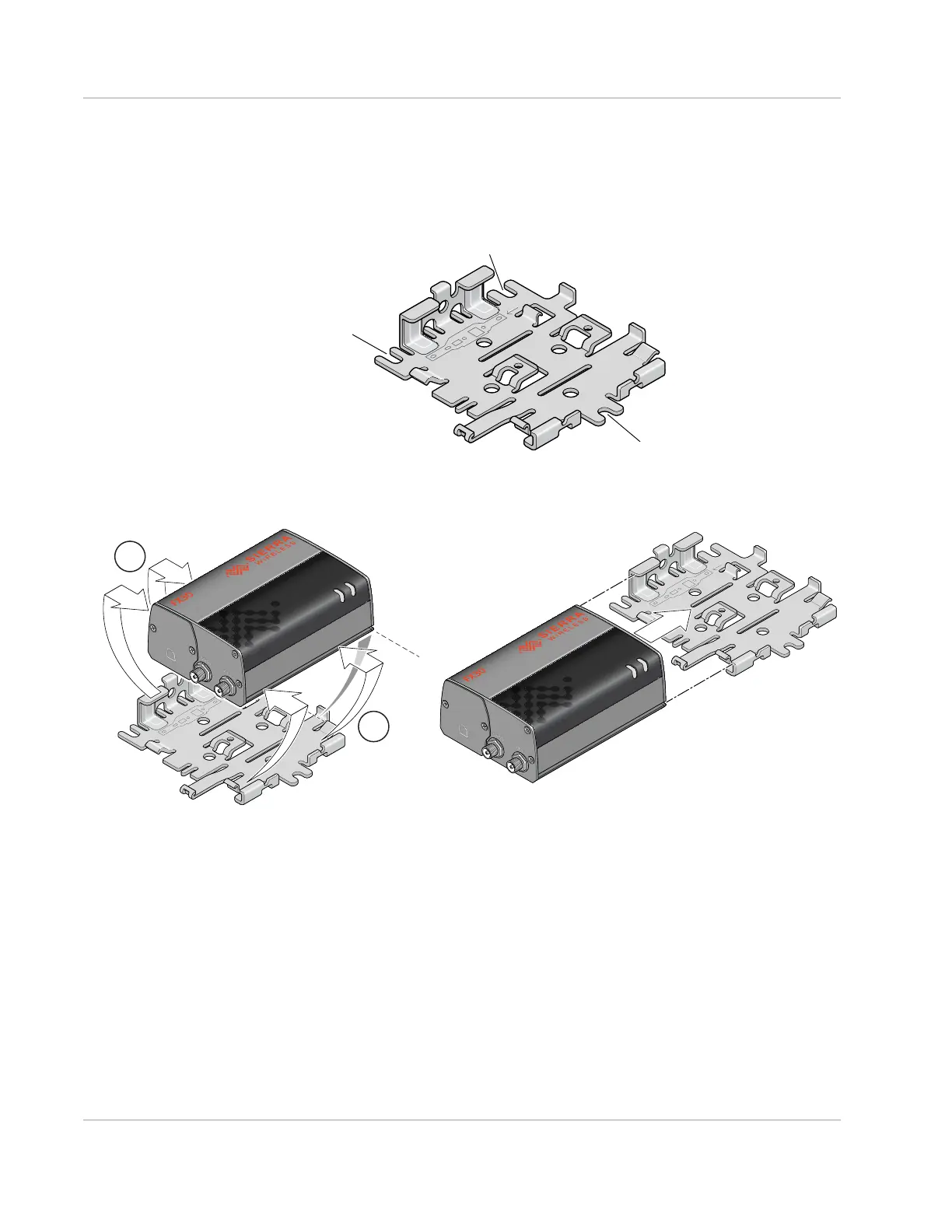
1. Attach the bracket to the mounting surface, using the attachment points shown in
Figure 2-3.
Figure 2-3: Mounting Bracket, showing attachment points
2. Snap or slide the FX30S onto the bracket.
Figure 2-4: Attaching the FX30S to the bracket
Attachment point
Attachment point
Attachment point
Recommended: Snap the gateway onto the bracket.
Alternative: If access space is limited, slide the gateway onto the bracket.















 To Next Page