Installation and Startup
Rev. 7 August 2021 19 41110485
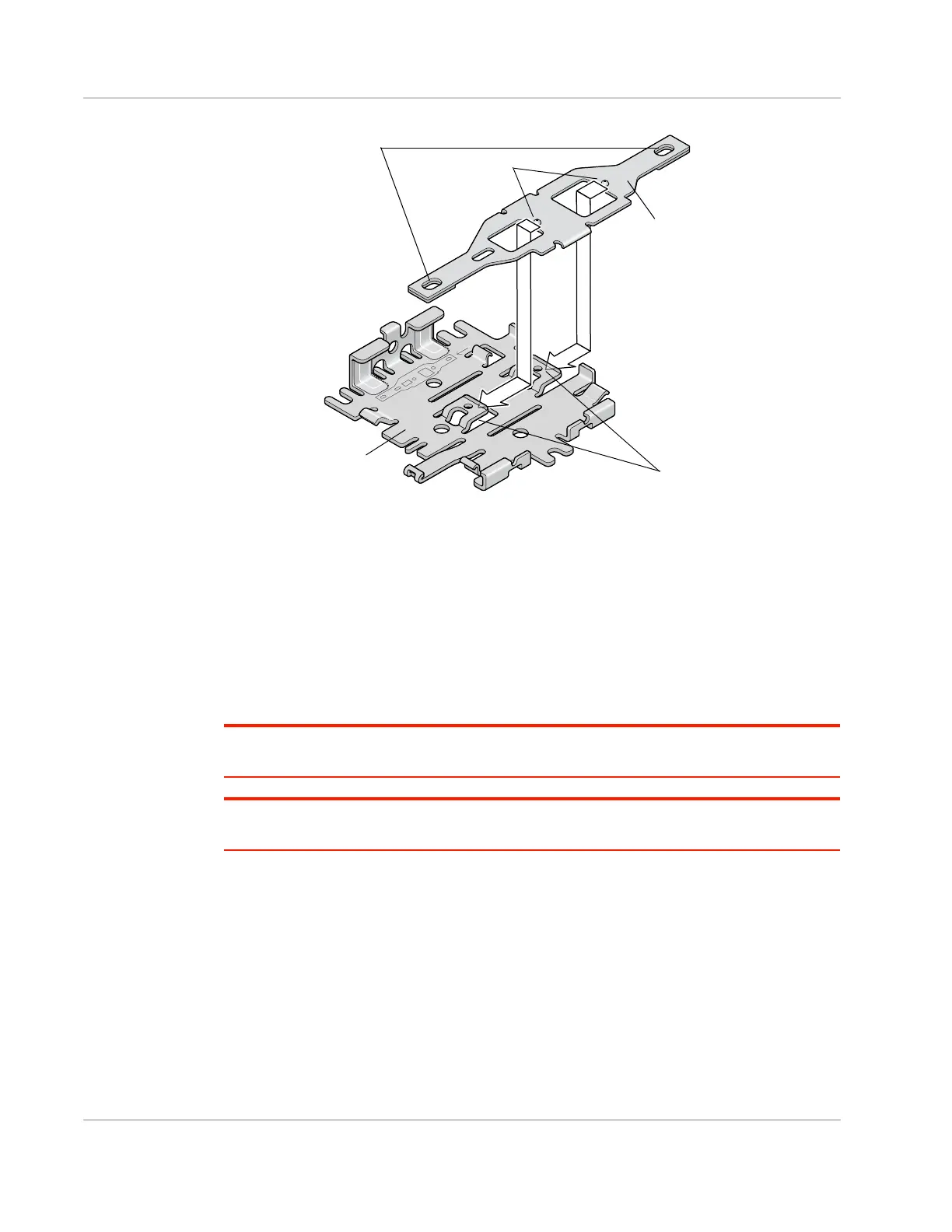
Figure 2-11: Attaching the compatibility bar
4. The mounting holes in the adapter bar match the existing mounting holes for the
Fastrack Supreme or Fastrack Xtend.
For DC installations (with a fixed “system” ground reference), Sierra Wireless
recommends always grounding the FX30S chassis to this system ground reference.
To ensure a good grounding reference, attach the FX30S to a grounded metallic surface.
Step 3—Connect the Antennas
Warning: This gateway is not intended for use close to the human body. Antennas should be at
least 8 inches (20 cm) away from the operator.
Attention : Ce routeur n'est pas destiné à être utilisé à proximité du corps humain. Les antennes
doivent être à au moins 20 cm de toute personne.
The FX30S has two SMA female antenna connectors:
• Cellular antenna connector
• GNSS antenna connector
GNSS bias supports 3.15 V antennas
For regulatory requirements concerning antennas, see Maximum Antenna Gain on
page 60.
Raised flaps
Mounting bracket
Compatibility bar
Raised knobs
Mounting holes















 To Next Page