Sierra Wireless FX30S User Guide
Rev. 7 August 2021 18 41110485
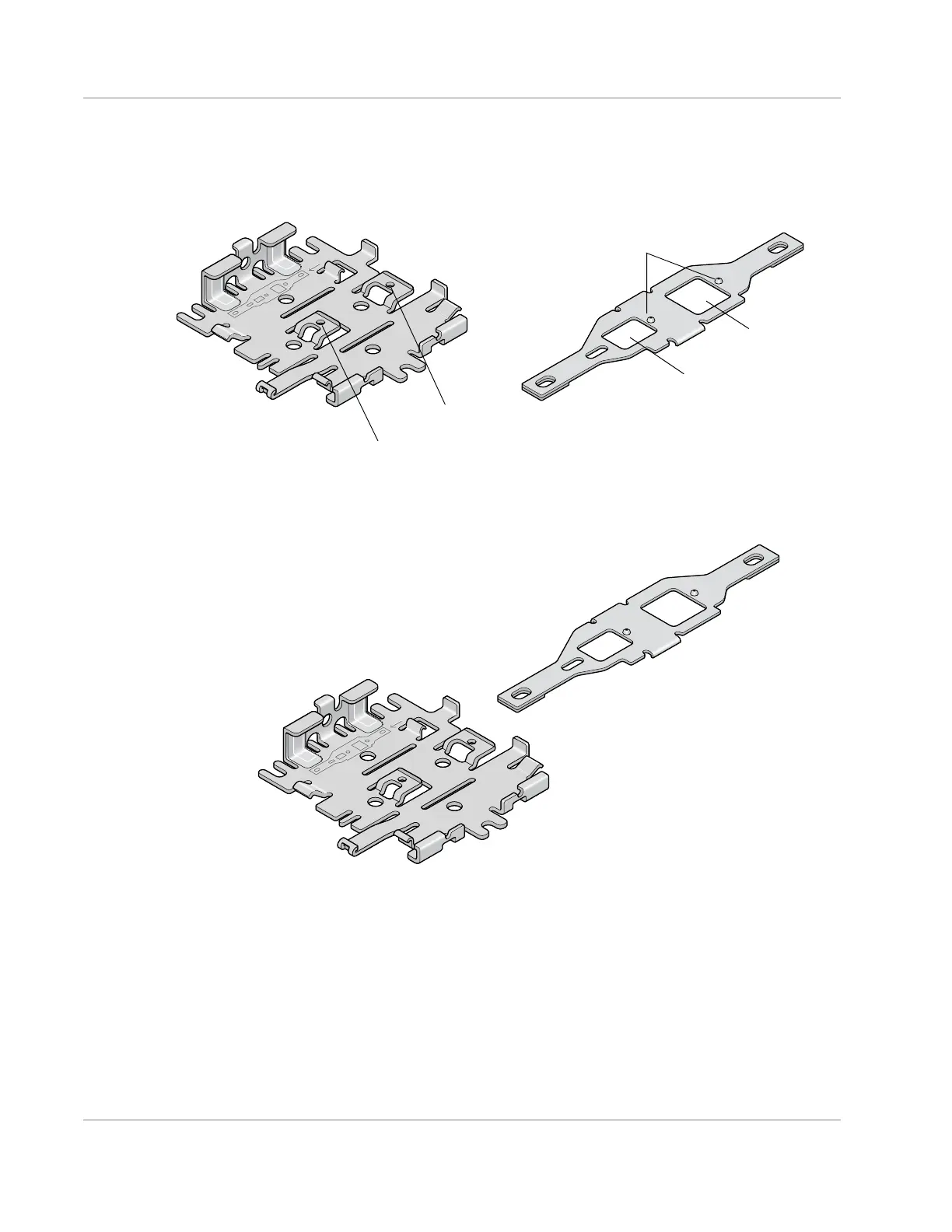
To attach the compatibility bar to the bracket:
1. Note the large and small raised tabs on the bracket. Each tab has a small hole in the
center of the raised portion. Also note the large and small rectangular openings in the
compatibility bar. See Figure 2-9.
Figure 2-9: Mounting bracket and compatibility bar
2. Orient the mounting bracket and the compatibility bar as shown in Figure 2-10.
Figure 2-10: Mounting bracket and compatibility bar orientation
3.
Place the compatibility bar on top of the bracket, so that the tabs on the bracket are
inside the openings in the bar, and slide the bar into place. When fully secure, the
knobs on the bar should be inside the small holes on the tabs.
Mounting bracket
Compatibility bar
Small raised tab
Small opening
Large opening
Small raised knobs
Large raised tab
with small hole
with small hole















 To Next Page