Installation and Startup
Rev. 7 August 2021 15 41110485
Optional—Mounting in a High Vibration
Environment
If you are mounting the FX30S in a high vibration area, Sierra Wireless strongly
recommends using two nylon cable ties to secure the FX30S on the bracket.
To secure the FX30S on the bracket:
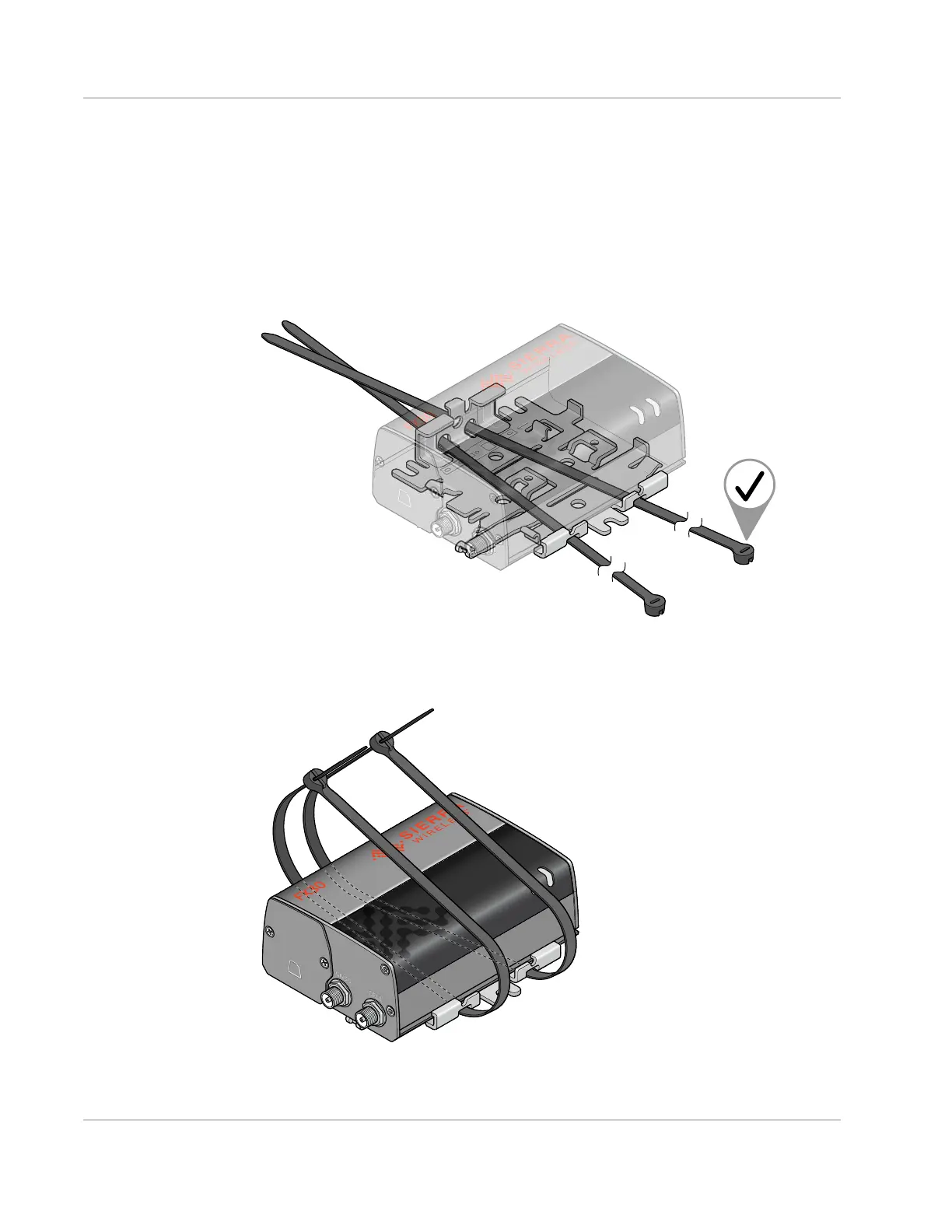
1. Thread the ties into the holes on one side of the bracket and out the holes on the
other side of the bracket, as shown in Figure 2-5 on page 15.
Figure 2-5: Inserting the cable ties
2. Wrap the ties around the FX30S and insert the pointed ends of the ties into the blunt
ends.
Figure 2-6: Inserting the ends of the ties




 To Next Page