FX30S Linux Interface and GPIO Mapping
Rev. 7 August 2021 81 41110485
WP Module Internal GPIO Mapping
Table D-2 shows the mapping of the FX30S function (or signal name) to the WP module
GPIO pin number and to the WP module internal processor GPIO number.
For example, the IOT DETECT function is GPIO25 on the WP module, which maps
internally to GPIO73 on the MDM processor for the WP85 module and to GPIO51 for
WP76/77 modules.
Note: The WP Module GPIO numbers are used for AT commands and Linux GPIO sysfs. The MDM
Processor GPIO is typically used for kernel development.
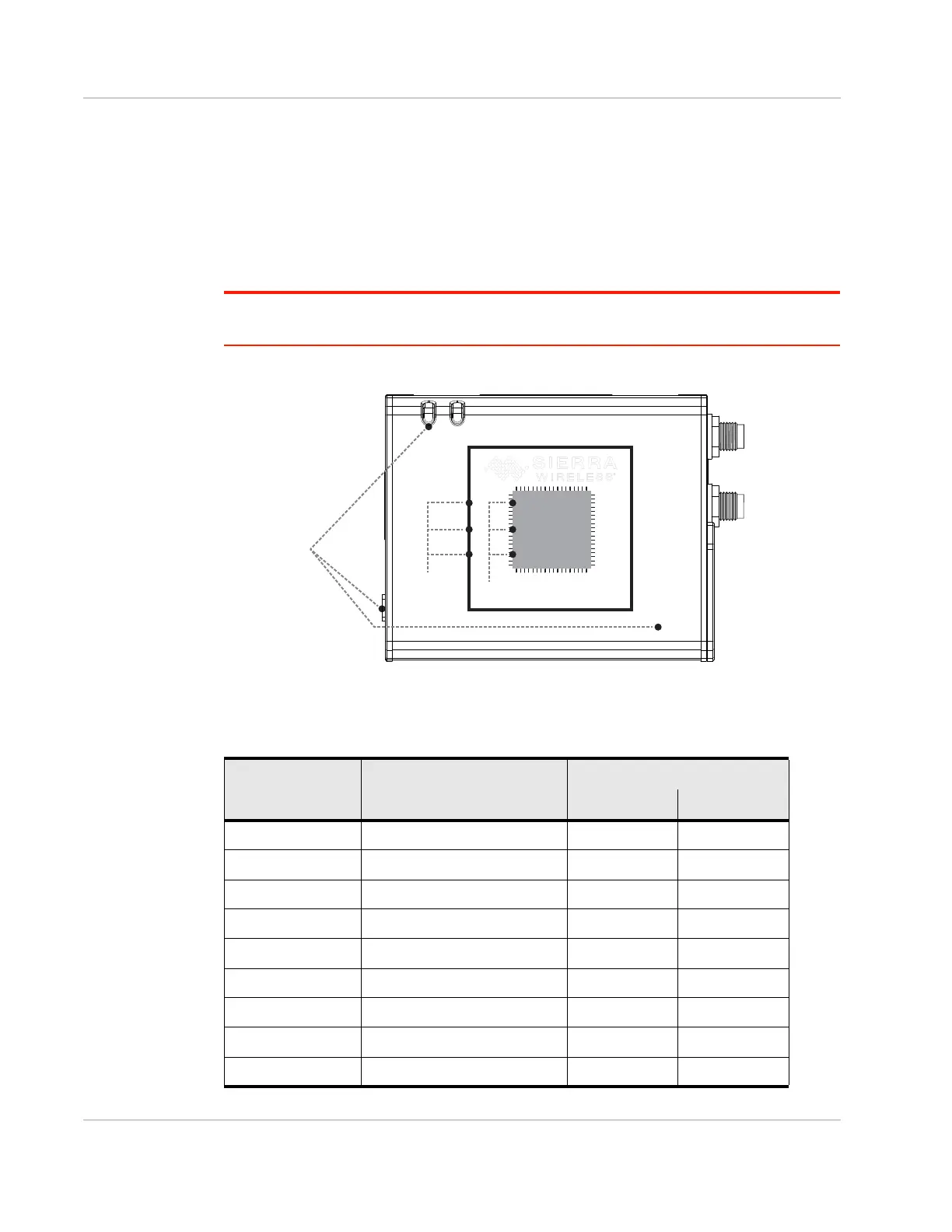
Figure D-1: FX30S GPIO Hierarchy
Table D-2: WP Module Internal GPIO Mapping
FX30S Function WP Module GPIO Processor GPIO
WP85 WP76/77
IOT DETECT GPIO25 73 51
IOT GPIO1 GPIO42 80 79
IOT GPIO2 GPIO33 78 78
IOT GPIO3 GPIO13 84 76
IOT GPIO4 GPIO8 29 58
PB GPIO7 79 16
DIGITAL INPUT1 GPIO2 59 38
DIGITAL INPUT2 GPIO21 50 8
DIGITAL INPUT3 GPIO22 49 9
FX30
WP Module
WP Module
GPIO
GPIO Pins
IOT Card
LEDs
Processor GPIO
FX30 Functions
and Signals
(LEDs, IOT card,
GPIO pins, etc.)
MDM Processor















 To Next Page