Sierra Wireless FX30S User Guide
Rev. 7 August 2021 20 41110485
Note: The antenna should not exceed the maximum gain specified in RF Exposure on page 59. In
more complex installations (such as those requiring long lengths of cable and/or multiple connec-
tions), you must follow the maximum dBi gain guidelines specified by the radio communications
regulations of the Federal Communications Commission (FCC), Industry Canada, or your country’s
regulatory body.
To install the antennas:
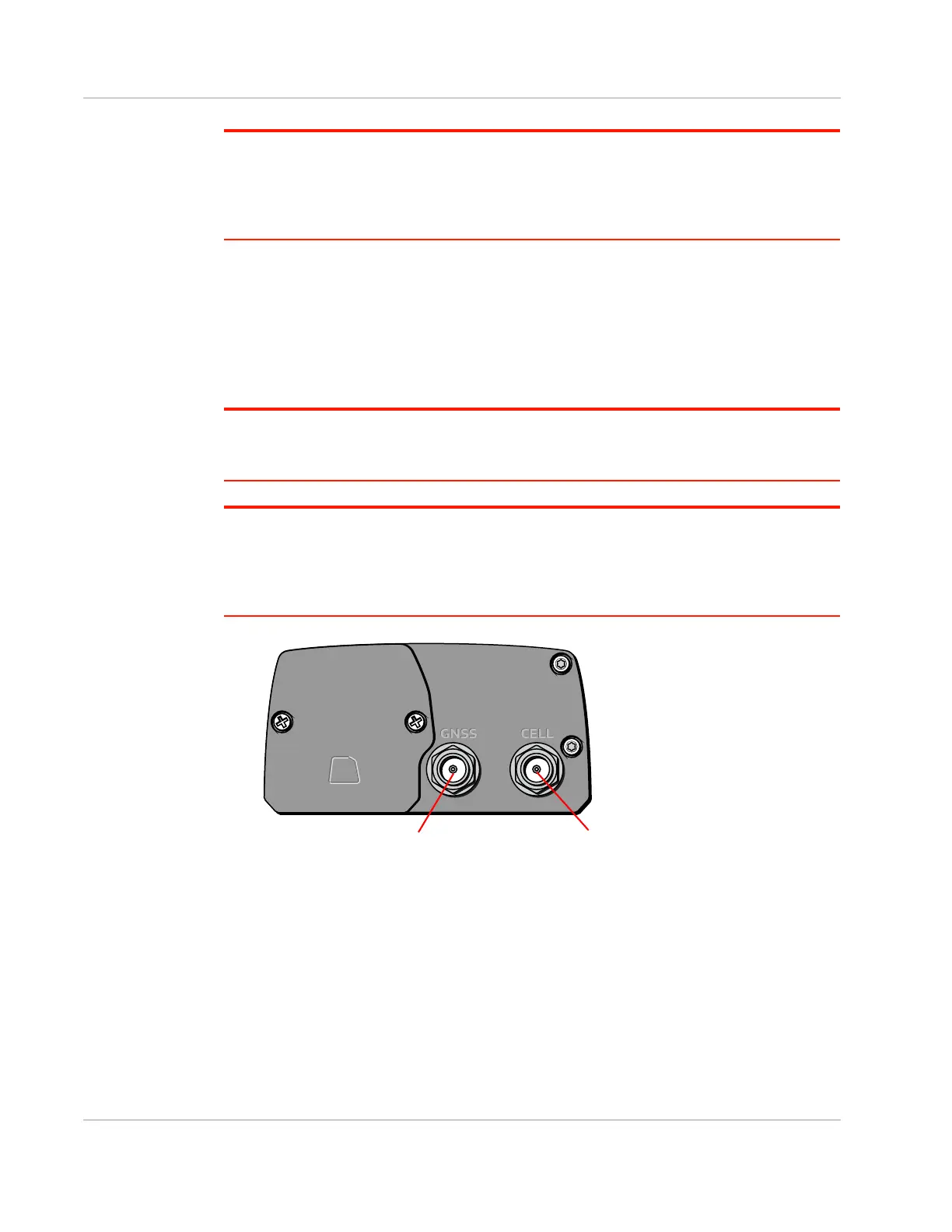
1. Connect the cellular antenna to the SMA cellular antenna connector.
Mount this antenna so there is at least 20 cm between the antenna and the user or
bystander.
2. If used, connect a GNSS antenna to the SMA GNSS antenna connector.
Mount the GNSS antenna where it has a good view of the sky (at least 90°).
Note: Take extra care when attaching the antennas to the SMA connectors. Finger tight (approxi-
mately 0.6–0.8 Nm 5–7 in-lb.) is sufficient and the max torque should not go beyond 1.1 Nm
(10 in-lb.).
Note: If the antennas are located away from the gateway, keep the cables as short as possible to
prevent the loss of antenna gain. Route the cables so that they are protected from damage and will
not be snagged or pulled on. There should be no binding or sharp corners in the cable routing.
Excess cabling should be bundled and tied off. Make sure the cables are secured so their weight
will not loosen the connectors from the gateway over time.
Figure 2-12: Antenna Connectors
Cellular antenna connectorGNSS antenna connector















 To Next Page