Sierra Wireless FX30S User Guide
Rev. 7 August 2021 42 41110485
Serial Port Configurations
The FX30S has one serial port that can be configured as a:
• 9-pin RS232 serial port that connects directly to most computers or other devices with a
standard serial straight-through cable
• Half-duplex RS-485 serial interface (See RS-485 Serial Interface on page 43)
RS232 Serial Port Serial port configured for RS232:
• RS232/DTR allows for wakeup from Ultra Low Power Mode
• Nine wire
• Auto shutdown (controlled by DTR line)
• Depending on Legato application, supports X-on/X-off
• Hardware flow control
• Complies with the EIA RS232D specification for DCE equipment
• Output driver levels swing from -7 VDC to +7 VDC with normal
loading
• DB-9 is configured as a DCE device designed for direct
connection to a DTE device, such as a computer
Note: If you need to connect to a DCE device, you must use a null
modem (cross-over) cable.
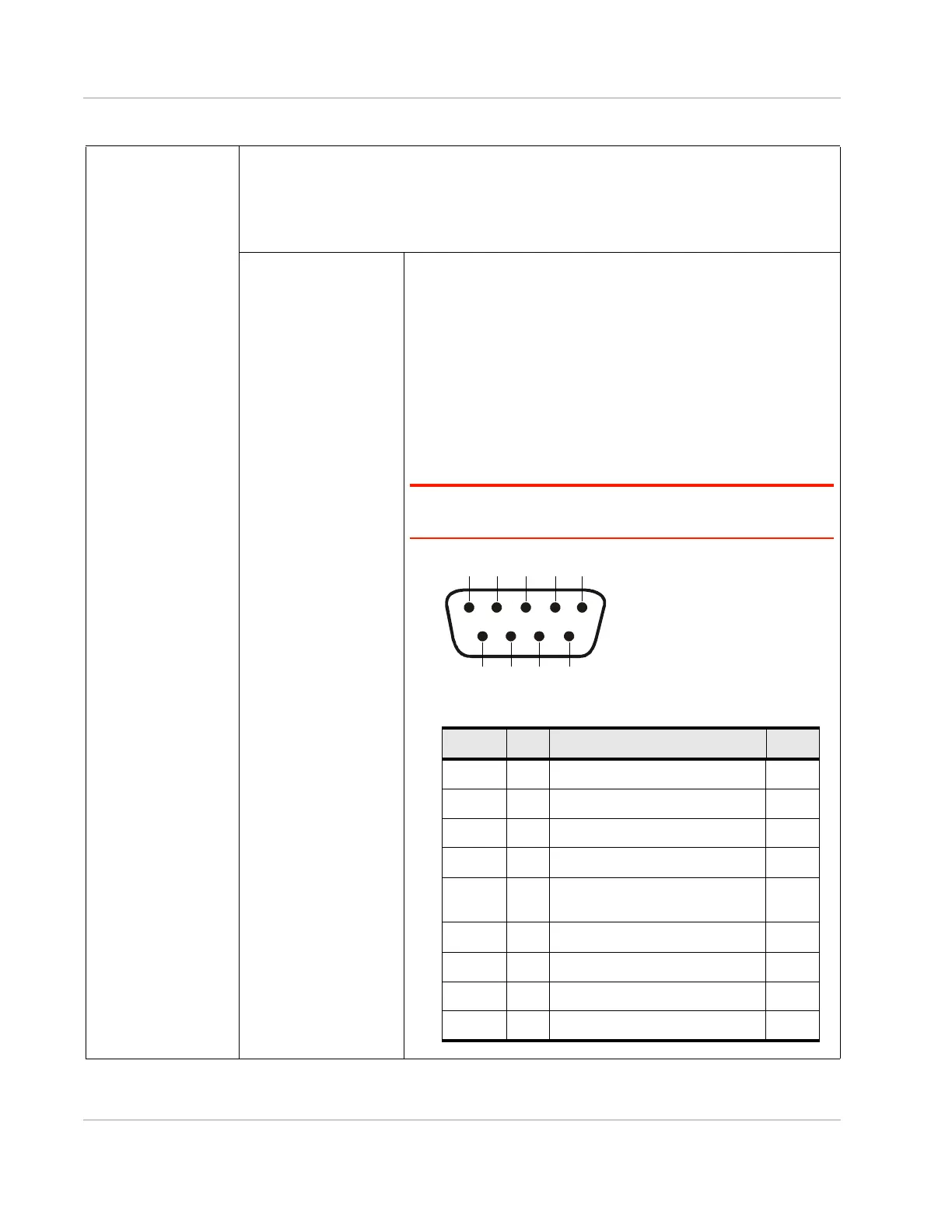
Figure 3-1: DB-9 Female Serial Connector
Table 3-1: Specifications (Continued)
Table 3-2: RS232 Serial Connector Pin-out
Name Pin Description Type
DCD 1 Data Carrier Detect OUT
RXD 2 Receive Data OUT
TXD 3 Transmit Data IN
DTR 4 Data Terminal Ready IN
GND 5 Main GND. Connected internally
to BOARD GND
GND
DSR 6 Data Set Ready OUT
RTS 7 Ready To Send IN
CTS 8 Clear To Send OUT
RI 9 Ring Indicator OUT




 To Next Page