43
A
APERTURE PRIORITY AE
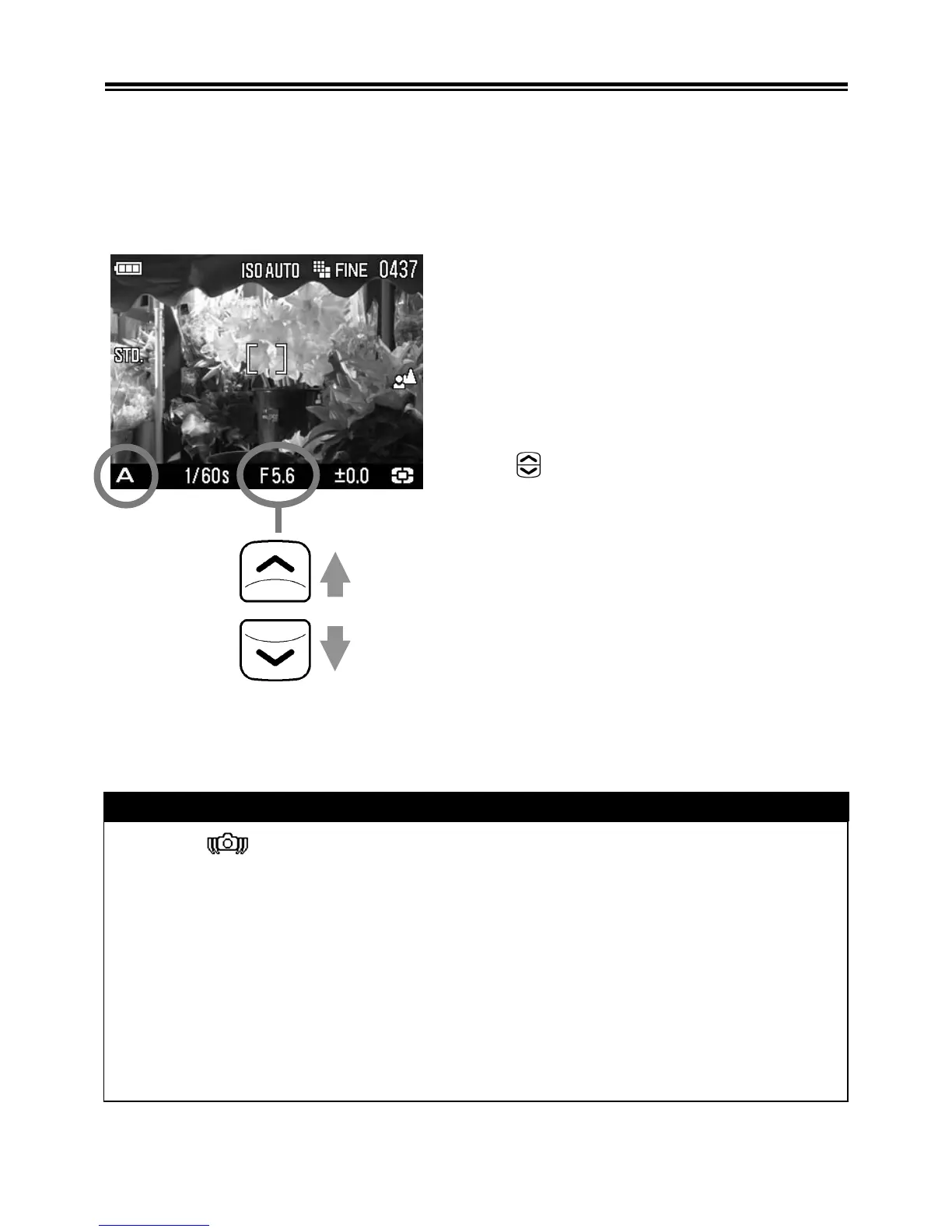
After you set the aperture, the camera will determine the
appropriate shutter speed. If you select smaller apertures, depth of
field will be greater. Larger apertures tend to blur the background,
as depth of field will be shallower.
1
Set the Mode Dial to the
A
position.
(The aperture value indicator is
illuminated in green.)
2
Select the desired aperture value by
using button.
(The aperture value can be set in 1/3
stop increments from F2.8 to F14.)
3
Press the shutter button “half-way” to
verify the focus and take the picture.
WARNING !!
• When is shown on the color LCD monitor, camera shake may
occur (the shutter speed is set slower than 1/25). If this mark is
displayed, please use the flash (P.46, 69) or a tripod.
• If the appropriate shutter speed is outside the range of suitable
combinations due to the subject being too bright or too dark, the
shutter speed indicator will blink. If the subject is too bright, set the
aperture value to a smaller one (larger F-number). If the subject is
too dark, set the aperture value to a larger one (smaller F-number)
until the indicator stops blinking.



 To Next Page