46
USING THE BUILT-IN FLASH
The cameras have built-in flash for taking pictures at night or
in low light, which is very convenient.
USING THE BUILT-IN FLASH
1
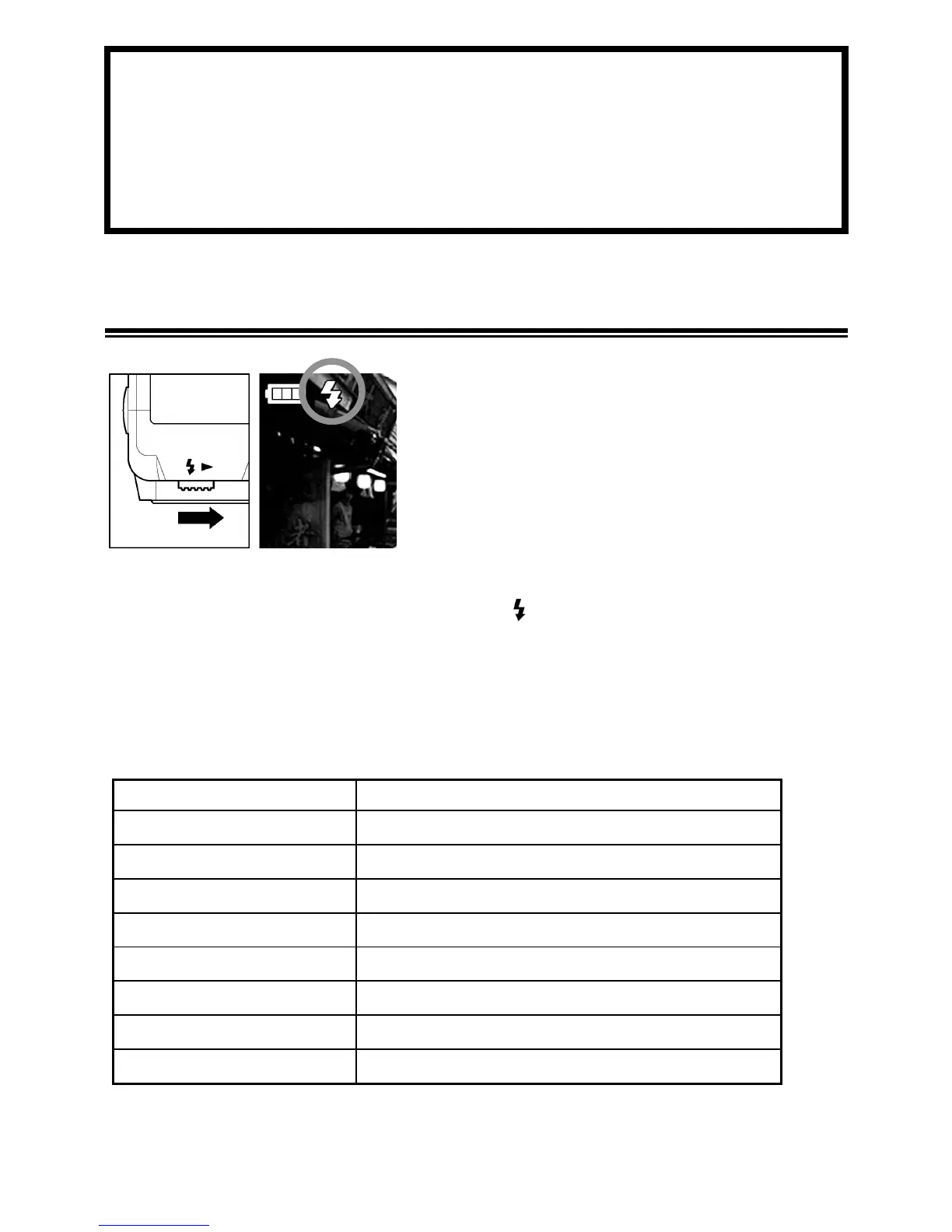
Eject the flash by sliding the Flash
Pop-Up Lever.
2
Make sure that the Flash Mode icon is
displayed on the color LCD monitor.
• While the built-in flash is charging, and Auto Focus Lamp blink
and the shutter cannot be released.
• When you have finished using the built-in flash, please return the
built-in flash to its original position.
■ Flash photography can be used in the following range. (
P
Mode)
ISO Flash Exposure Range
ISO AUTO 0.28m ~ 4.3m
ISO50 0.28m ~ 1.5m
ISO100
0.28m ~ 2.1m
ISO200 0.28m ~ 3m
ISO400 0.28m ~ 4.3m
ISO800
0.28m ~ 6.1m
ISO1600(RAW) 0.28m ~ 8.6m
ISO3200(RAW) 0.28m ~ 12.1m



 To Next Page