1. Printed Output Check
1.1 Detaching Printed Output
To safely detach the printed model, first let the bed cool down. Bed top plates must be detached as well.
Caution
Hot Surface
-
Without sufficient cooling the bed can be very hot. Please be cautious coming into contact .
It may cause burns.
1 Cooling the Bed
After the printer has finished printing, check the LCD screen and built-in speaker. Wait until temperature goes
below 50ºC or 122ºF. Do not touch the bed or the bed handle until you are told you can touch the bed.
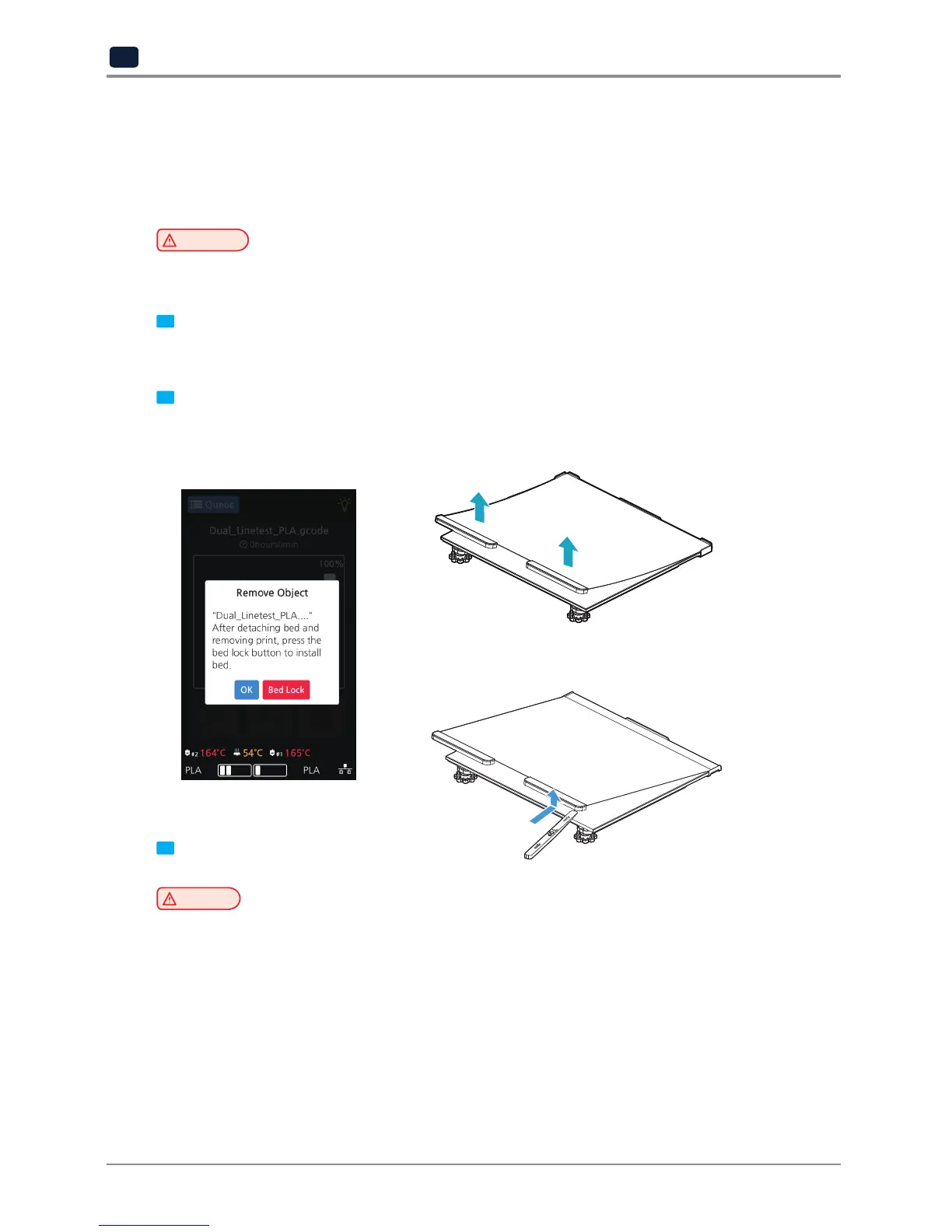
2 Detaching Bed
Press [Bed Lock] on the screen to fix the bed in place. The Flexible Bed is detached if you hold the bed handle
and lift it.
3 Detaching the printed output
Caution
Risk of Injuries
-
The scrapper is very sharp. Handle with care.
Please be cautious of inuries when removing printed objects with the scrapper.
-
When you have printed the large object, be careful when removing the bed so that the object
does not touch the interior of the printer.
You can easily detach a large output if you insert a plastic hera in
a direction of lower left corner of the bed as shown in the picture.



 To Next Page