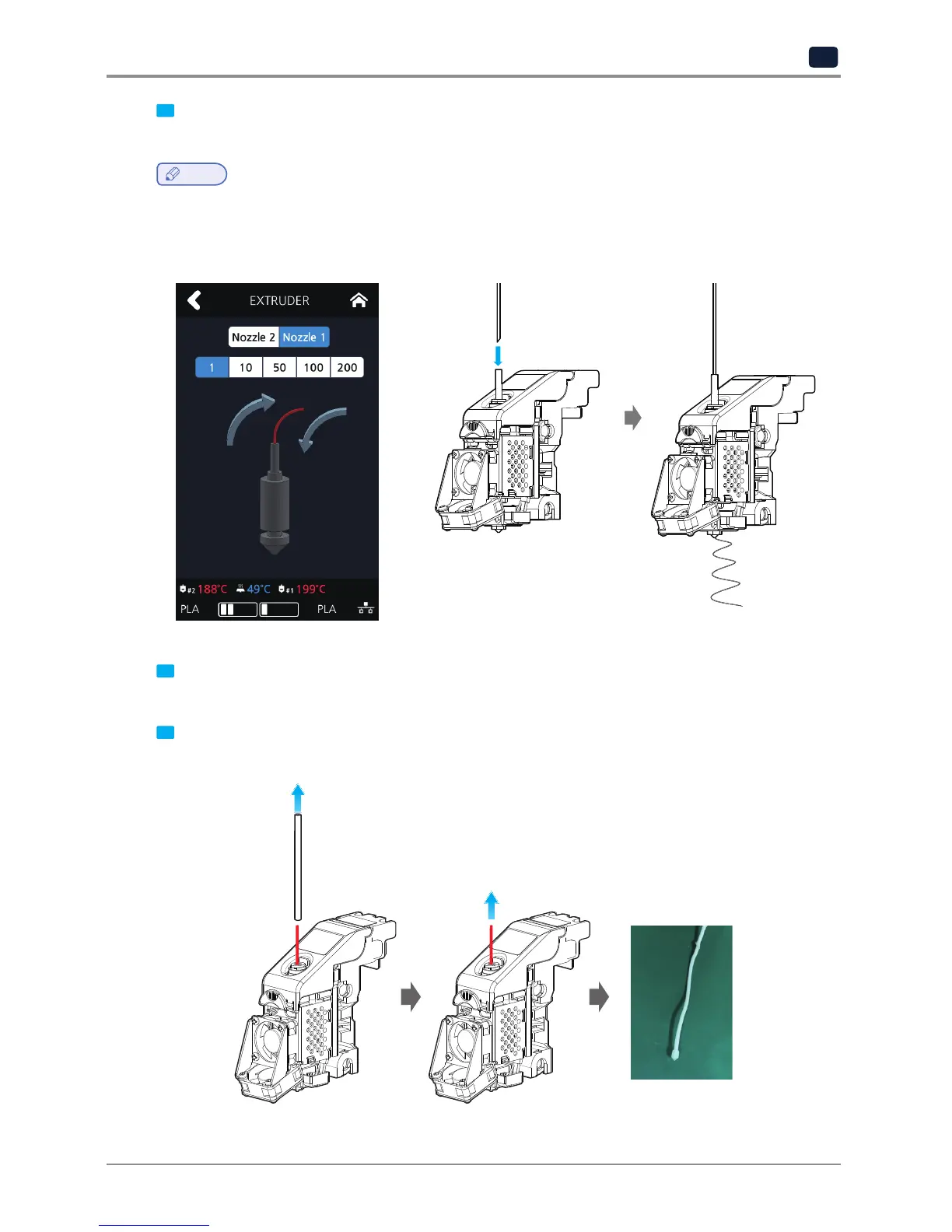
5 After reaching the target temperature of the extruder mode and the UI screen appears as below, insert the
PLA filament into the tube and let it out through the nozzle.
Note
-
White PLA filament is recommended for nozzle cleaning. It is easy to see that contaminant come out from
the nozzle. The properties of the material are slightly different for each filament color.
Using non-white PLA filaments can cause filaments to break when pulling out the filaments.
6 Press the home button in the UI to lower the temperature of the nozzle. Slowly push the PLA filament until the
nozzle temperature is 180 °C.
7 If the nozzle temperature is between 80 ~ 90 ° C, remove the tube and pull out the PLA filament.
(If the PLA filament is disconnected inside, retry extruder mode and repeat the each procedure from step 5.)



 To Next Page