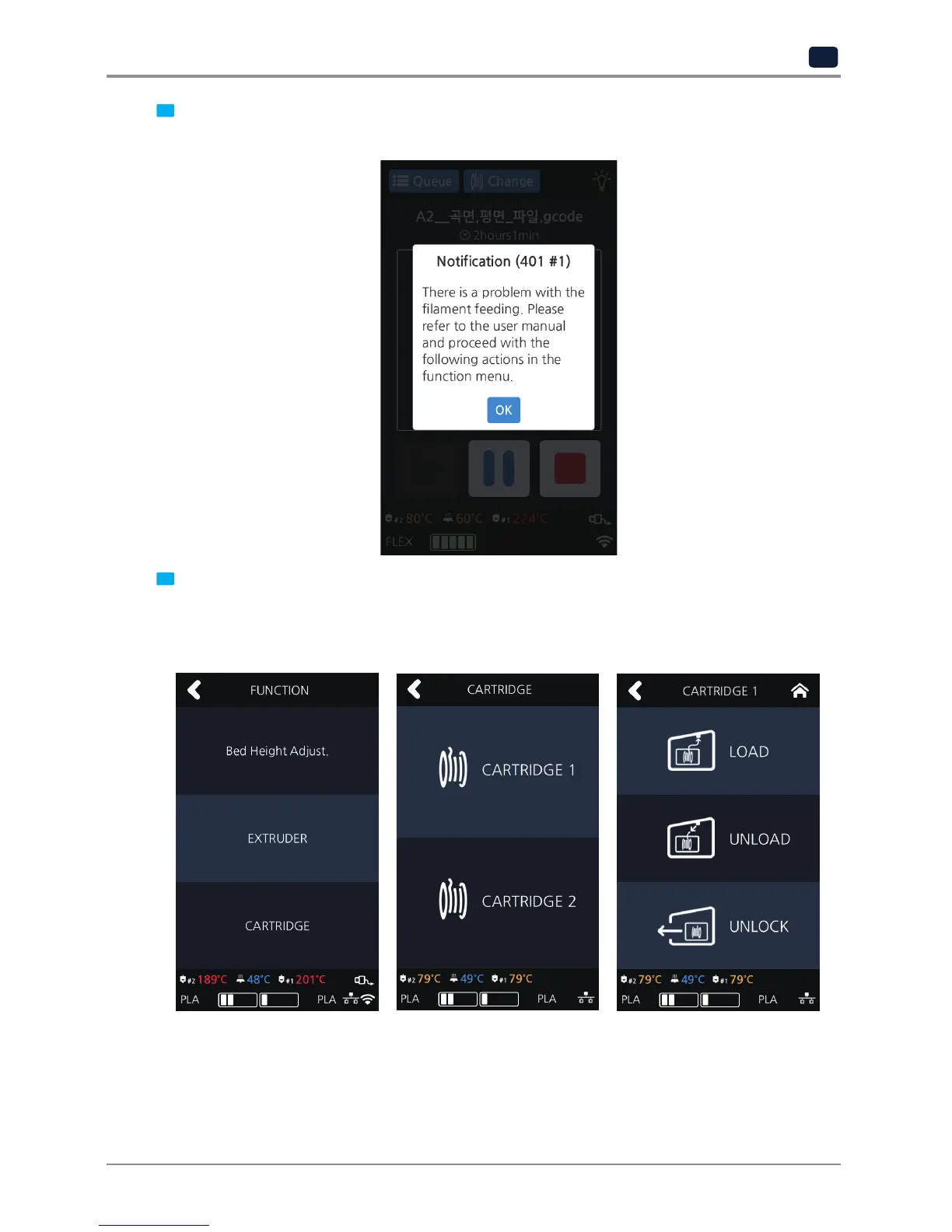
1 Press the [OK] button to move the printing screen. Then, press the [Pause] button followed by the [Function]
button located on the top of the screen.
2 The EC 401 error code selects the cartridge with the number of the detected nozzle and unloads it.
→Removethecartridgefromtheprinter.→Openthecartridgeandcheckifthefilamentistangled.
→Ifthefilamentistangled,untangleitandre-insertthecartridge.Cuttheendofthefilament.
→Re-insertthecartridgeintotheprinter.→Loadit.



 To Next Page