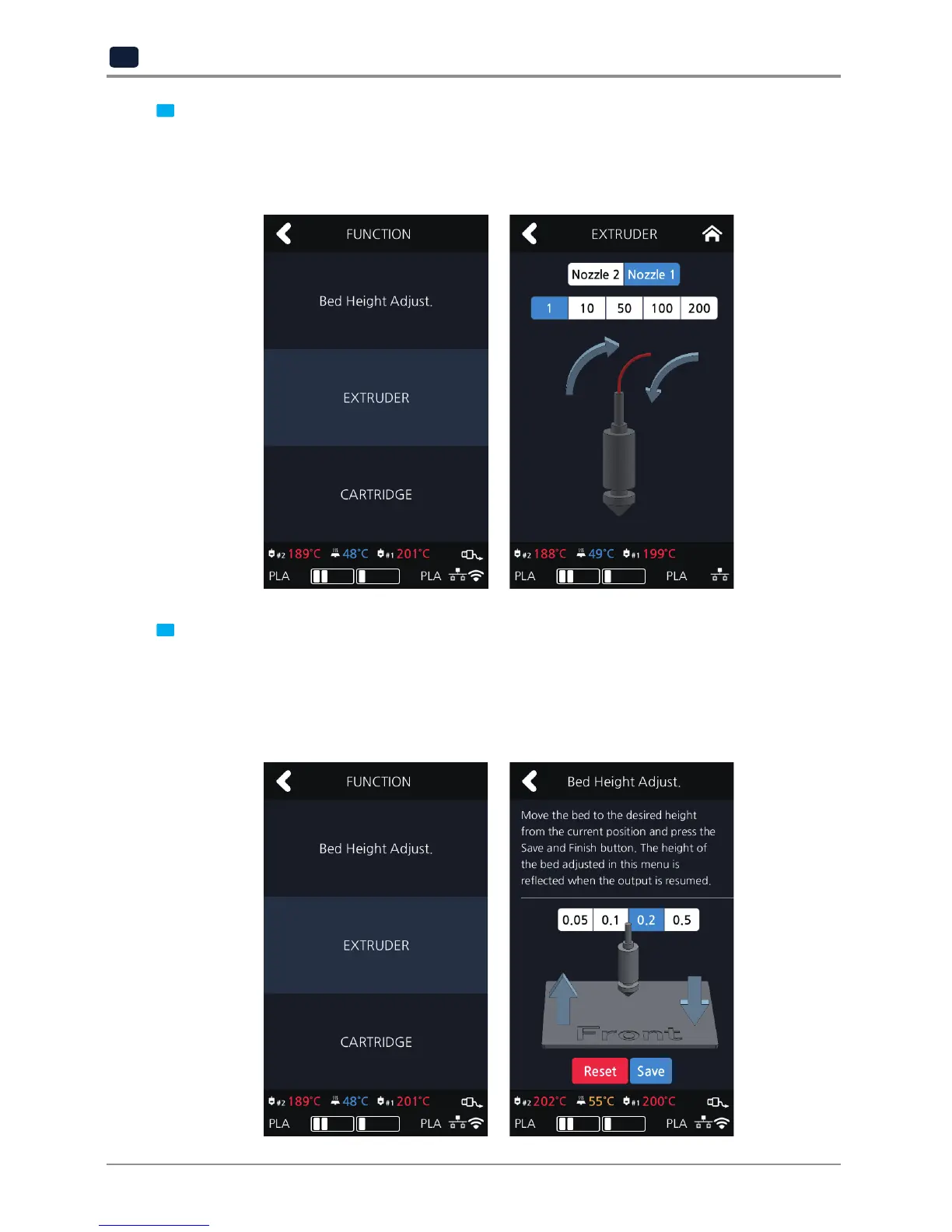
3 Select the [Extruder] menu.
→Waituntilthenozzle’stemperaturereachesyourtargettemperature.→Operatetheextrudertoinsertthefila
mentby50mm.→Checkifthefilamentwasinsertedandinjectedthroughthenozzle.
(If the filament was not injected, repeat step 2 for two to three times. If this does not work, please contact our
customer service hotline, and submit a video or image of this issue to a customer service representative.)
4 A persistent EC 401 error code may be caused by an insufficient space between the nozzle and the bed, which
causes the filament not to be correctly transferred.
In such a case, select the [Bed Height Adjustment] menu to change the height of the bed, and create an ample
space between the nozzle and the bed.
※You can also cancel printing and re-execute
“Setting” – “Bed Leveling”
to set the correct space between the
nozzle and the bed.



 To Next Page