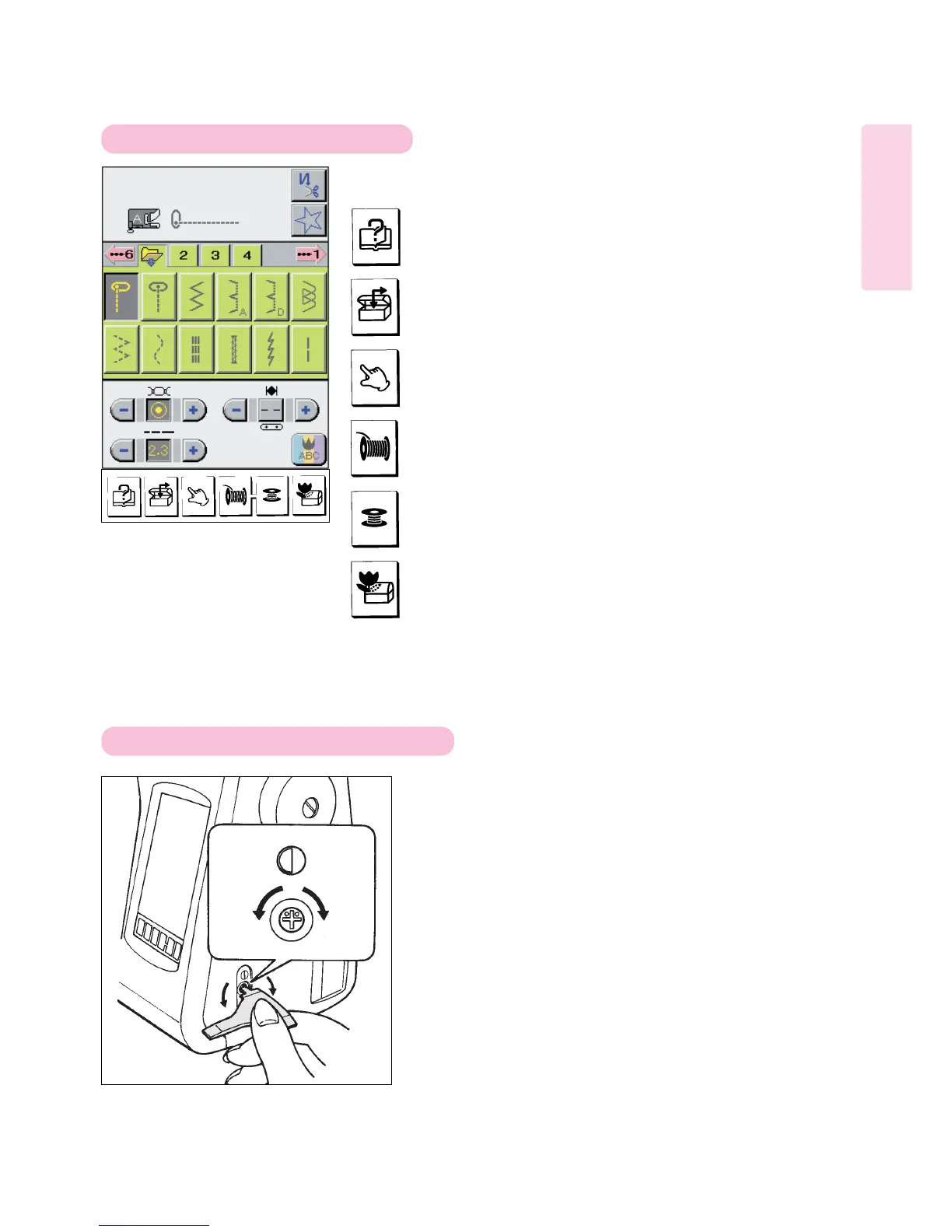
Functions of operation keys / LCD screen adjustment
10
Patterns shown on LCD screen can be easily selected and sewn.
When this key is pressed, “Stitching procedure” is shown on LCD screen.
Used to save and recall patterns and letter strings.
Used to automatically thread sewing machine.
Used to change thread tension, stitch length, needle position and zigzag
width.
Used to automatically wind a bobbin.
Used to pause or take a break during embroidery sewing. The machine
may be turned off and the current status will be saved to be used when
returning to the machine and turning on the power.
Adjust both brightness and contrast of screen through
adjusting hole while observing screen.
1. Fit thinnest part of screwdriver supplied as an
accessory to cross recess in end face of adjusting
hole.
2. To increase brightness ( make lighter), turn screwdriver
clockwise.
To decrease brightness (make darker), turn it
counterclockwise.
Operation Keys
Adjustment of contrast of LCD screen
Increased
(lighter)
Decreased
(darker)



 To Next Page