81
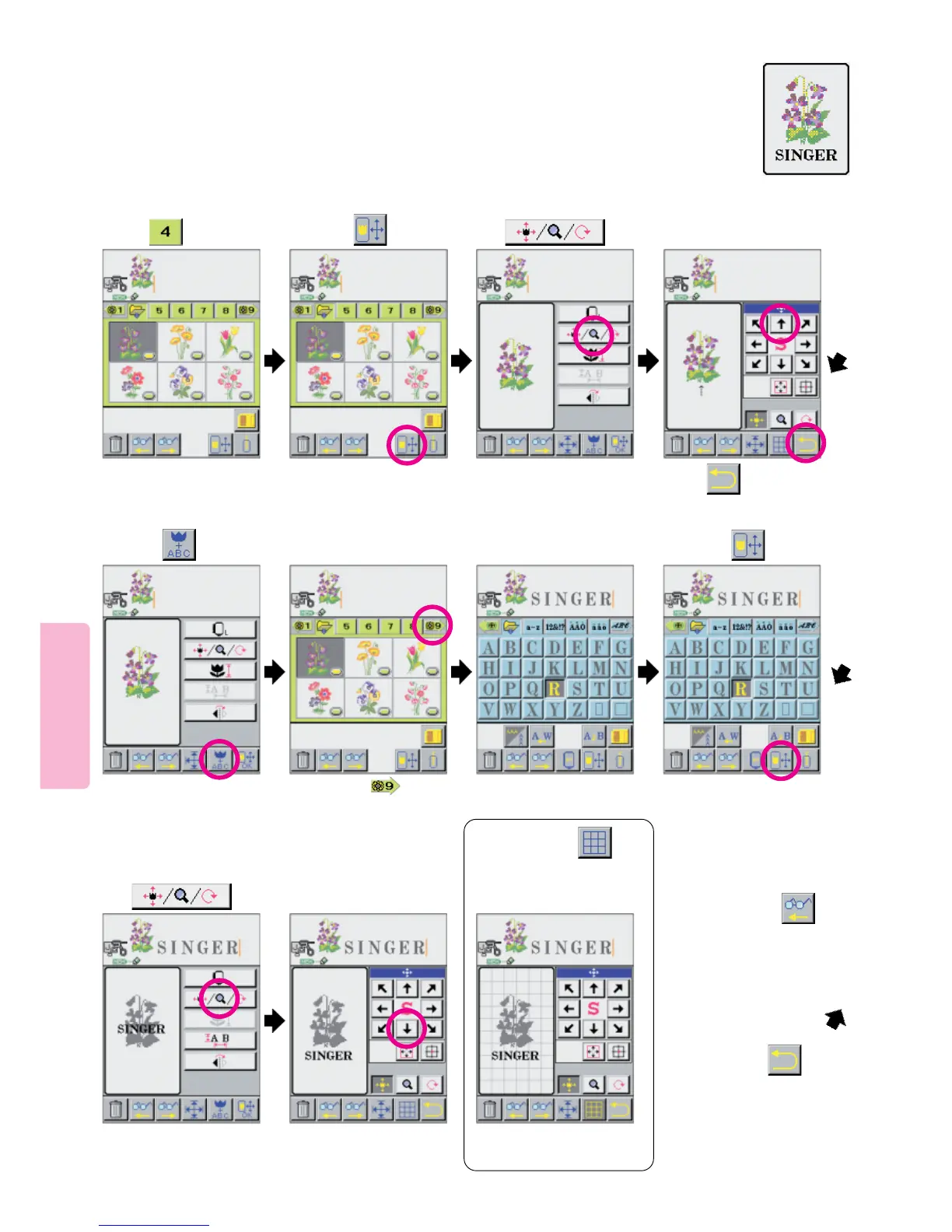
Combination Sewing: combining patterns and letters
1
Change location of
pattern.
4
856
9
23
Example)
Select pansy pattern
of .
7
Press arrow ( ) in
repetition until letter screen
appears.
Change location of
letters according to
pattern location.
10
When the Layout is
complete, press
* At this time, press six
times if you want to edit the
pattern. This will change the
sewlction from the letters to the
pattern for editing.
Press the Graph pictogram a
second time to clear the grid.
When you press
picto grid lines will appear on
LCD screen to use as an aid
for placement.
Press
Press .
Select a desired word.
Press
Press pictogram.
Press pictogram. Press pictogram.





 To Next Page