23
79
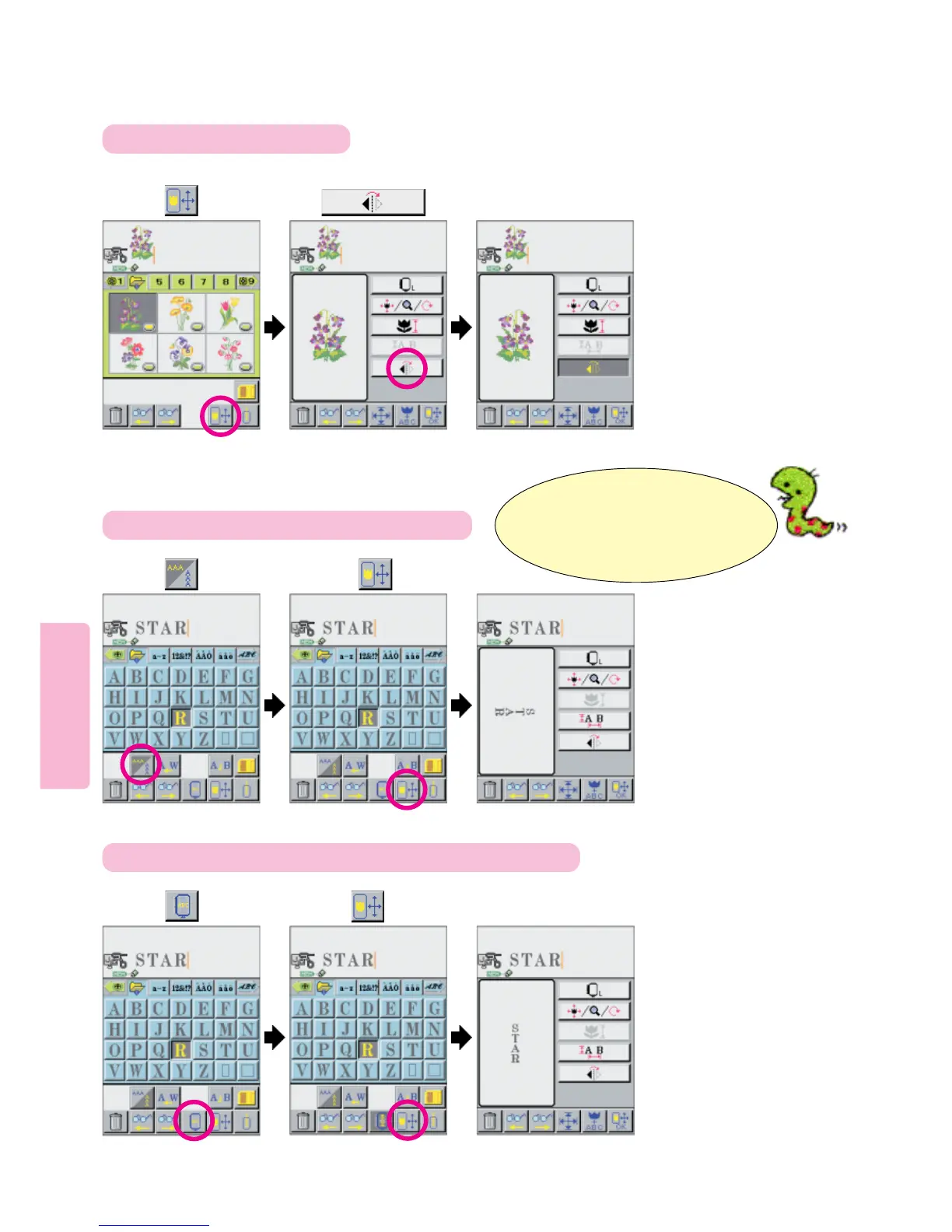
Mirror Imaging and Horizontal / Vertical Orientation
To change orientation from Horizontal to Vertical
1
To Mirror Image Patterns
123
564
To change orientation between portrait and landscape orientations
Press
Press pictogram.
Press pictogram. Press pictogram.
Press pictogram. Press pictogram.
Note:
Horizontal and Vertical relates to the
direction of the letters within the screen.
Portrait and Landscape relates to the
orientation of the screen itself.





 To Next Page