67
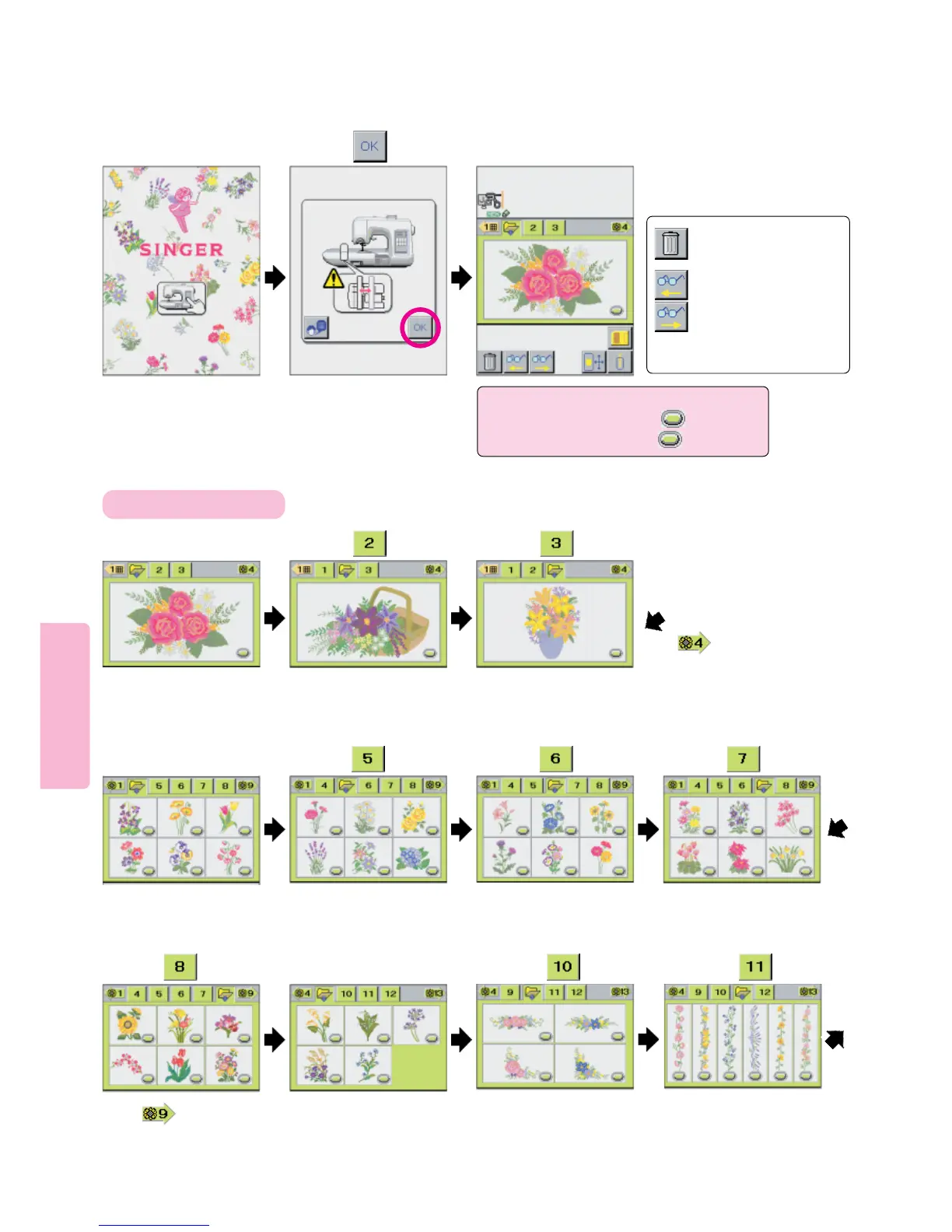
How to Select Floral Embroidery Patterns (color coded green)
Touch Welcome screen. Press pictogram.
21 3
4567
How to select a pattern
12
3
Press
Press and screen
will appear as illustrated in
step 4.
: Used to cancel pattern
selected.
: Used to check patterns
when number of patterns
you have selected exceeds
the number of those can
be shown on single screen.
Note: When the Stitch Pattern Pictogram
displays a “Targeting Oval” , to select
pattern press gently on the oval only.
Press
Press Press Press
Press
10 1189
Press and screen will appear
as illustrated in step 9.
Press Press





 To Next Page