53
For best results always use a stabilizer on the
wrong side of the fabric and always conduct a trial
sew first.
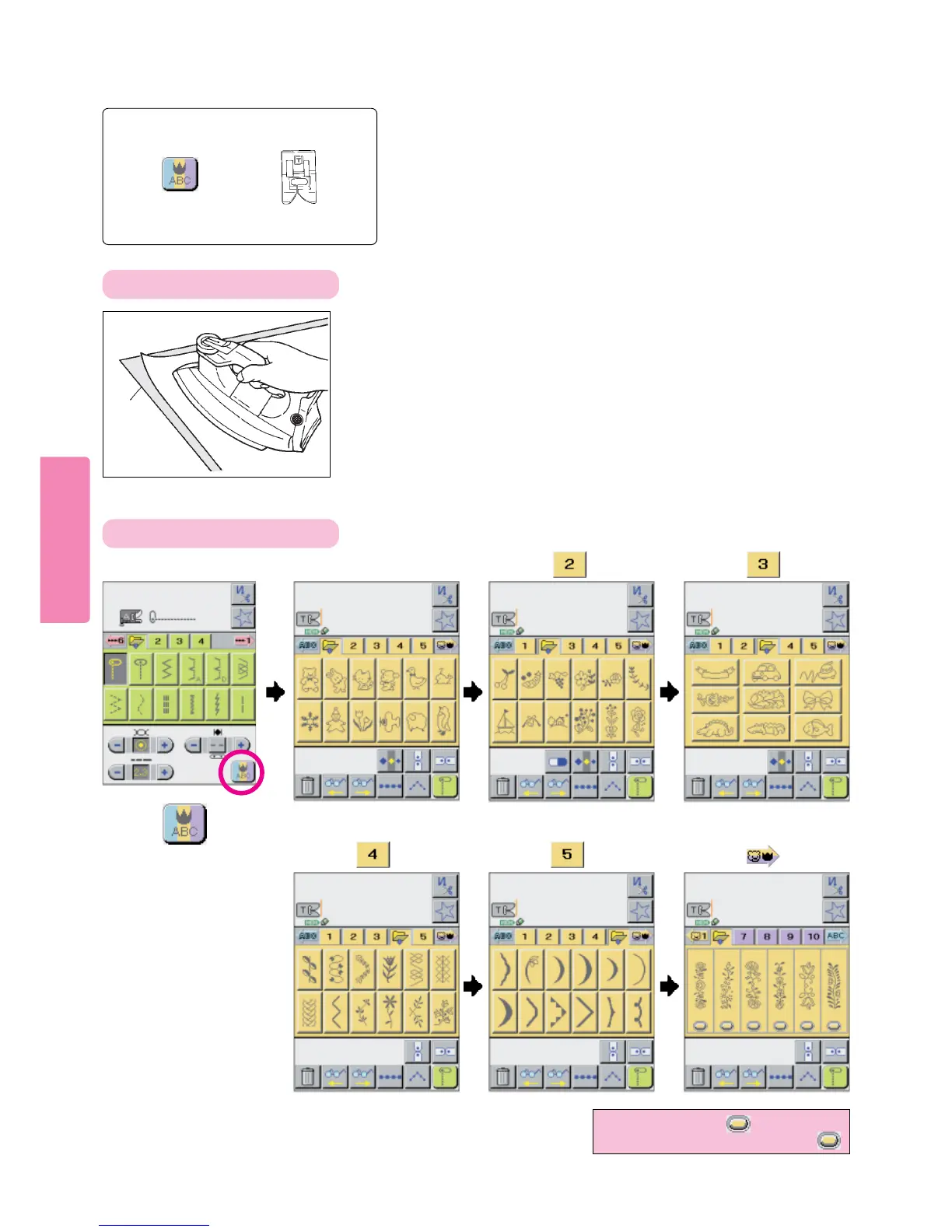
Fuse iron-on stabiliizer to wrong side of fabric. (Iron
temperature should be set “low” to “medium”)
Press pictogram:
How to Select Large (X-Y Feed) Patterns (color coded orange)
Press
to select a
desired pattern.
Fabric
Selecting pattern screens
Preparation before sewing
Stitch pattern
to be selected
Presser foot to
be selected
Decorative
stitch foot (T)
* For patterns with displayed,
select pattern by gently pressing
123
Press Press
4
Press
56
Press Press



 To Next Page