52
1234
5678
910
Press Press
Press
Press Press
PressPress
PressPress
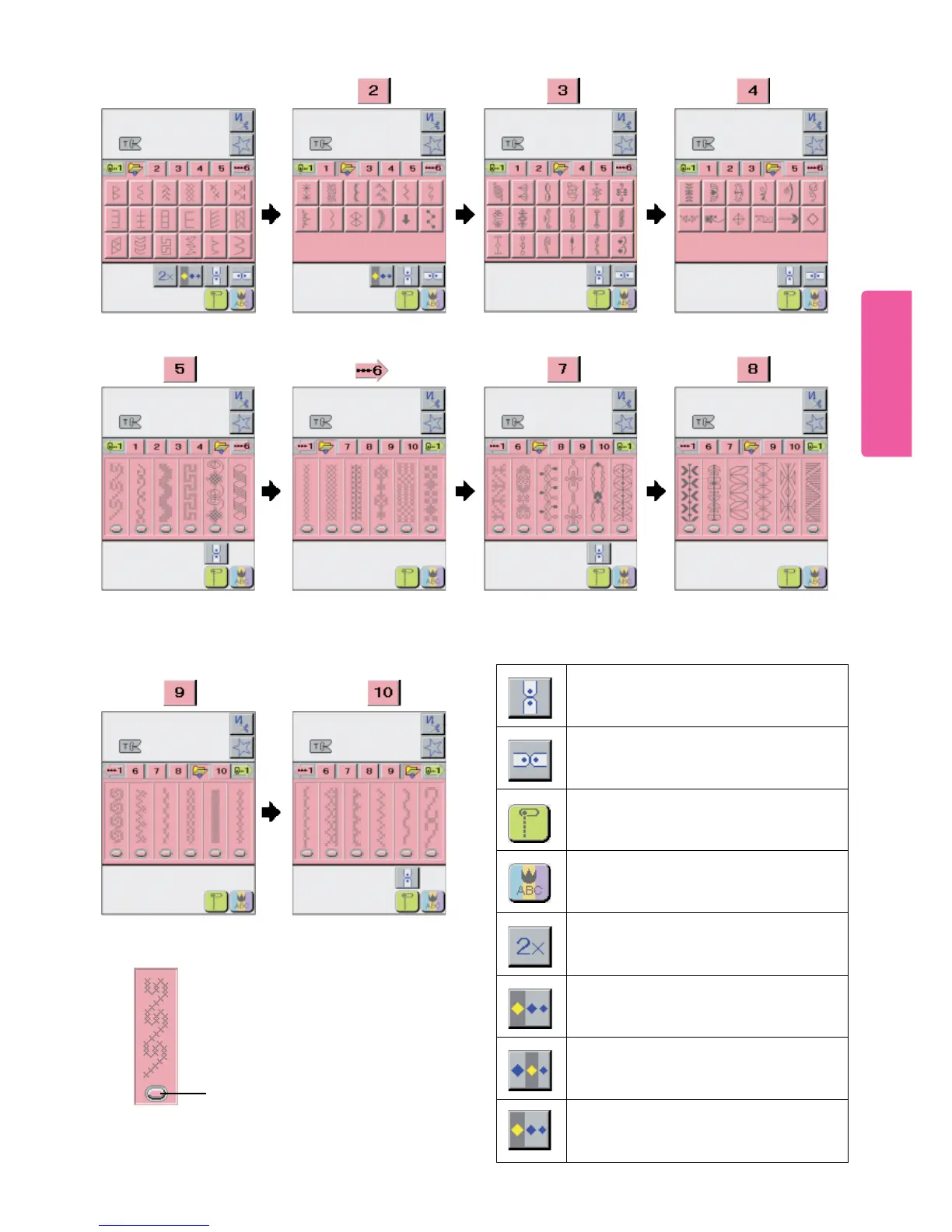
This pictogram is used to select straight stitch
with left stitch base. (Also used to return to
Utility Pattern Screen.)
Used to activate additional Pattern Groups
and Alphabet / Numerics Screens.
Used to vertically invert a pattern used for
continuous pattern sewing.
Used to mirror a pattern used for continuous
pattern sewing.
Pattern elongate pictogram. Only available
on Screen 1.
Enlarge size pictogram
Regular size pictogram
Reduce size pictogram
Note: When the Stitch Pattern Pictogram
displays a “Targeting Oval”, to select
pattern press gently on the oval only.





 To Next Page