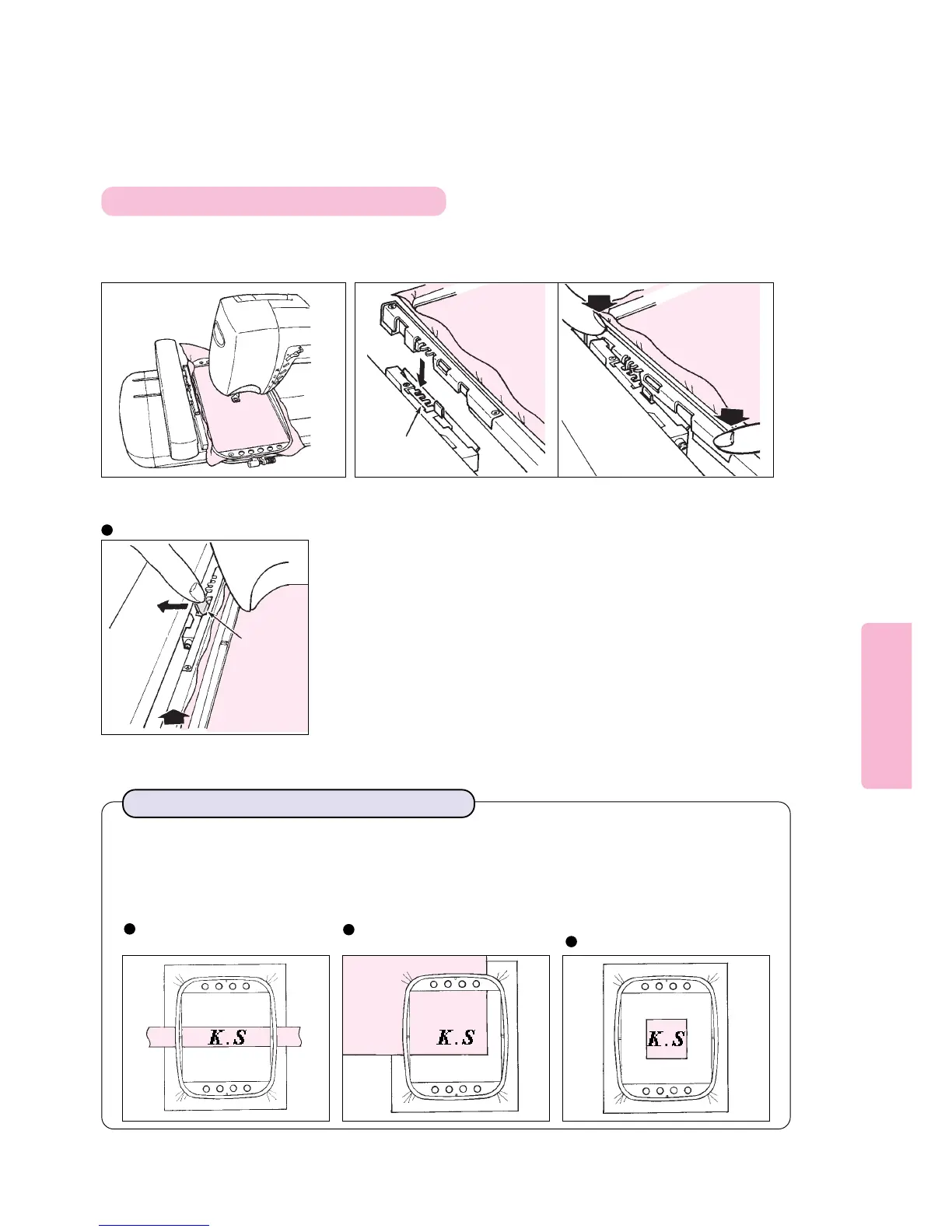
Fit the edge of frame in
corresponding groove in
embroidery frame holder.
Fully raise embroidery presser foot
and place embroidery frame under it.
To remove embroidery frame
12
72
Attaching and removing embroidery frame
To embroider small fabric:
Fuse iron-on tear away type stabilizer on fabric before sewing embroidery.
After completion of embroidery, tear off stabilizer from fabric.
* Use the small or medium size frame.
To embroider corner of fabric
such as handkerchief:
To embroider narrow fabric
such as ribbon tape:
To embroider small fabric or edge of fabric:
Holding
lever
Pressing holding lever of embroidery
frame holder to leftmost position, raise
embroidery frame until it comes off
from embroidery frame holder.
Pressing far side of embroidery frame
with fingers, push frame into slot
located on embroidery unit until
frame clicks into place.
3
Embroidery
frame holder





 To Next Page