Sirona Dental Systems GmbH 6 Patient Positions, Program Selection
41 63 189 D 3311
D 3311.201.01.10.02
15
IRKPMWL
6
Patient Positions, Program Selection
WARNING!
The patient's arms and legs must
remain resting on the chair upholstery
during the program run!
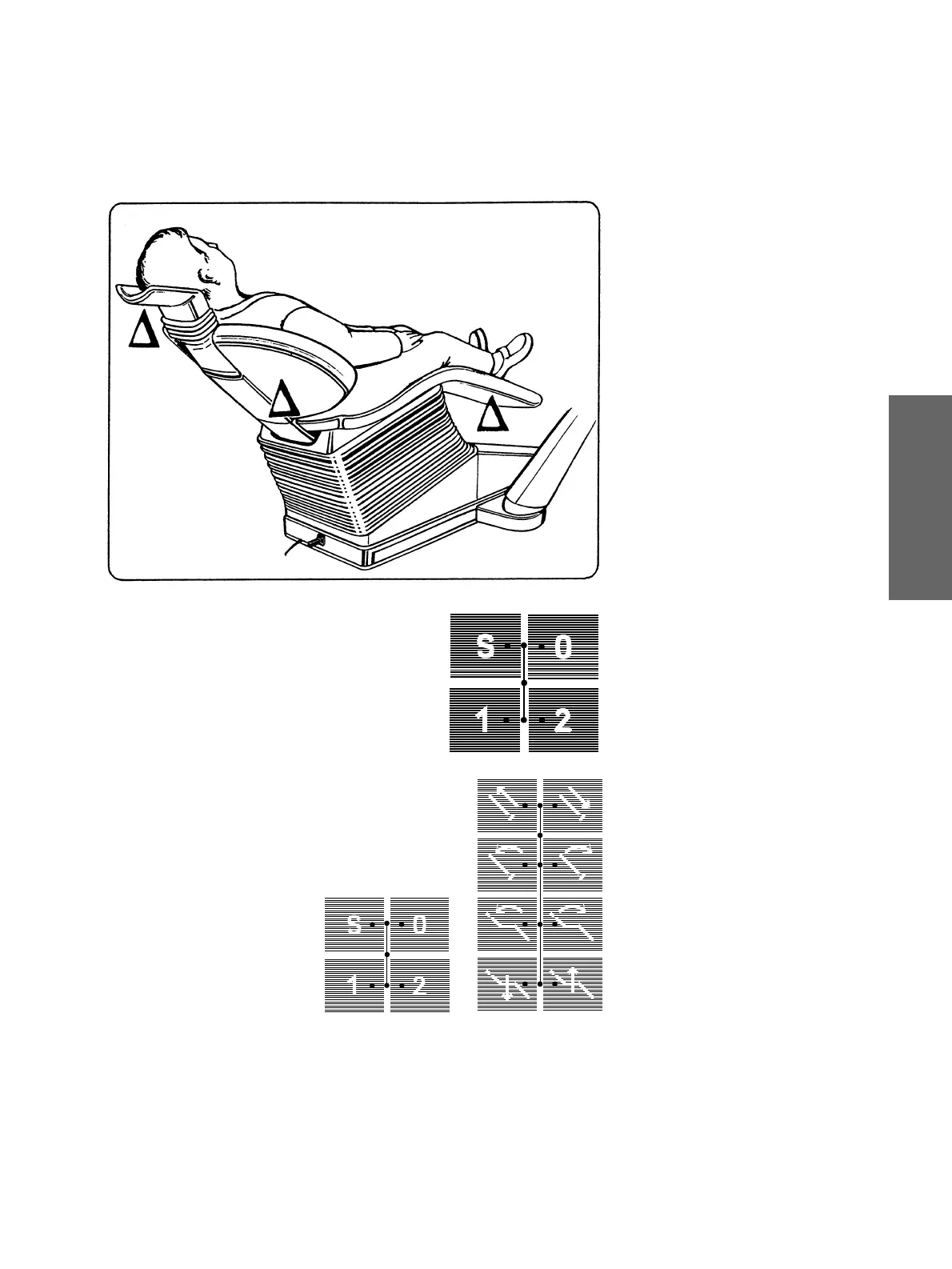
NOTE: The built-in safety circuit
stops all
chair movements if the bottom of the seat
∆
or the backrest
∆ ο
r the headrest
∆
collides
with any obstacle.
The chair will then automatically travel
upwards a little to free the obstacle.
Keys for
selecting programmed patient
positions.
Factory setting:
The unit lamp switches
OFF
automatically
before the movement into the neutral posi-
tion
0
or in the mouth rinsing position
S
.
The unit lamp switches
ON
automatically
after reaching the patient position
1
or
2
.
Changing the factory setting:
It is possible to preselect when program-
ming the patient positions whether the unit
lamp should switch OFF or ON in the differ-
ent chair programs 0, S, 1 or 2
(see page 18).
TRAVEL STOP!
All workstation travel movements will
be disabled if any chair control key is
pressed during automatic travel to a
programmed position.
At the same time, a double-beep warning
signal is sounded.















 To Next Page