10 Instrument Functions Sirona Dental Systems GmbH
41 63 189 D 3311
22
D 3311.201.01.10.02
10
Instrument Functions
When an instrument is removed, the cursor
jumps to the top of the left-hand keypad.
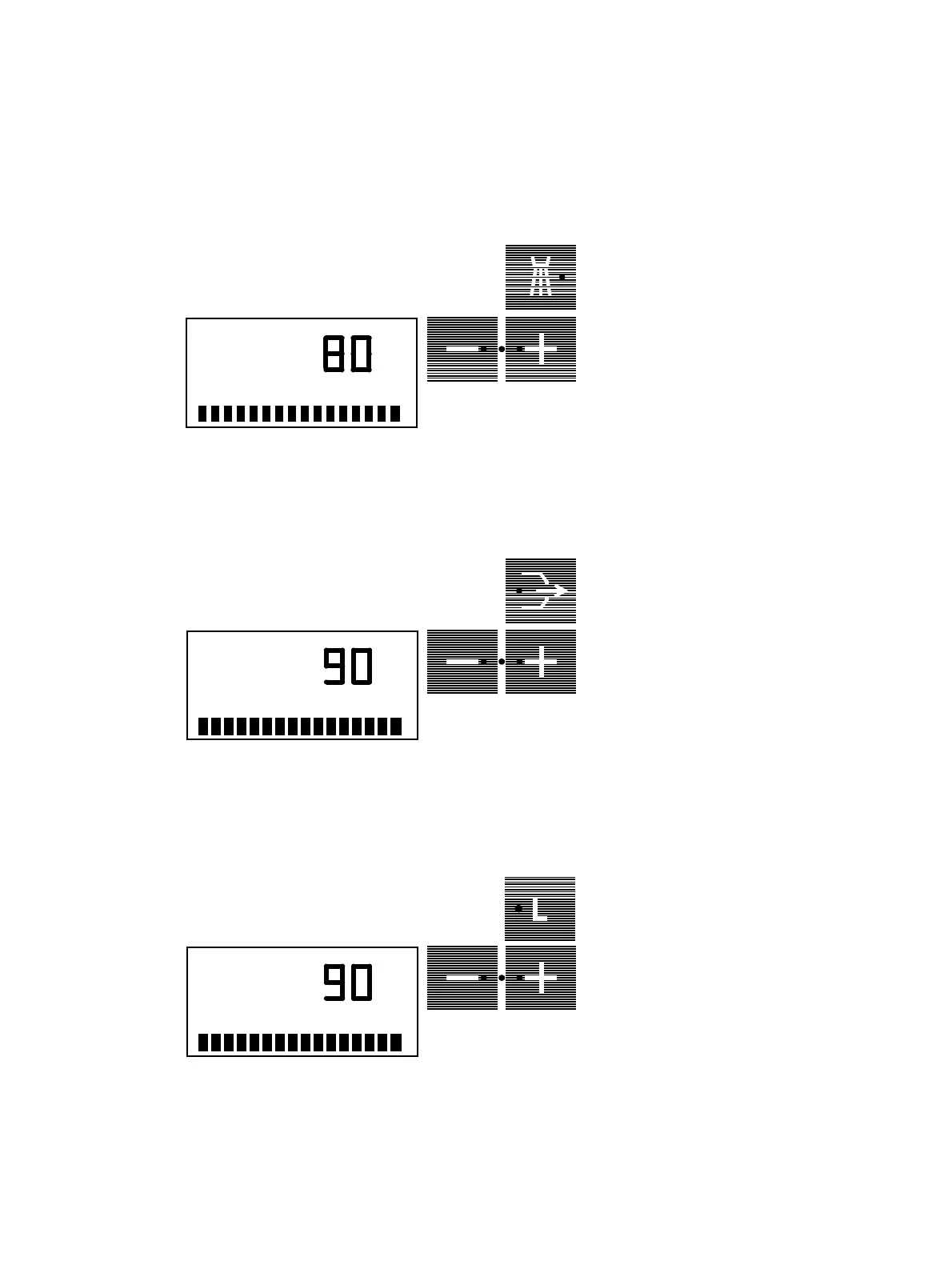
The spray cooling function can be prese-
lected by actuating the
SPRAY ON / OFF
key (or foot switch to the left).
The green LED in the key remains lit as
long as spray is switched
ON
.
If the key is pressed longer than 3 sec., the
SPRAY INTENSITY
setting dialog
appears.
The amount of spray can be set from 0 to
100%
with the
–
/
+
keys.
If setting is < 20%, cooling is performed
only with air. The lower the setting, the
higher the air cooling.
As long as the cursor
is positioned next to
the
Chip Blower
key with the drilling instru-
ment removed* and the foot switch is actu-
ated to the right, a stream af air will be emit-
ted from the nozzle of the drilling instru-
ment.
If this key is pressed longer than 3 sec.,
the setting dialog for the intensity of the air
stream appears. Using this dialog, you can
set the intensity of the air blower from
50%
to
100
% with the
–
/
+
keys.
Using light key
L
(or foot switch to the
right),
you can switch the
instrument light
of the withdrawn instrument
*
ON
and
OFF
.
The green LED in the key stays lit with the
light ON
.
If the key is actuated longer than 3 sec., the
INSTR. LIGHT intensity
setting dialog
appears. Using this dialog, the light
intensity can be set from 60 to
100%
with
the
–
/
+
keys.
* If more than one instrument is removed
from its hanger, only the instrument first
removed is operative
SPRAY INTENSITY
A
%
A
%
CHIP INTENSITY
A
%
INSTR.LIGHT















 To Next Page