Cineloop, Image Storage and Print
9-4
Folder Format refers to the store location of patient data in the Local storage. For
example, if Folder Format is Date, a folder named after the current date will be created
by the system and the patient data will be stored in this folder.
e) Save/Recall Location
Set the image store location by setting up the
Save key. There are two selections:
Memory and Local storage.
9.3.5 Other Operation
The user may select store location and input file name based on their preferences.
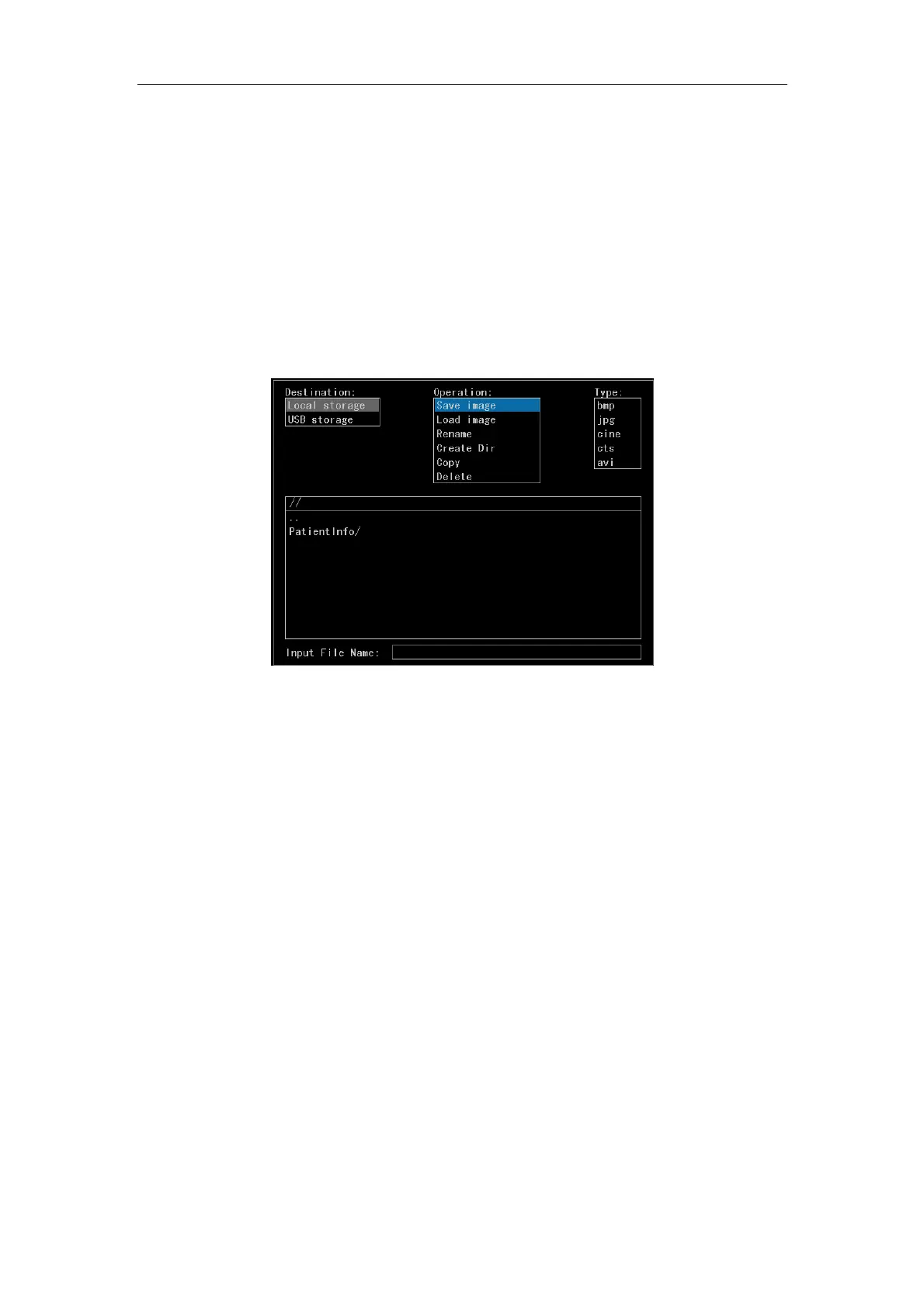
Fig. 9-5 Disk Window
First, the cursor is in the destination select box. Select the destination, Local storage,
USB storage for example. Press
Enter key, and the cursor jumps to Operation. Six
operations are in the select box: Save image, Load image, Rename, Create Dir, Copy
and Delete. Press
T-Ball key to cycle switch the cursor between each select box and
each input field.
a) Save image: Select Save image and press
Enter. The cursor jumps to Type
select box. Select the format for the file to be saved and press
Enter. The cursor
jumps to path dialog box. And then select the store location for the current image or
the current report screen; press
Enter to save the current image or the current
report screen directly to the current folder; if the cursor stays on the folder (e.g. gg/
in the figure), press
Space key to enter that folder. And then save the current
image or the current report screen to that folder (if the cursor stays on .., press
Space key to go to the upper-level directory and select the store location). After
selecting the store location, press
Enter and input the file name to save that
image/report and exit the disk window. After the image is successfully stored, the



 To Next Page