System Setup
5-16
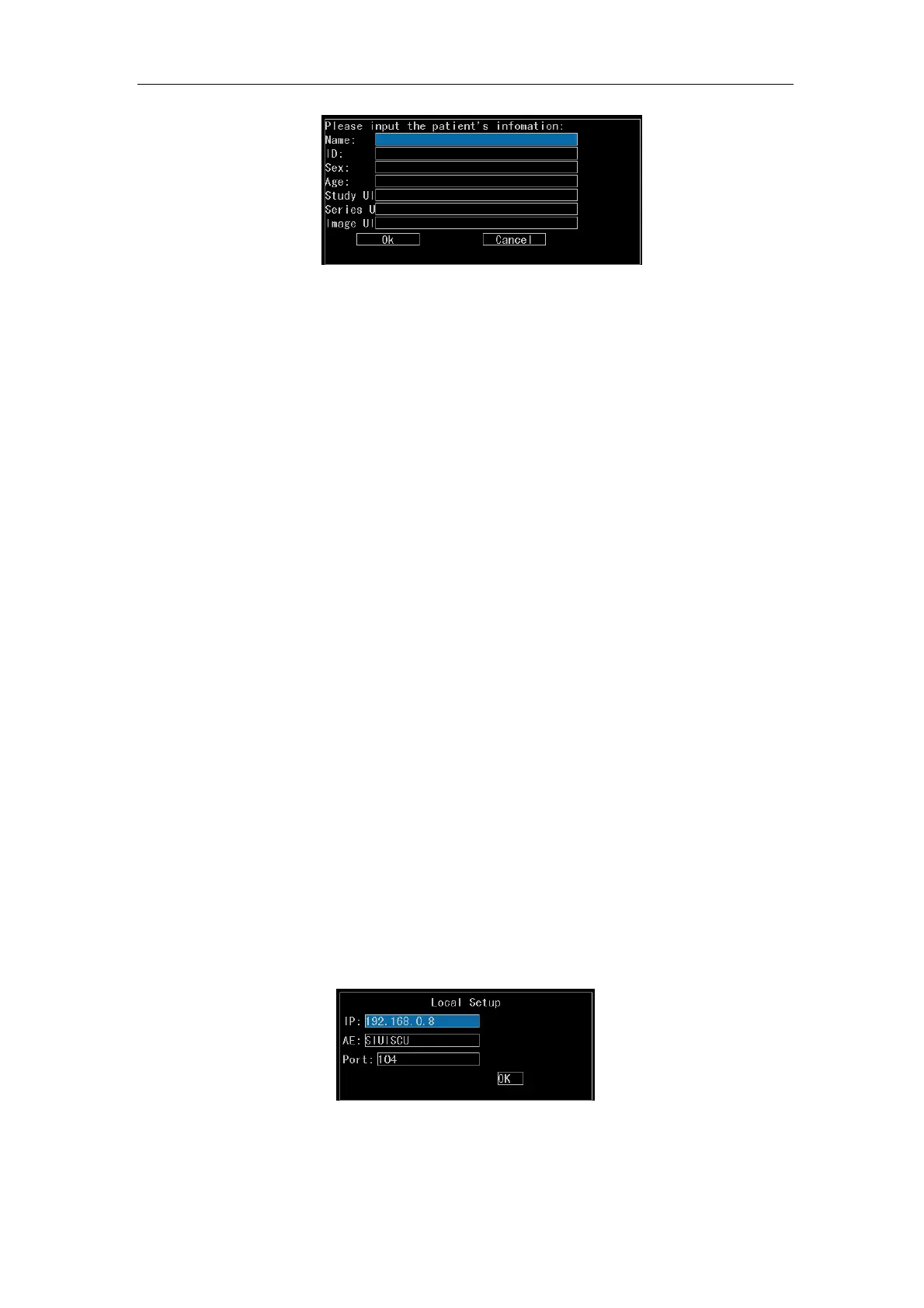
Fig.5-8 Input Box for Query Condition
【Note】: Make the DICOM operation directory under the DcmDir directory in the
hard disk directory. In the disk management state, the user can
operate the DcmDir directory and the files in the directory and does
not need to create a new file folder. If this file folder does not exist, the
system will automatically create one when making DICIOM function
operation.
d) Send Quickly. Select Send Quickly and press
Enter. The current screen image
will be saved to the DICOM server.
5.2.6.3 NetSetup
NetSetup is for setting connection parameters between the local system and the remote
system. The network operation in Section 5.2.6.2 and information transfer between the
local and the remote systems are enabled only after completing NetSetup. Select
NetSetup and press
Enter. The submenu of NetSetup will appear, including two options
Local and Remote.
a) Local. Select Local and press
Enter. A setup dialog box will appear. See Fig. 5-9.
Input the local IP address in the IP edit box (e.g. 192.168.0.8). Input a name to
identify the local system in the AE edit box (e.g. SIUISCU; NOTE: The AE shall be
the same as the AE supported by the service port) and a port number (e.g. 104).
Move the cursor over OK and press
Enter to complete the Local setup.
Fig.5-9 Local Setup Dialog Box
b) Remote. Select Remote and press
Enter. A setup dialog box will appear. See
Fig.5-10. Input the IP address of the remote system that will be connected to the



 To Next Page